11
C
C
h
h
a
a
p
p
t
t
e
e
r
r
2
2
D
D
i
i
s
s
p
p
l
l
a
a
y
y
S
S
c
c
r
r
e
e
e
e
n
n
C
C
o
o
n
n
f
f
i
i
g
g
u
u
r
r
a
a
t
t
i
i
o
o
n
n
The menu directory enables you to setup the product configuration from Phone Settings, VoIP settings,
and Network settings. Follow these steps to access the menu and the menu items.
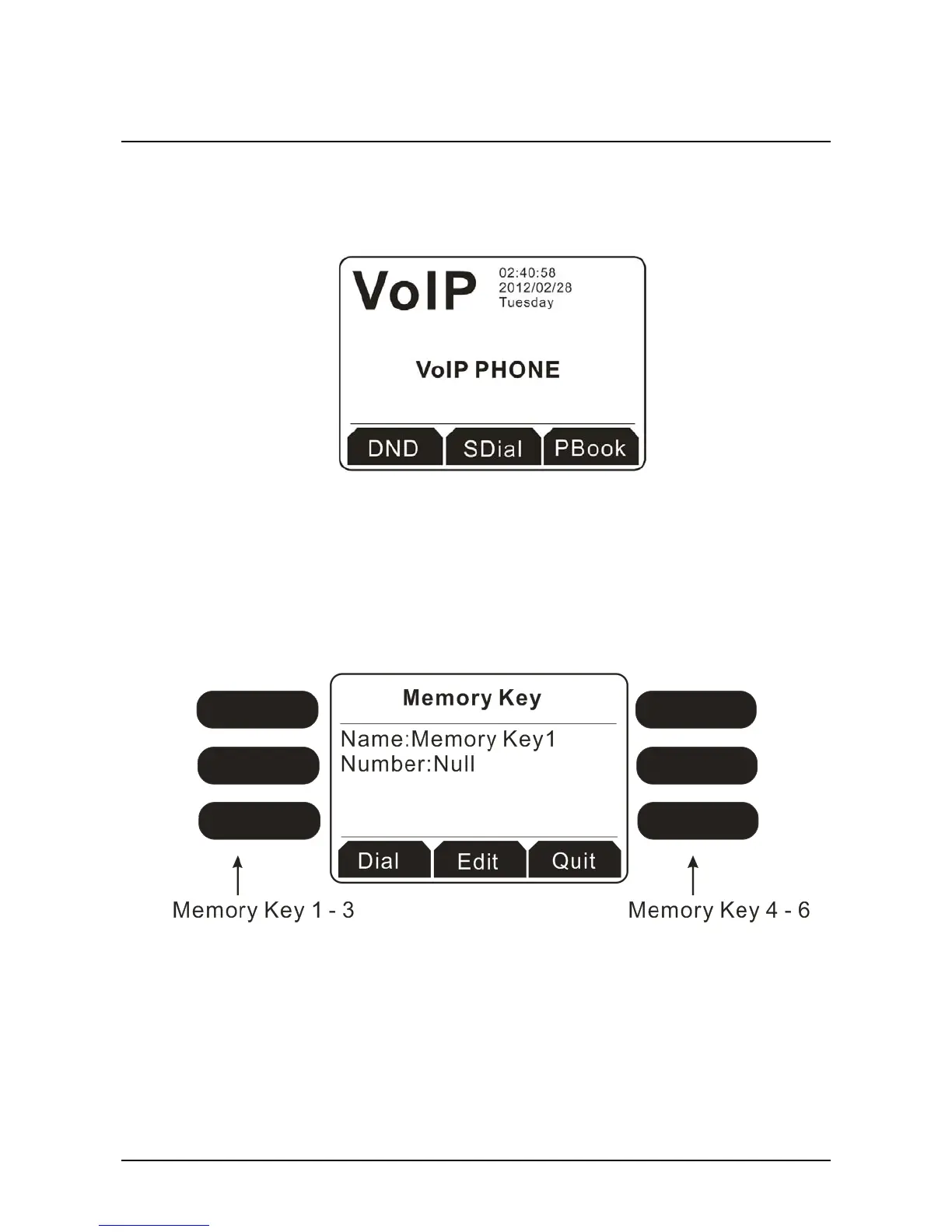
Below shows the LCD of VigorPhone (successful hardware connection):
2
2
.
.
1
1
M
M
e
e
m
m
o
o
r
r
y
y
K
K
e
e
y
y
Memory keys (also called function keys in the web configurator of Phone>>Function Key) can be set
with specific type, value, line and other function parameters (speed dial, push to talk, DND and so on).
You can go to Phone>>Function Key to configure the settings in details.
If you just want to edit the name and /or the number for each memory key, you can click one of the
memory keys on the IP phone to change it.
2
2
.
.
1
1
.
.
1
1
D
D
i
i
a
a
l
l
i
i
n
n
g
g
w
w
i
i
t
t
h
h
M
M
e
e
m
m
o
o
r
r
y
y
K
K
e
e
y
y
Simply press the memory key (1 – 6) you want and click Dial.



 To Next Page