22
After you login, move the cursor over the menu items on the left navigation bar to access the dropdown
menus.
3
3
.
.
1
1
B
B
a
a
s
s
i
i
c
c
3
3
.
.
1
1
.
.
1
1
S
S
t
t
a
a
t
t
u
u
s
s
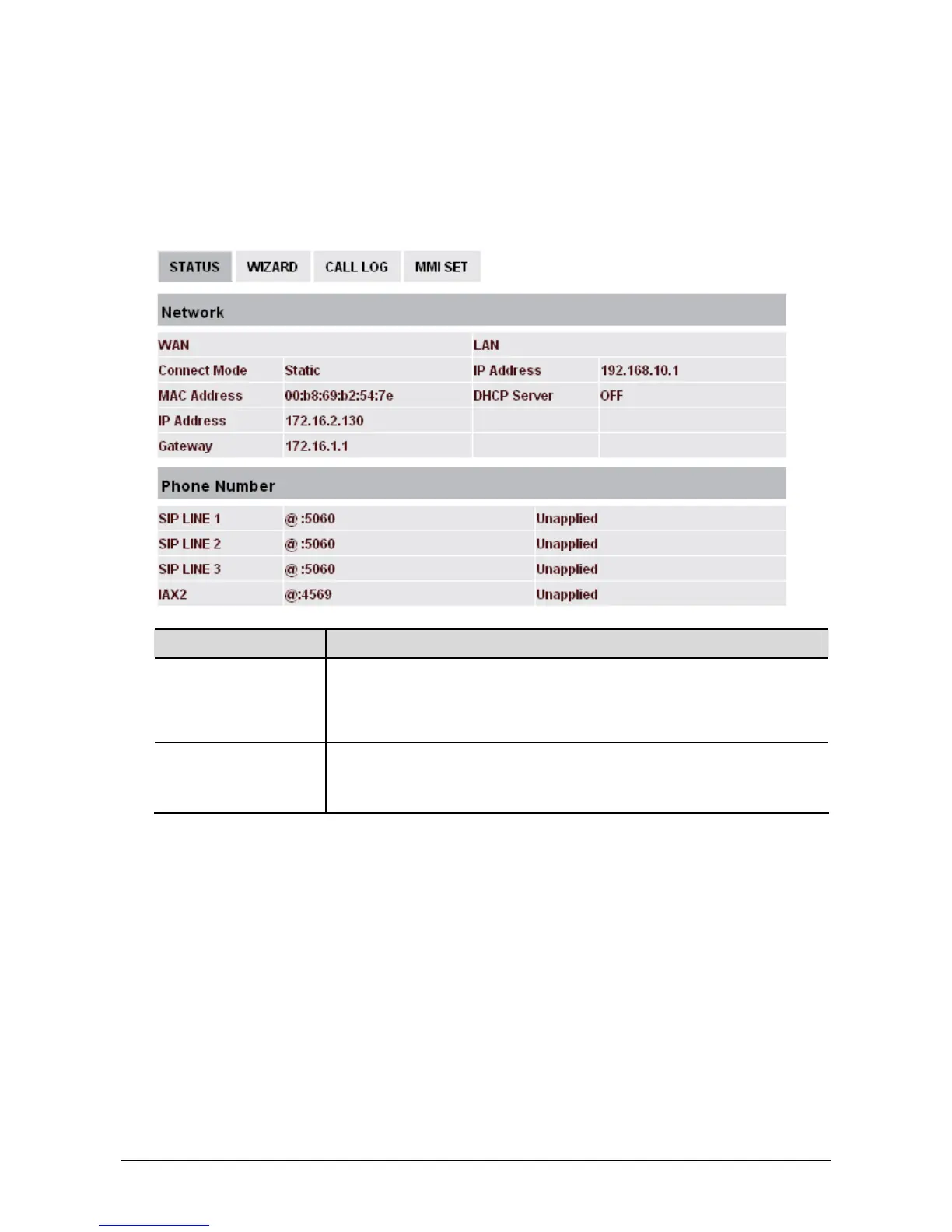
Field name Explanation
Network Shows the configuration information on WAN and LAN port, including
the connect mode of WAN port (Static, DHCP, PPPoE), MAC address,
the IP address of WAN port and LAN port, ON or OFF of DHCP mode
of LAN port.
Phone Number Shows the phone numbers provided by the SIP LINE 1-3 servers and
IAX2.
The last line shows the version number and issued date.



 To Next Page