19
2
2
.
.
6
6
M
M
i
i
s
s
s
s
e
e
d
d
C
C
a
a
l
l
l
l
a
a
n
n
d
d
I
I
n
n
d
d
i
i
c
c
a
a
t
t
o
o
r
r
L
L
i
i
g
g
h
h
t
t
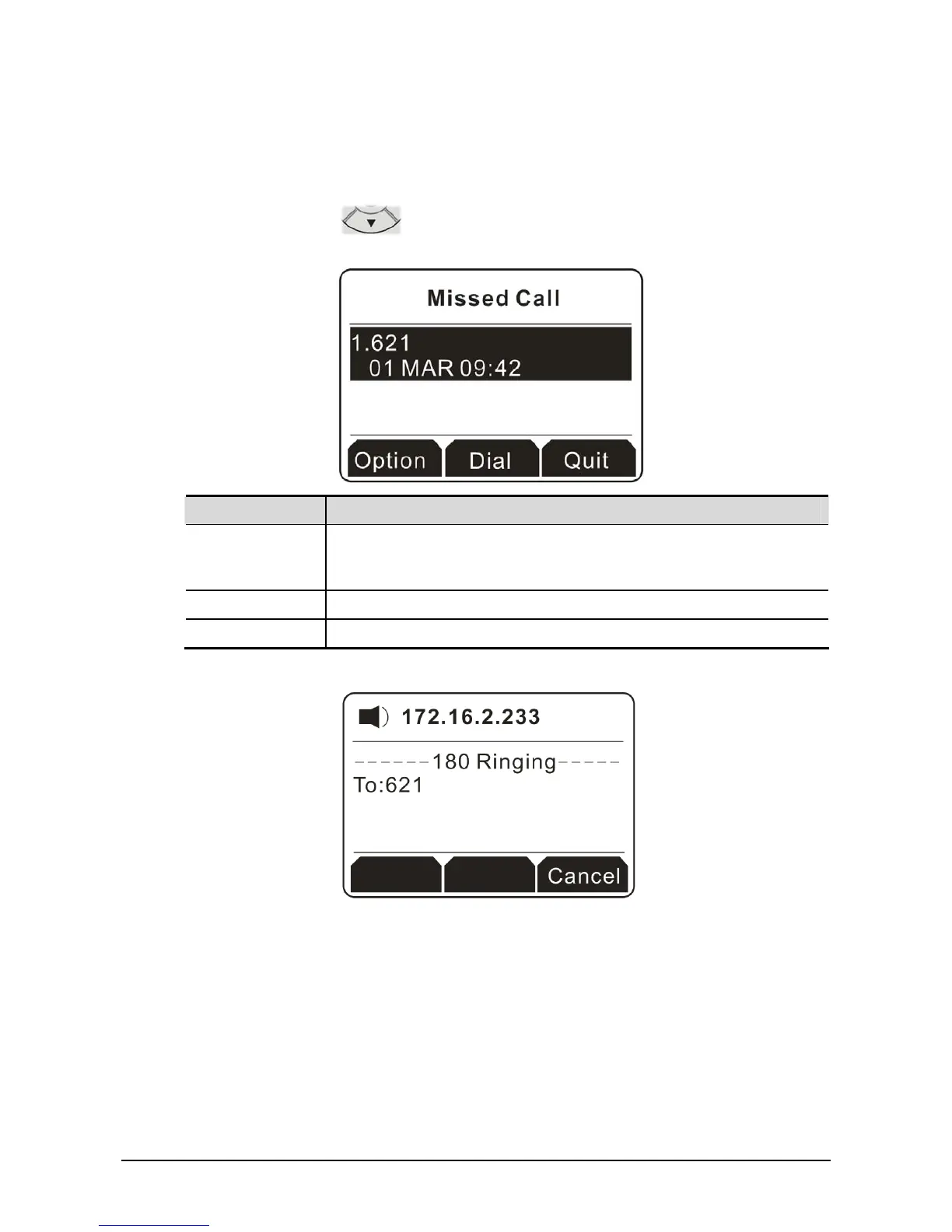
If the indicator light always blinks, it means there is a missed call that you have to process. Please do
the following:
1. Press the navigation key
to open the missed call record. All the missed calls will be shown
on the display screen. In this example, there is only one missed call.
Button Explanation
Option It allows you to check detailed information for the missed call, save the
missed call, delete the missed call, send a message to the missed call,
and so on.
Dial Call back for answering the missed call.
Quit Exit and return to previous page.
2. Click the soft key under Dial to have a phone call to the selected missed call.



 To Next Page