66
Server Address Set FTP/TFTP/HTTP server IP address for auto update. The address can
be IP address or Domain name with subdirectory.
Username Set FTP server Username. System will use anonymous if username
keep blank.
Password Set FTP server Password.
Config File Name Set configuration file’s name which need to update. System will use
MAC as config file name if config file name keep blank. For example,
000102030405.。
Config Encrypt Key Input the Encrypt Key, if the configuration file is encrypted.
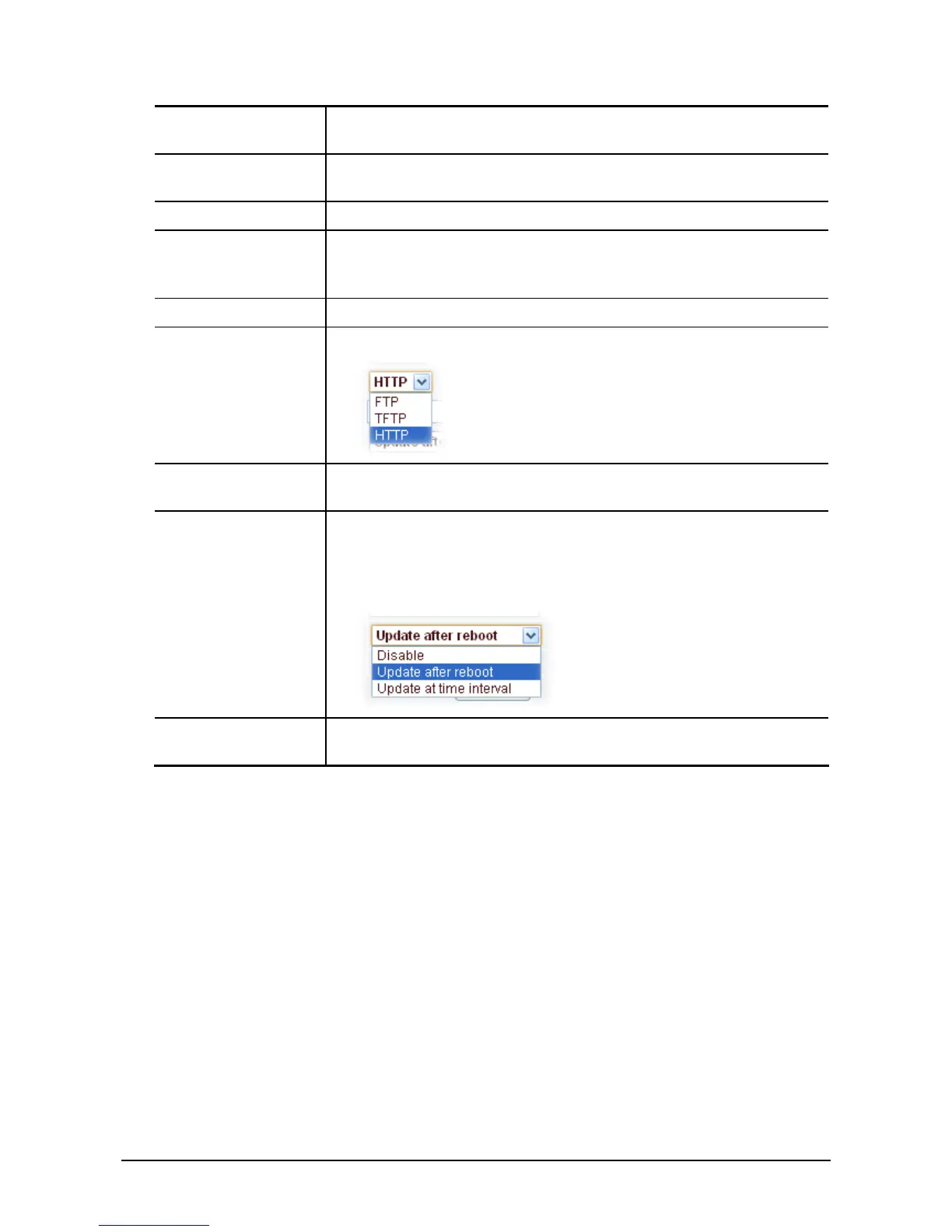
Protocol Type
Select the Protocol type FTP、TFTP or HTTP.
Update Interval
Time
Set update interval time, unit is hour.
Update Mode Different update modes:
1. Disable: means no update
2. Update after reboot: means update after reboot.
3. Update at time interval: means periodic update.
Enable DHCP
Option 66
This option is enabled, TFTP server address defaults to the value of
option 66
3
3
.
.
5
5
.
.
2
2
S
S
y
y
s
s
l
l
o
o
g
g
Syslog is a protocol which is used to record the log messages with client/server mechanism. Syslog
server receives the messages from clients, and classifies them based on priority and type. Then these
messages will be written into log by some rules which administrator can configure. This is a better way
for log management.
There are 8 levels in debug information:
Level 0---emergency: This is highest default debug info level. You system can not work.
Level 1---alert: Your system has deadly problem.
Level 2---critical: Your system has serious problem.
Level 3---error: The error will affect your system working.
Level 4---warning: There are some potential dangers. But your system can work.
Level 5---notice: Your system works well in special condition, but you need to check its working
environment and parameter.
Level 6---info: the daily debugging info.



 To Next Page