84
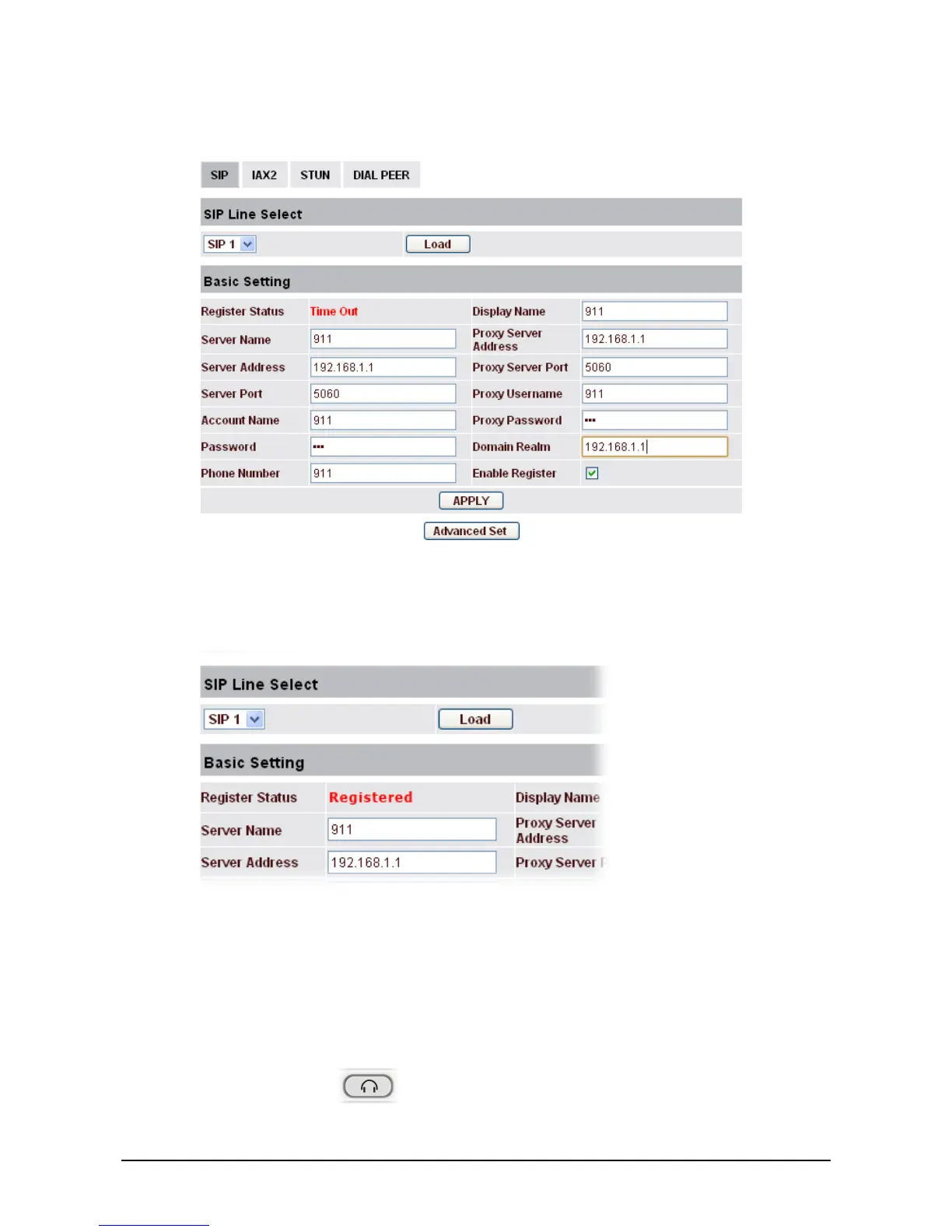
13. Fill in the information according to the settings (listed in Step 1 to Step 9) configured in
VigorIPPBX series.
14. When you finished the settings, click Apply to save them. VigorPhone will try to register the
number to VigorIPPBX series.
15. Later, if Register Status display “Registered”, that means the extension number for VigorPhone
has been registered successfully.
4
4
.
.
2
2
A
A
n
n
s
s
w
w
e
e
r
r
C
C
a
a
l
l
l
l
VigorPhone 300 will ring to indicate you when there is call incoming, below is the ways to answer call:
z Answer with hook off
Take handset, you can talk directly. You can just hang up to finish talk.
z
Answer with the headset button
Press the Headset key
to answer the call, press the key again to finish talk.



 To Next Page