36
Field name Explanation
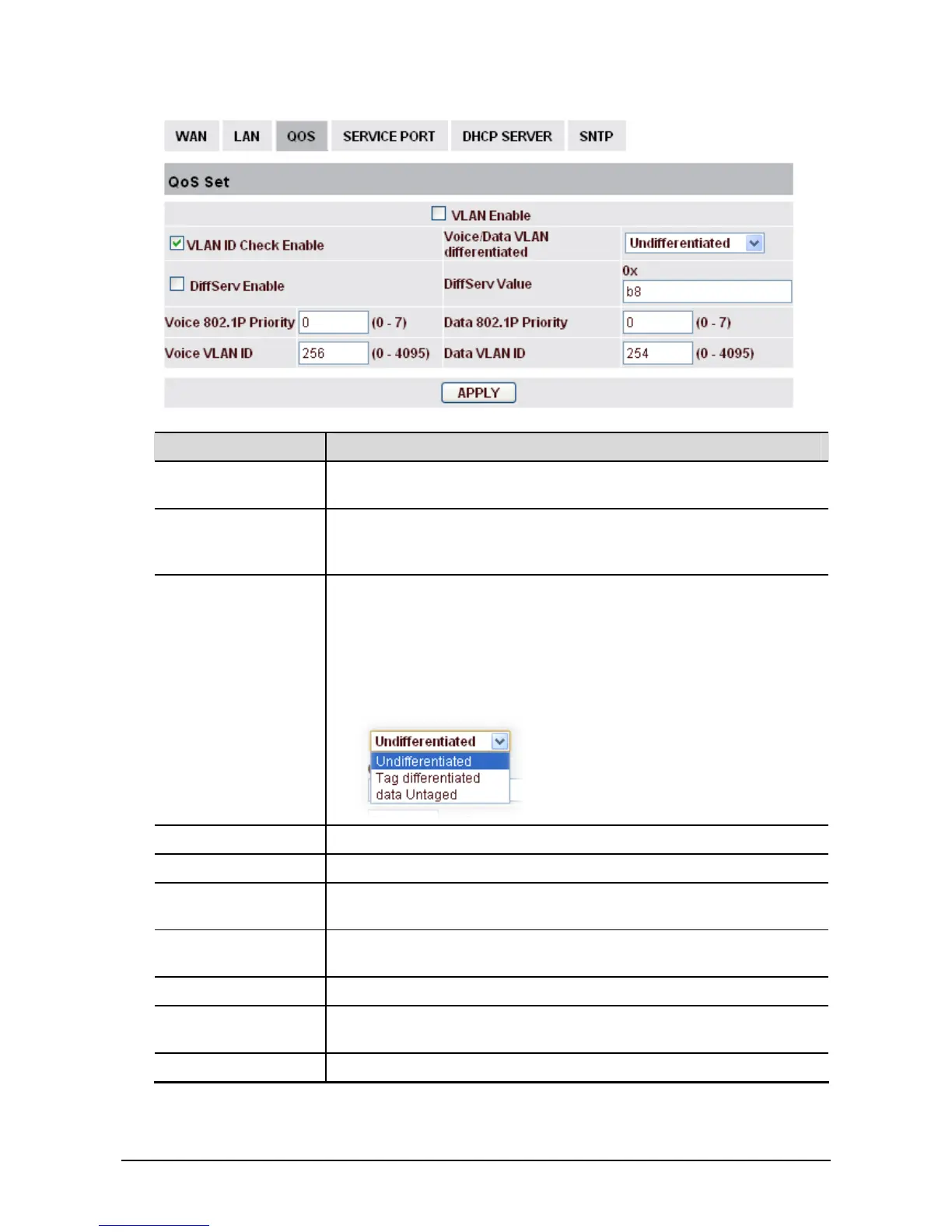
VLAN Enable Before select it to enable VLAN, you need enable Bridge mode in LAN
configuration.
VLAN ID Check
Enable
Enable VLAN ID check by selecting it. After enable VLAN ID check,
if VLAN ID of a data package is not the same with the phone or a data
package do not have VLAN ID, the data package will be discarded.
Voice/Data VLAN
differentiated
After enable VLAN, system will set packets with different type of
VLAN ID. Undifferentiated means after using VLAN, both VoIP
packets and other data packets will use the voice VLAN ID; tag
differentiated means after using VLAN, VoIP(signal and voice) packets
will add voice VLAN ID, and other data packets will add data VLAN
ID; data untagged means after using VLAN, only VoIP packets will add
voice VLAN ID. Other data packets will not use VLAN.
DiffServ Enable Select it or not to Enable or disable DiffServ.
DiffServ Value Set DiffServ value, the common value is 0x00.
Voice 802.1P
Priority
Specify 802.1P Priority of voice/signal data package.
Data 802.1P Priority Set 802.1p of data VLAN. Non-VoIP data (such as http, telnet, ping etc)
will use this value to set VLAN package.
Voice VLAN ID Set VLAN ID of voice/signal data package.
Data VLAN ID Set 802.1q of data VLAN ID. Non-VoIP data (such as http, telnet, ping
etc) will use this value to set VLAN package.
Apply Save the settings.



 To Next Page