51
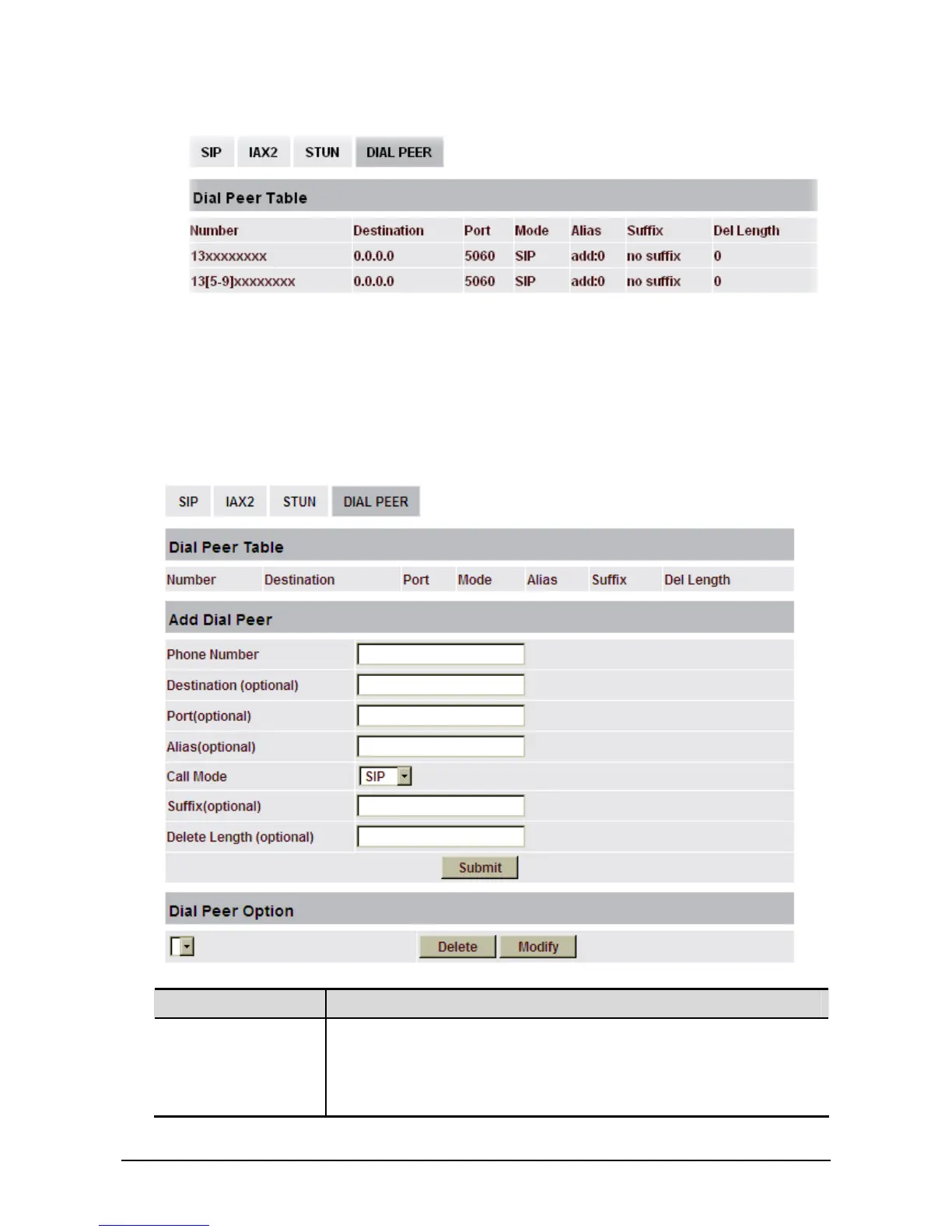
z To save the memory and avoid abundant input of user, add the follow functions:
x matches any single digit that is dialed. If a user makes the above configuration, after he/she dials
11 digit numbers started with 13, the phone will send out 0 plus the dialed numbers automatically.
[ ] Specifies a range that will match digit. It may be a range, a list of ranges separated by commas,
or a list of digits.
If a user makes the above configuration, after user dials 11 digit numbers started with from 135 to
139, the phone will send out 0 plus the dialed numbers automatically.
With this setting, you can realize dialing out via different lines without switch in web interface.
Field name Explanation
Phone number There are two types of matching conditions: one is full matching, the
other is prefix matching. In the Full matching, you need input your
desired phone number in this blank, and then you need dial the phone
number to realize calling to what the phone number is mapped. In the
prefix matching, you need input your desired prefix number and T; then



 To Next Page