61
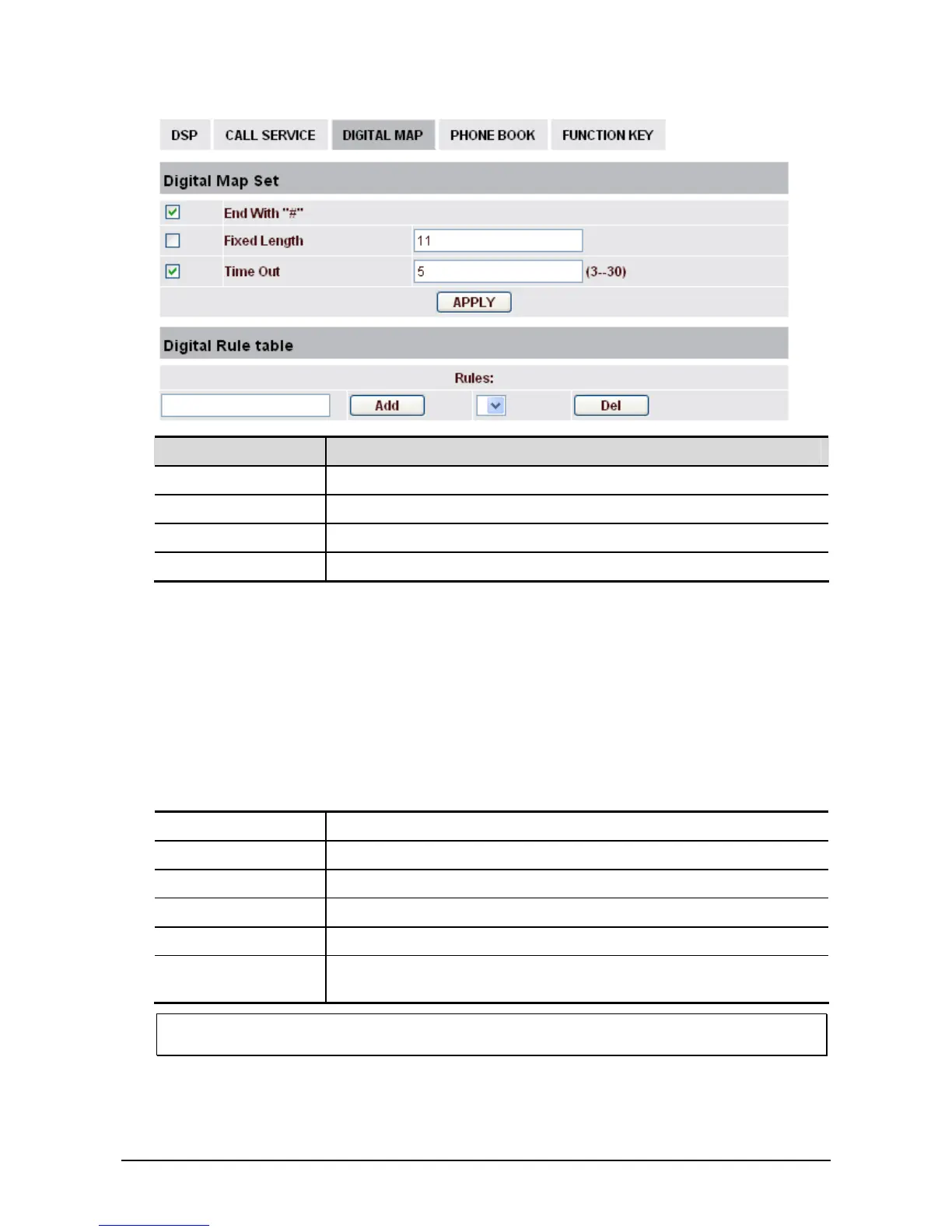
Field name Explanation
End with "#" Set Enable/Disable the phone ended with “#” dial.
Fixed Length Specify the Fixed Length of phone ending with.
Time out Set the timeout of the last dial digit. The call will be sent after timeout.
Digital Rule table Set and display the user defined digital rules.
Below shows user-defined digital map rule:
[ ]: Specifies a range that will match digit. May be a range, a list of ranges separated by commas, or a
list of digits.
x: Match any single digit that is dialed.
. : Match any arbitrary number of digits including none.
Tn: Indicates an additional time out period before digits are sent of n seconds in length. n is
mandatory and can have a value of 0 to 9 seconds. Tn must be the last 2 characters of a dial plan.
If Tn is not specified, it is assumed to be T0 by default on all dial plans.
For example,
Rules Explanation
[1-8]xxx Cause extensions 1000-8999 to be dialed immediately.
9xxxxxx Cause 8 digit numbers started with 9 to be dialed immediately.
911 Cause 911 to be dialed immediately after it is entered.
99T4 Cause 99 to be dialed after 4 seconds.
9911x, T4 Cause any number started with 9911 to be dialed 4 seconds after dialing
ceases.
Notice: End with “#”, Fixed Length, Time out and Digital Map Table can be used simultaneously.
System will stop dialing and send number according to your set rules.



 To Next Page