77
Outside Port - Set the WAN port of the NAT mapping.
Inside IP - Set the IP address of device which is connected to LAN
interface to do NAT mapping.
Inside Port - Set the LAN port of the NAT mapping.
Notice: After finish setting, click the Add button to add new mapping
table; click the Delete button to delete the selected mapping table.
DMZ Table Shows the outside WAN port IP address and the inside LAN port IP
address.
DMZ Table Option Outside IP - Set the outside Wan port IP address of DMZ.
Inside IP- Set the inside LAN port IP address of DMZ.
Click the Add button to add new table; click the Delete button to delete
the selected mapping table.
Notice: 10M/100M adaptive means the network card, and other equipment physical consultations speed,
testing speed under bridge mode near to 100M, in order to ensure the quality of voice and
communications real-time performance, we made some sacrifices of NAT under the transmission
performance. Transmit with full capability only when system is idle, so can not guarantee that the
transmission speed reach to 100M.
3
3
.
.
6
6
.
.
4
4
V
V
P
P
N
N
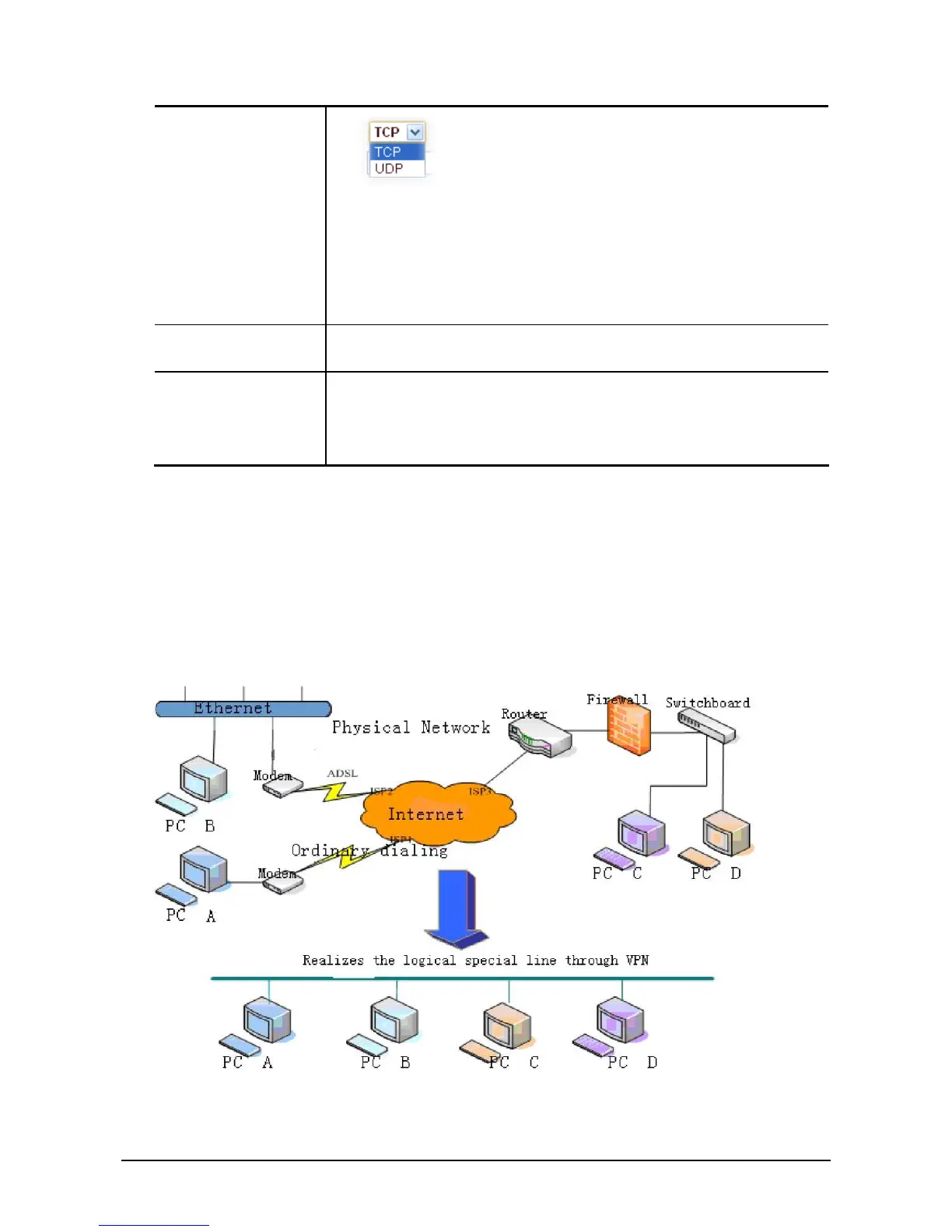
This web page provides us a safe connect mode by which we can make remote access to enterprise inner
network from public network. That is to say, you can set it to connect public networks in different areas
into inner network via a special tunnel.



 To Next Page