80
2. Click IPPBX Wizard to get the first screen as shown below:
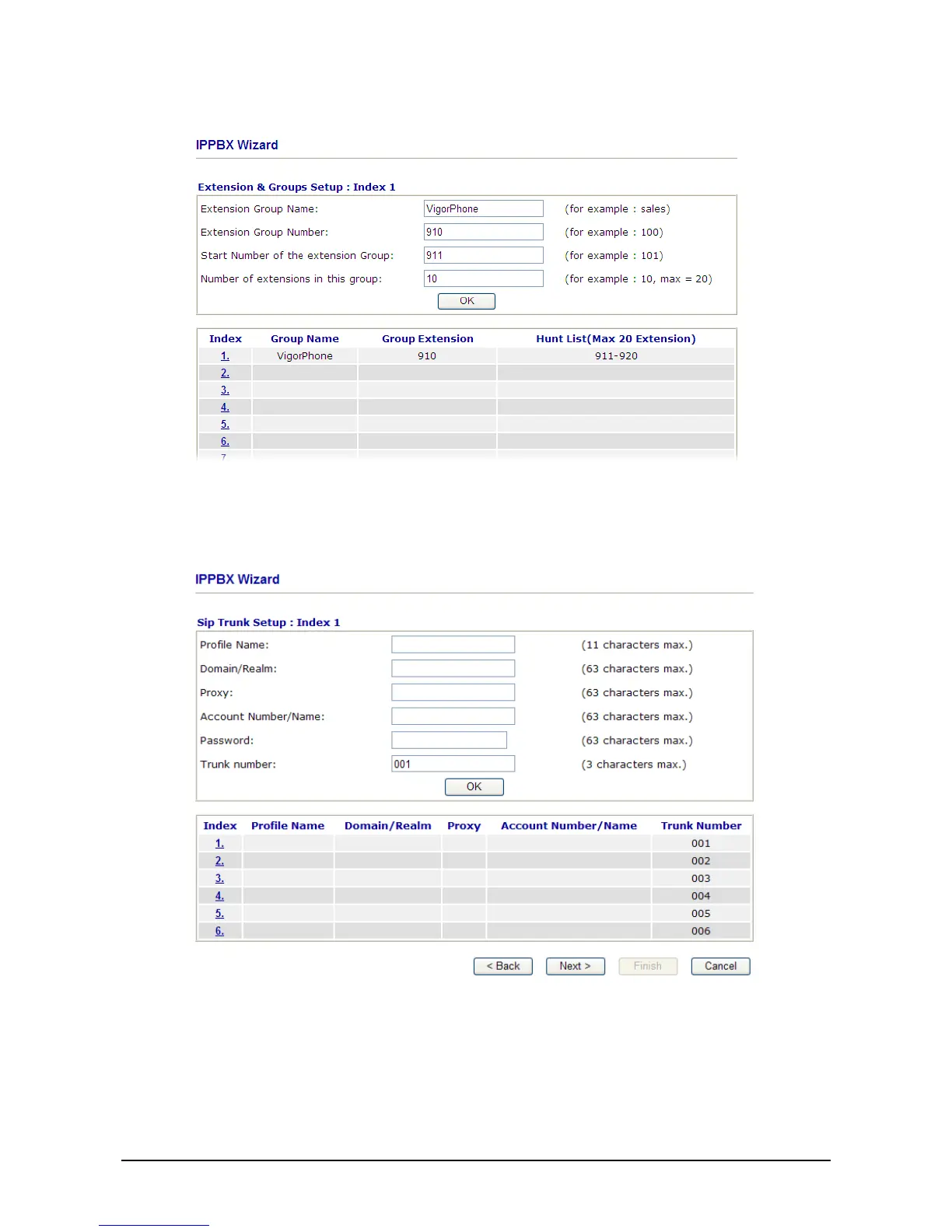
3. Type the extension group name, group number, start number, and number of extension fields.
Click OK to save them. The new added group will be displayed on the screen. Then click Next to
access into next web page.
4. In the SIP Trunk Setup page, you can set up to six SIP profiles outside lines at one time.



 To Next Page