82
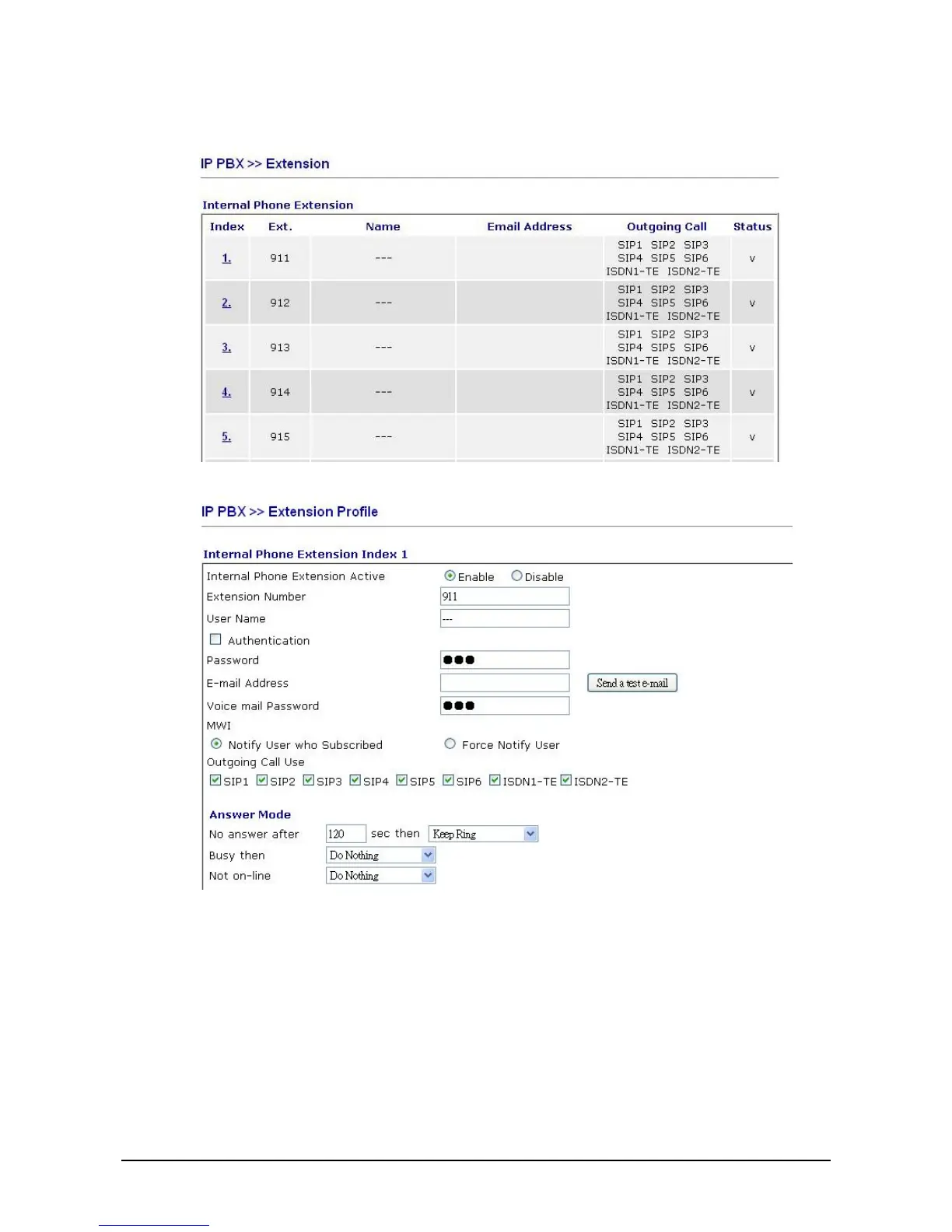
8. After finishing the Wizard, please go to IPPBX>Extension to configure the Extension Number
and the Password settings. Click the index number 1.
9. Type in Extension Number and Password.
10. Then connect VigorPhone to the network. Each user of VigorPhone can get the extension
number/password respectively.



 To Next Page