VigorSwitch G2240 User’s Guide
137
2
2
.
.
1
1
7
7
.
.
2
2
D
D
H
H
C
C
P
P
S
S
n
n
o
o
o
o
p
p
i
i
n
n
g
g
E
E
n
n
t
t
r
r
y
y
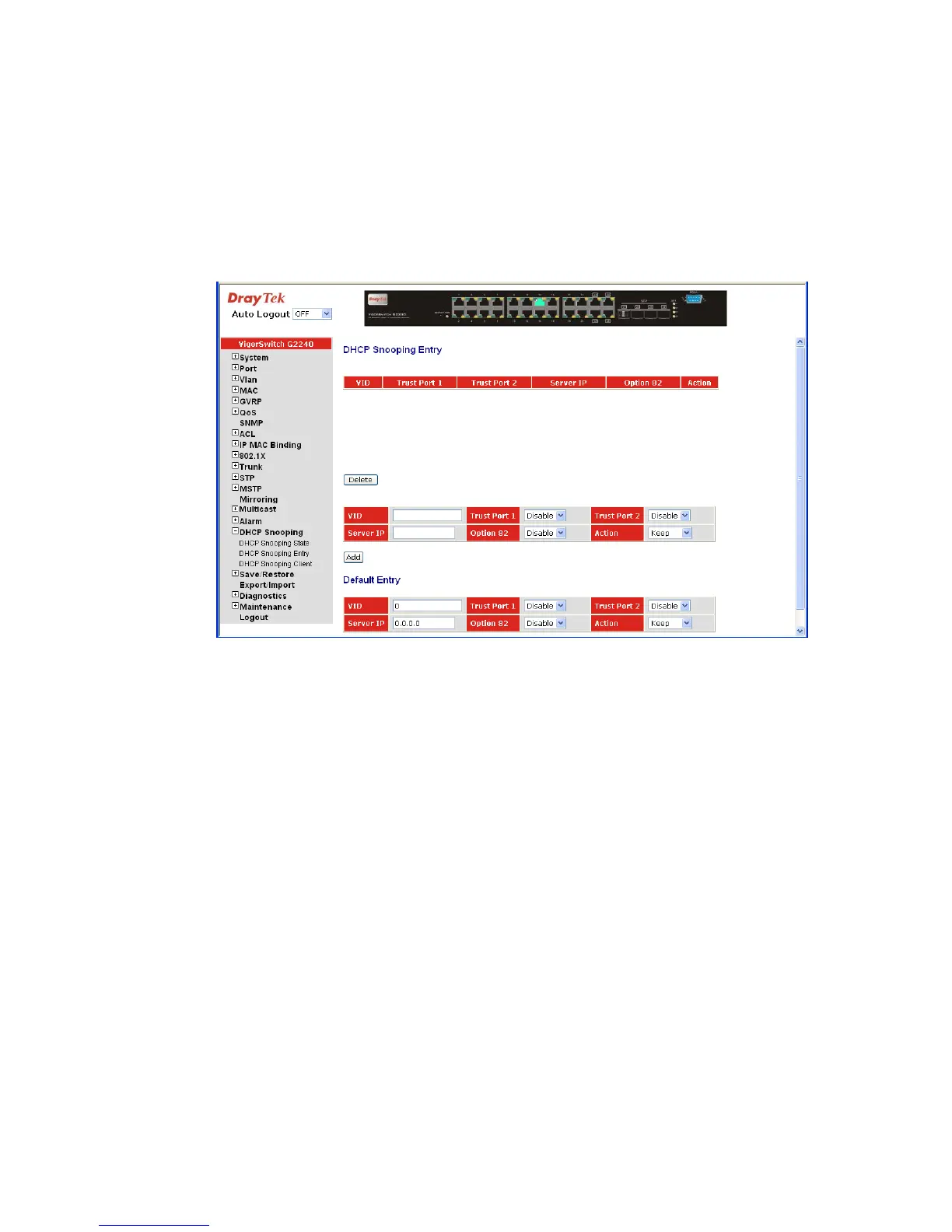
Function name:
DHCP Snooping Entry
Function description:
DHCP snooping Entry allows a switch to add the a trust DHCP server and 2 trust port to
build the DHCP snooping available entry. This information can be useful in tracking an IP
address back to a physical port and enable or disable the DHCP Option 82.
VID: When DHCP snooping is enabled, and enabled on the
specified VLAN, DHCP packet filtering will be performed
on any un-trusted ports within the VLAN. It set a available
VLAN ID to enable the DHCP snooping on VLAN
interface.
Trust Port 1: If DHCP snooping is enabled globally, and also enabled on
the VLAN where the DHCP packet is received, all DHCP
packets are forwarded for a trusted por. Available ports are
from 1 to 24.
Trust port 2 It sets a trust port 2. Available ports are from 1 to 24.
Server IP: Set a trust DHCP Server IP address for DHCP Snooping.
Option 82: Set the DHCP Option 82 function on the switch, default is
Disable.
Action: Set the switch when received a client DHCP request packet
then action for filtering. Available action: keep/ drop /
replace.
Delete: To delete a DHCP snooping entry which you set on the
Switch.
Add: To create a DHCP snooping entry on the Switch
Apply: To save the configuration to Switch RAM.















 To Next Page