VigorSwitch G2240 User’s Guide
24
2
2
.
.
1
1
W
W
e
e
b
b
M
M
a
a
n
n
a
a
g
g
e
e
m
m
e
e
n
n
t
t
H
H
o
o
m
m
e
e
O
O
v
v
e
e
r
r
v
v
i
i
e
e
w
w
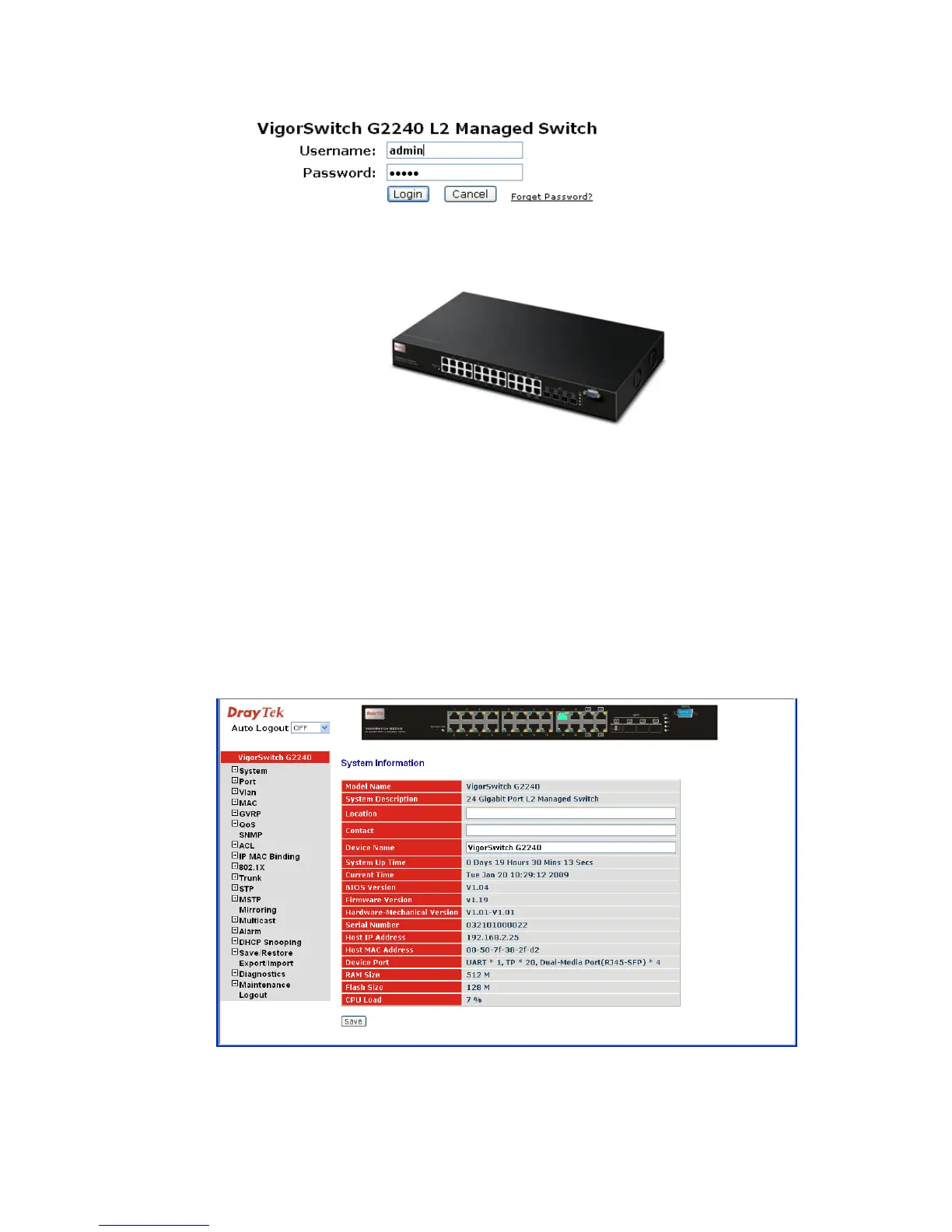
After you login, the switch shows you the system information as below. This page is
default and tells you the basic information of the system, including “Model Name”,
“System Description”, “Location”, “Contact”, “Device Name”, “System Up Time”,
“Current Time”, “BIOS Version”, “Firmware Version”, “Hardware-Mechanical
Version”, “Serial Number”, “Host IP Address”, “Host MAC Address”, “Device Port”,
“RAM Size”, “Flash Size” and “CPU Load”. With this information, you will know the
software version used, MAC address, serial number, how many ports good and so on. This
is helpful while malfunctioning.
In the following figure, left section is the whole function tree with web user interface and
we will travel it through this chapter.















 To Next Page