VigorSwitch G2240 User’s Guide
49
Delete Just press the <Delete> button to remove the selected group
entry from the Port-based group table.
2
2
.
.
3
3
.
.
4
4
P
P
o
o
r
r
t
t
s
s
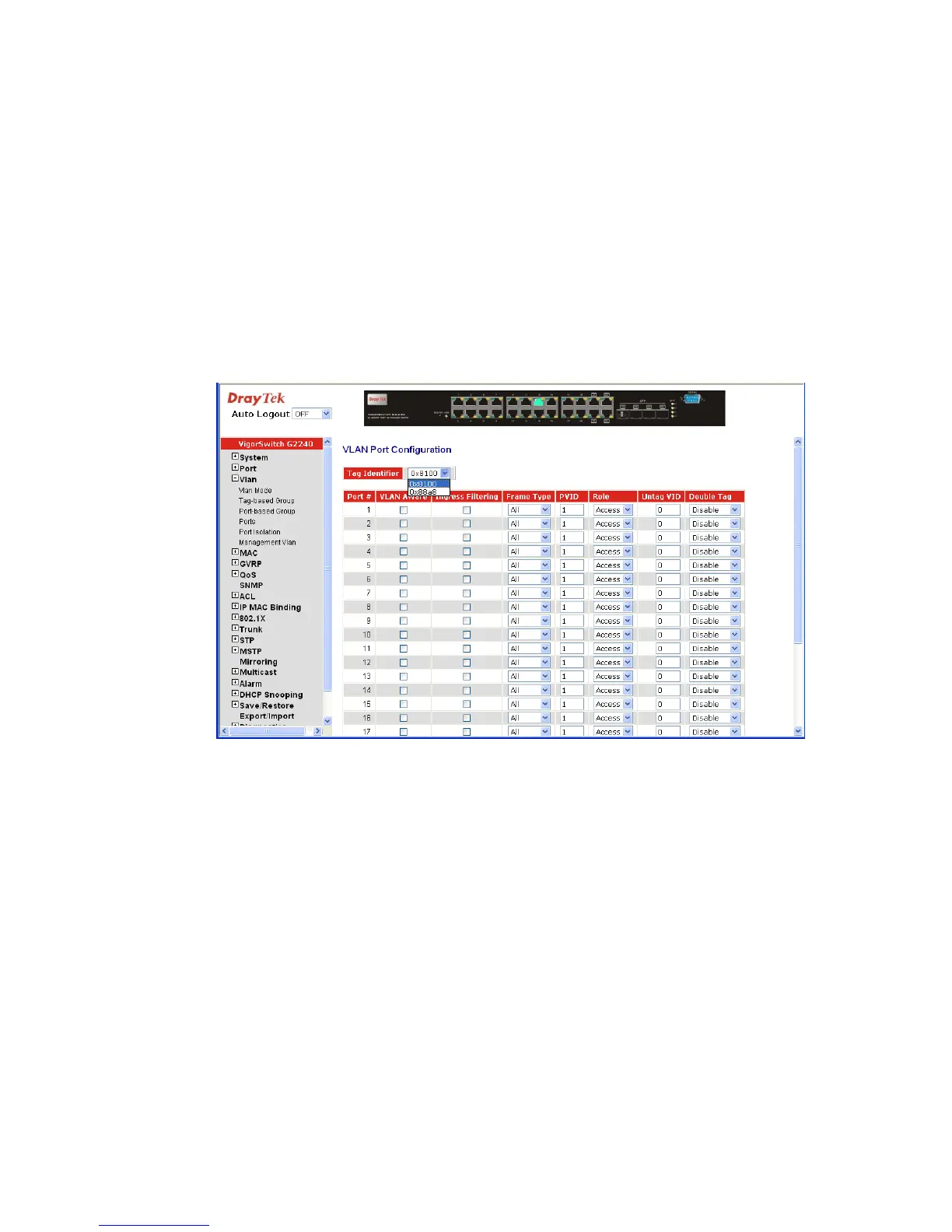
Function name:
VLAN Port Configuration
Function description:
In VLAN Tag Rule Setting, user can input VID number to each port. The range of VID
number is from 1 to 4094. User also can choose ingress filtering rules to each port. There
are two ingress filtering rules which can be applied to the switch. The Ingress Filtering
Rule 1 is “forward only packets with VID matching this port’s configured VID”. The
Ingress Filtering Rule 2 is “drop untagged frame”. You can also select the Role of each
port as Access, Trunk, or Hybrid.
Parameter description:
Port 1-24: Port number.
VLAN Aware: Based on IEEE 802.1Q VLAN tag to forward packet.
Ingress Filtering: Discard other VLAN group packets, only forward this port
joined VLAN group packets.
Frame Type: All: Forward all tagged and untagged packets.
Tagged: Forward tagged packets only and discard untagged
packets.
PVID: This PVID range will be 1-4094. Before you set a number x
as PVID, you have to create a Tag-based VLAN with VID x.
For example, if port x receives an untagged packet, the
switch will apply the PVID (assume as VID y) of port x to
tag this packet, the packet then will be forwarded as the
tagged packet with VID y.
Role: This is an egress rule of the port. Here you can choose
Access, Trunk or Hybrid. Trunk means the outgoing packets
must carry VLAN tag header. Access means the outgoing















 To Next Page