VigorSwitch G2240 User’s Guide
57
2
2
.
.
5
5
.
.
1
1
G
G
V
V
R
R
P
P
C
C
o
o
n
n
f
f
i
i
g
g
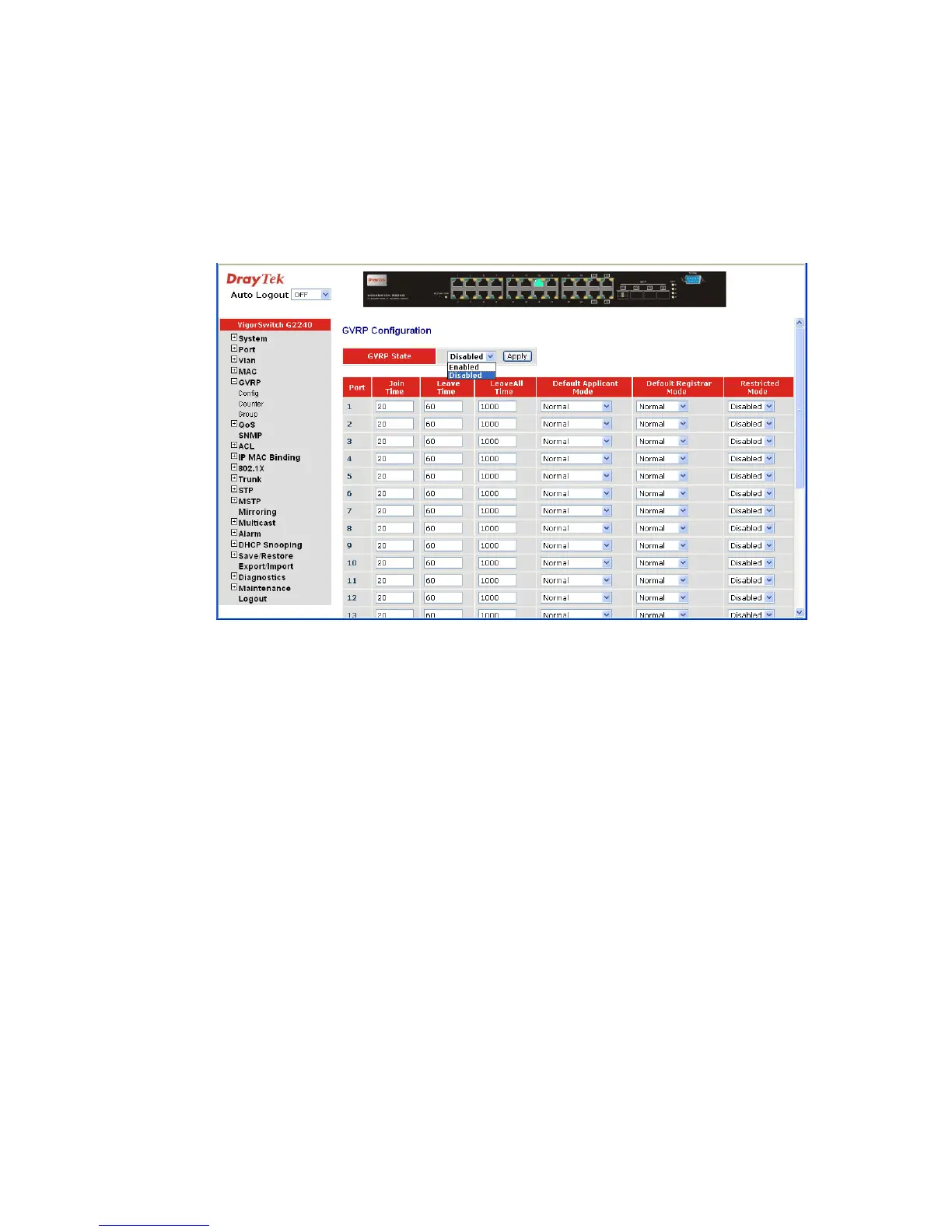
Function name:
GVRP Config
Function description:
In the function of GVRP Config, it is used to configure each port’s GVRP operation mode,
in which there are seven parameters needed to be configured described below.
Parameter description:
GVRP State Setting: This function is simply to let you enable or disable GVRP
function. You can pull down the list and click the
<Downward> arrow key to choose “Enable” or “Disable”.
Then, click the <Apply> button, the system will take effect
immediately.
Join Time: Used to declare the Join Time in unit of centisecond. Valid
time range: 20 –100 centisecond, Default: 20 centisecond.
Leave Time: Used to declare the Leave Time in unit of centisecond. Valid
time range: 60 –300 centisecond, Default: 60 centisecond.
Leave All Time: A time period for announcement that all registered device is
going to be de-registered. If someone still issues a new join,
then a registration will be kept in the switch. Valid range:
1000-5000 unit time, Default: 1000 unit time.
Default Applicant Mode: The mode here means the type of participant. There are two
modes, normal participant and non-participant, provided for
the user’s choice.
Normal - It is Normal Participant. In this mode, the switch
participates normally in GARP protocol exchanges. The
default setting is Normal.
Non-Participant - It is Non-Participant. In this mode, the















 To Next Page