VigorSwitch G2240 User’s Guide
42
Mon3(RX PWR): Show the receiver power of SFP module.
2
2
.
.
2
2
.
.
3
3
S
S
i
i
m
m
p
p
l
l
e
e
C
C
o
o
u
u
n
n
t
t
e
e
r
r
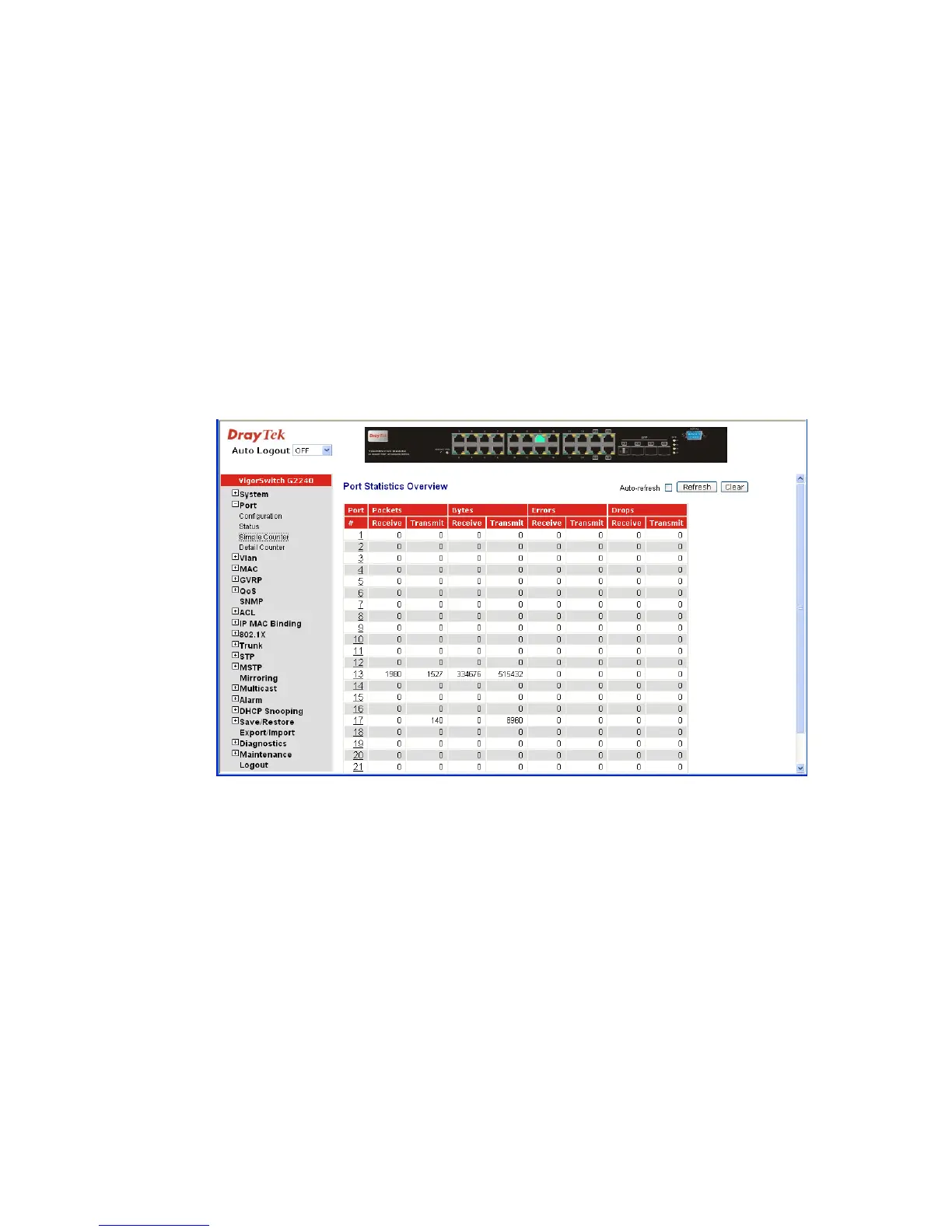
The function of Simple Counter collects any information and provides the counting about
the traffic of the port, no matter the packet is good or bad.
In the following figure, the window can show all ports’ counter information at the same
time. Each data field has 20-digit long. If the counting is overflow, the counter will be reset
and restart counting. The data is updated every time interval defined by the user. The
Refresh Interval is used to set the update frequency.
Function name:
Simple Counter
Function description:
Display the summary counting of each port’s traffic, including Tx Byte, Rx Byte, Tx
Packet, Rx Packet, Tx Collision and Rx Error Packet.
Parameters description:
Packet: Transmit - The counting number of the packet transmitted.
Receive - The counting number of the packet received.
Bytes: Transmit - Total transmitted bytes.
Receive - Total received bytes.
Error: Transmit - Number of bad packets transmitted.
Receive - Number of bad packets received.
Drops: Transmit - Number of packets transmitted drop.
Receive - Number of packets received drop.
Auto-refresh: The simple counts will be refreshed automatically on the UI
screen.
Refresh: The simple counts will be refreshed manually when user use
mouse to click on “Refresh” button.
Clear: The simple counts will be reset to zero when user use mouse
to click on “Clear” button.















 To Next Page