VigorSwitch G2240 User’s Guide
32
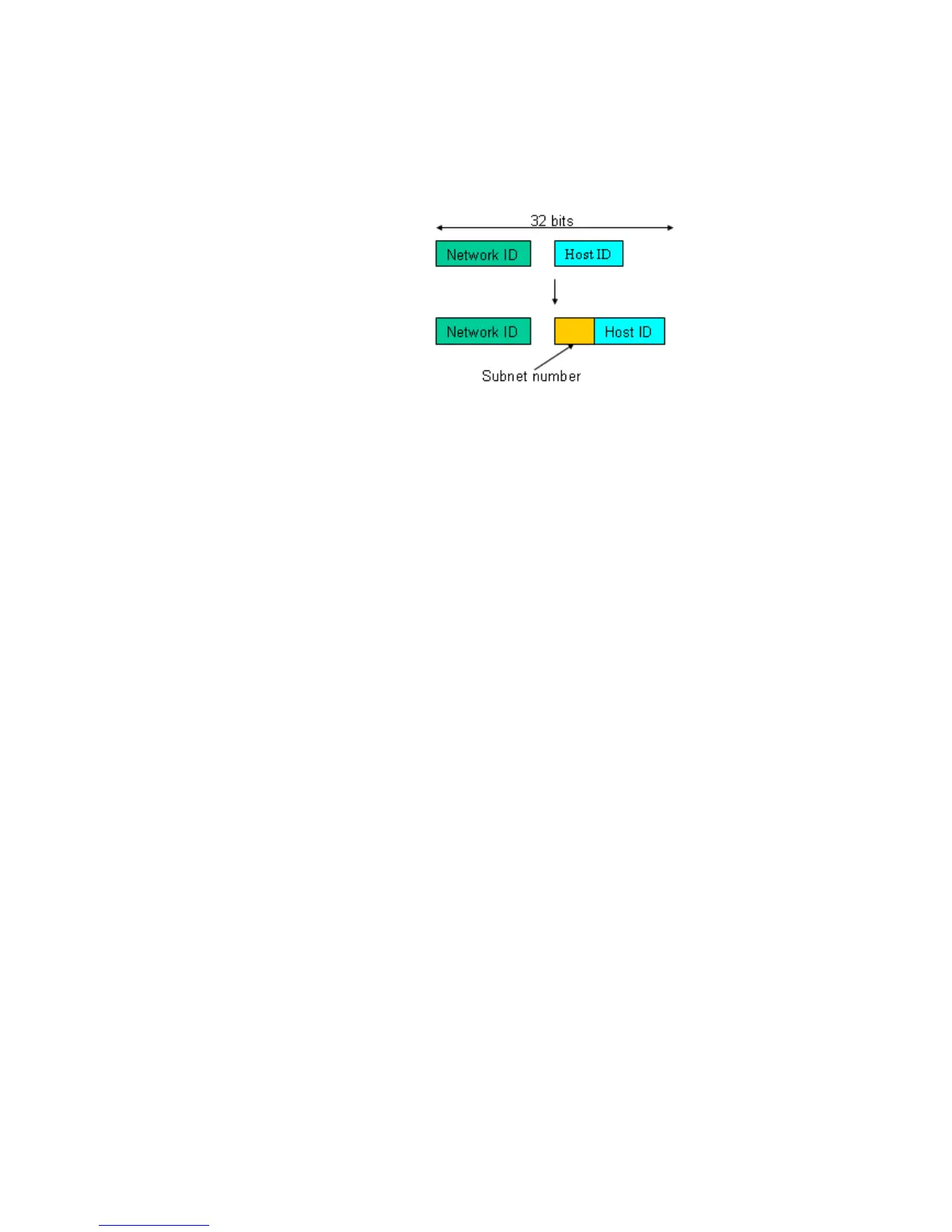
is shown in the following figure. This reduces the total IP
number of a network able to support, by the amount of 2
power of the bit number of subnet number (2^(bit number of
subnet number)).
Subnet mask is used to set the subnet mask value, which
should be the same value as that of the other devices resided
in the same network it attaches.
For more information, please also see the Section 2-1-5 “IP
Address Assignment” in this manual.
Default: 255.255.255.0
Default gateway: Set an IP address for a gateway to handle those packets that
do not meet the routing rules predefined in the device. If a
packet does not meet the criteria for other pre-defined path,
it must be forwarded to a default router on a default path.
This means any packet with undefined IP address in the
routing table will be sent to this device unconditionally.
Default: 192.168.1.254
DNS Server You can set the DNS server by manual or auto when the
DHCP is enabled. Only manual setting is supported when
DHCP is disabled. The DNS server IP will be obtained from
DHCP server when you set the DNS server by auto.
2
2
.
.
1
1
.
.
6
6
L
L
o
o
o
o
p
p
D
D
e
e
t
t
e
e
c
c
t
t
i
i
o
o
n
n
The loop detection is used to detect the presence of traffic. When switch receives packet’s
(looping detection frame) MAC address the same as oneself from port, show Loop
detection happens. The port will be locked when it received the looping detection frames. If
you want to resume the locked port, please find out the looping path and take off the
looping path, then select the resume the locked port and click on “Resume” to turn on the
locked ports.
Function name:
Loop Detection
Function description:
Display whether switch opens Loop detection.





 To Next Page