VigorSwitch G2240 User’s Guide
31
Parameter description:
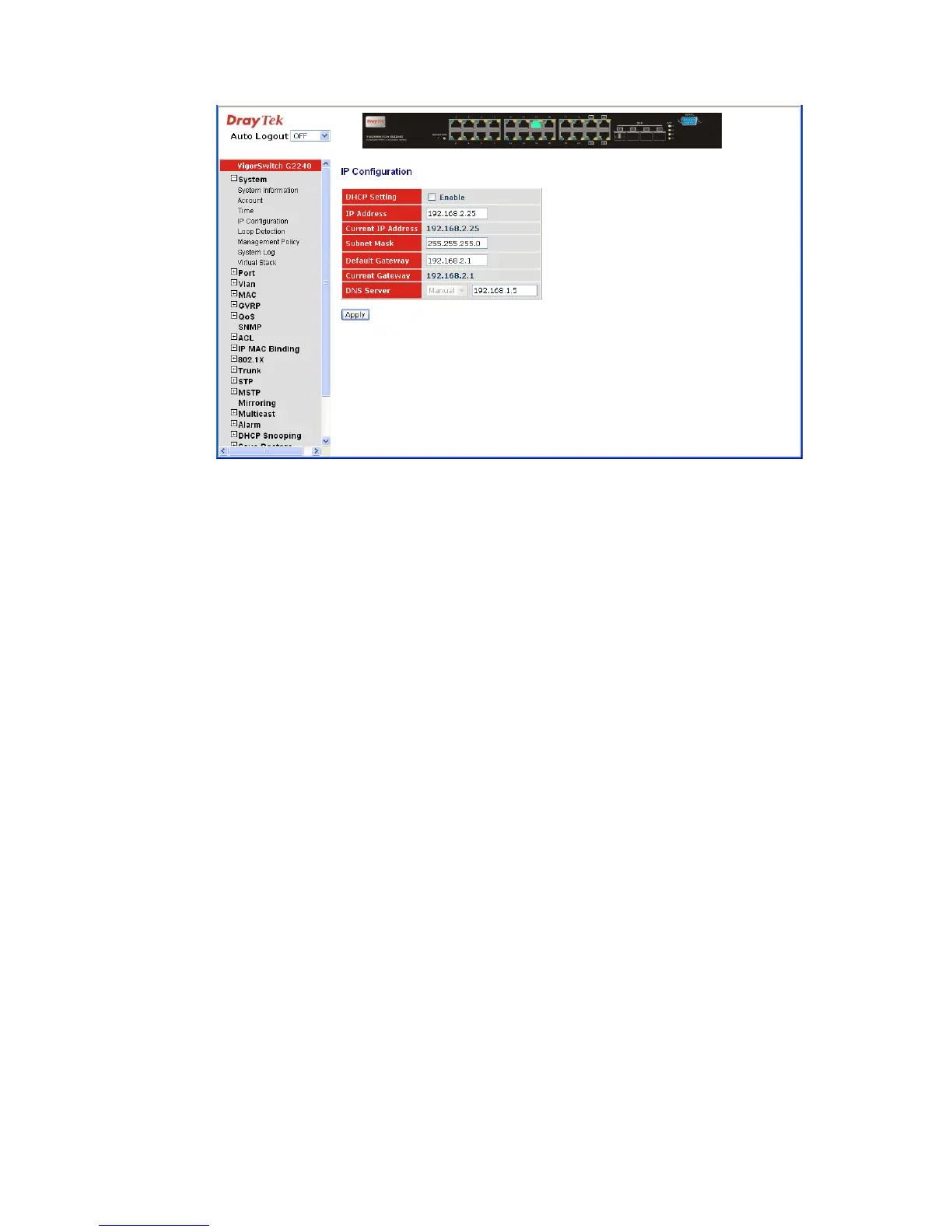
DHCP Setting: DHCP is the abbreviation of Dynamic Host Configuration
Protocol. Here DHCP means a switch to turn ON or OFF the
function.
The switch supports DHCP client used to get an IP address
automatically if you set this function “Enable”. When
enabled, the switch will issue the request to the DHCP server
resided in the network to get an IP address. If DHCP server
is down or does not exist, the switch will issue the request
and show IP address is under requesting, until the DHCP
server is up. Before getting an IP address from DHCP server,
the device will not continue booting procedures. If set this
field “Disable”, you’ll have to input IP address manually.
For more details about IP address and DHCP, please see the
Section 2-1-5 “IP Address Assignment” in this manual.
Default: Disable
IP address: Users can configure the IP settings and fill in new values if
users set the DHCP function “Disable”. Then, click
<Apply> button to update.
When DHCP is disabled, Default: 192.168.1.1
If DHCP is enabled, this field is filled by DHCP server and
will not allow user manually set it any more.
Subnet mask: Subnet mask is made for the purpose to get more network
address because any IP device in a network must own its IP
address, composed of Network address and Host address,
otherwise can’t communicate with other devices each other.
But unfortunately, the network classes A, B, and C are all
too large to fit for almost all networks, hence, subnet mask is
introduced to solve this problem. Subnet mask uses some
bits from host address and makes an IP address looked
Network address, Subnet mask number and host address. It





 To Next Page