VigorSwitch G2240 User’s Guide
77
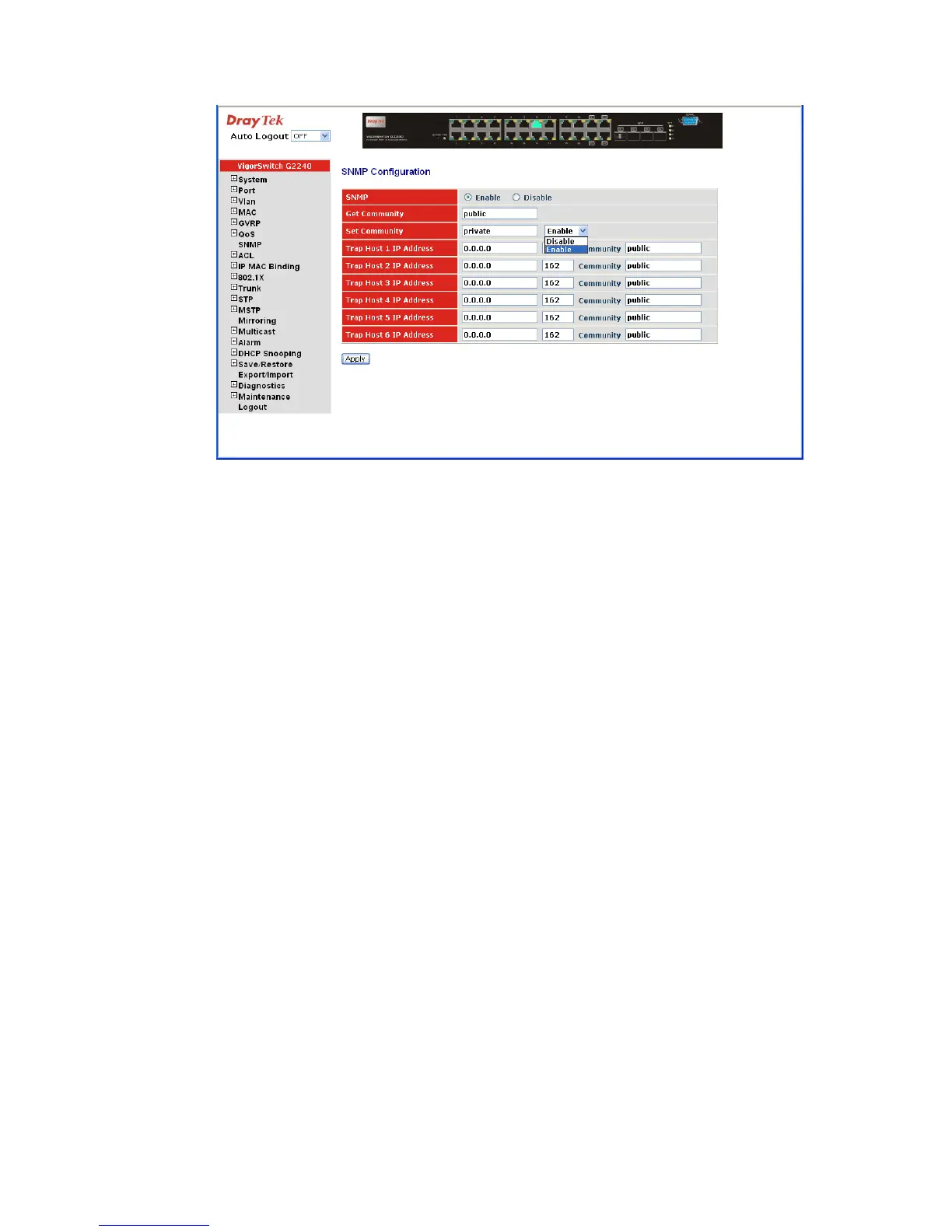
Parameters description:
SNMP: The term SNMP here is used for the activation or
de-activation of SNMP. Default is Enable.
Get/Set/Trap Community: Community name is used as password for authenticating if
the requesting network management unit belongs to the
same community group. If they both don’t have the same
community name, they don’t belong to the same group.
Hence, the requesting network management unit can not
access the device with different community name via SNMP
protocol; If they both have the same community name, they
can talk each other.
Community name is user-definable with a maximum length
of 15 characters and is case sensitive. There is not allowed to
put any blank in the community name string. Any printable
character is allowable.
The community name for each function works independently.
Each function has its own community name. Say, the
community name for GET only works for GET function and
can’t be applied to other function such as SET and Trap.
Default SNMP function: Enable
Default community name for GET: public
Default community name for SET: private
Default community name for Trap: public
Default Set function: Enable
Default trap host IP address: 0.0.0.0
Default port number:162
Trap: In the switch, there are 6 trap hosts supported. Each of them
has its own community name and IP address; is















 To Next Page