VigorSwitch G2240 User’s Guide
79
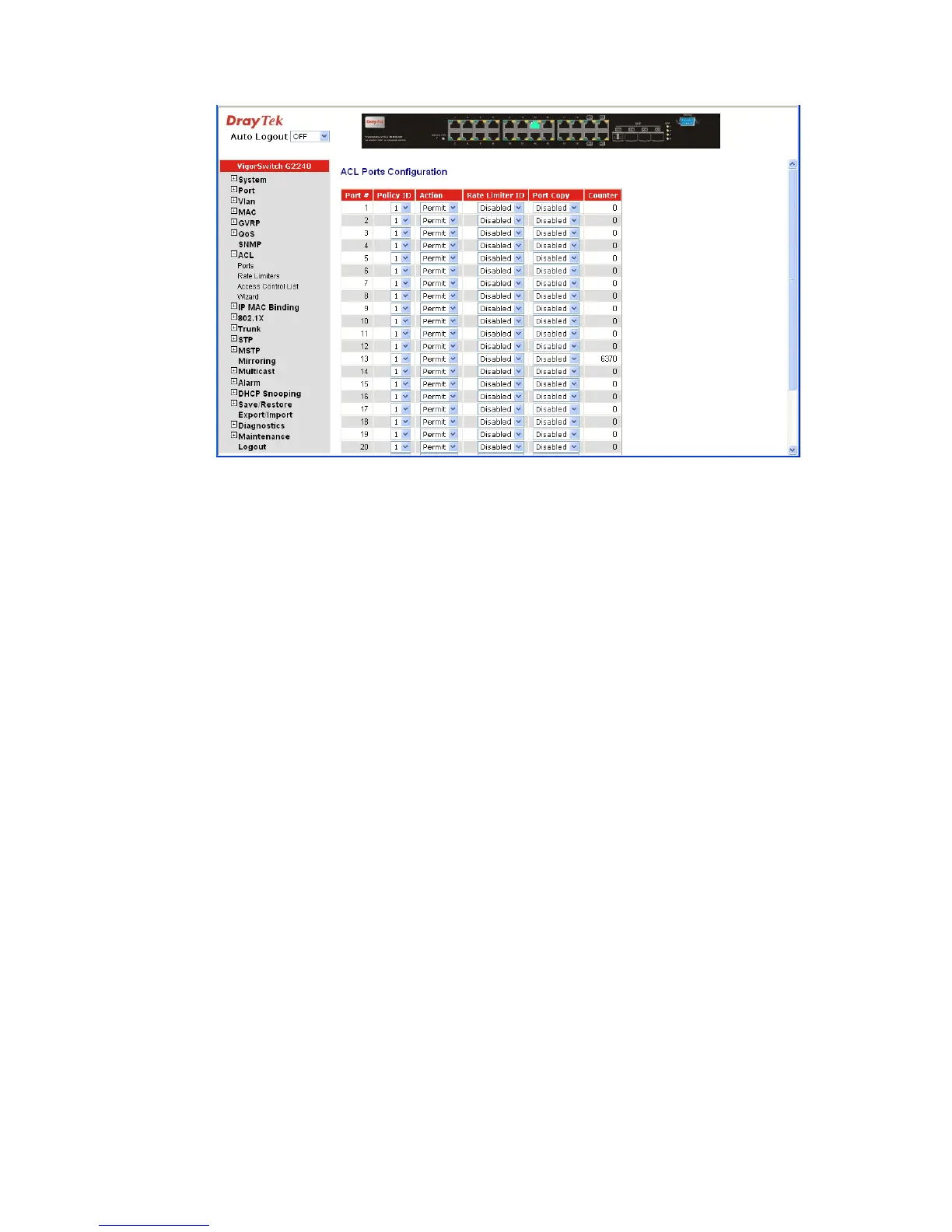
Parameters description:
Port #: Port number: 1~24
Policy ID: Policy ID range: 1~8
Action: Permit or Deny forwarding the met ACL packets
Rate Limiter ID: Disabled: Disable Rate Limitation
Rate Limiter ID Range: 1~16. To select one of rate limiter
ID for this port, it will limit met ACL packets by rate limiter
ID configuration.
Port Copy: Disabled: Disable to copy the met ACL packets to specific
port
Port number: 1~24. Copy the met ACL packets to the
selected port
Counter: The counter will increase from initial value 0, when this port
received one of the met ACL packet the counter value will
increase +1















 To Next Page