EasyManua.ls Logo

DriSteem VAPOR-LOGIC Version 6 - Page 13

DriSteem VAPOR-LOGIC Version 6
96 pages
Print Icon
To Next Page IconTo Next Page
To Previous Page IconTo Previous Page
Loading...
9
VAPOR-LOGIC
®
VERSION 6 INSTALLATION AND OPERATION MANUAL
Pre-installation Checklist
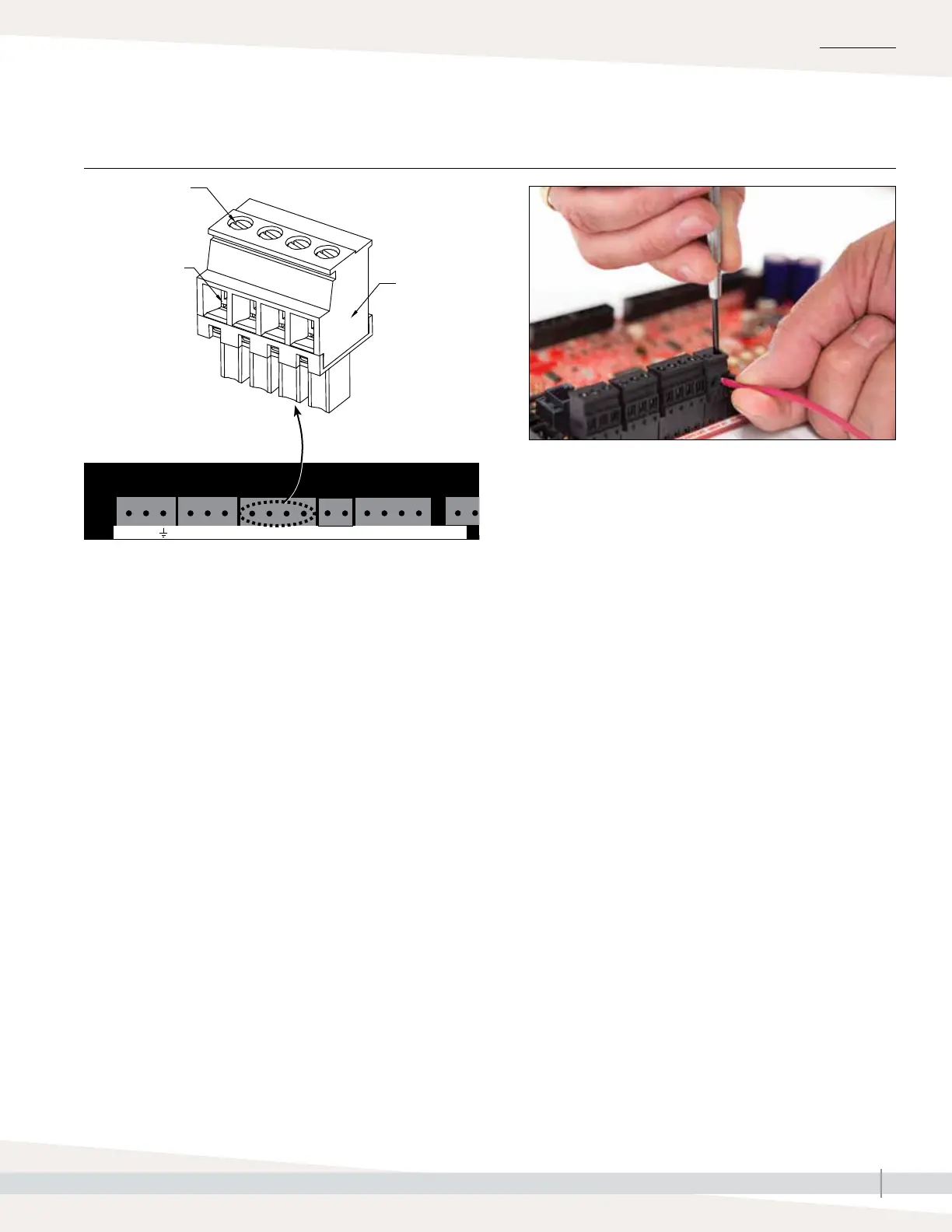
Terminal block plug.
Make connections
when the plug is
attached to the
board, or remove for
easier access. Pull
plug straight up to
remove.
Tighten screw after
wire is inserted.
Maximum torque is
3 in-lb (0.34 N-m)
Remove insulation
from end of wire
and insert wire
here.
P1
P2
P3
P4
P5
P6
P7
P8
P9
P10
P11
P12
P13
P14
P15
P16
P17
P18
P19
SSR/BL Steam
Fill
Drain
SDU
NO-2
PV/CA
24
VAC
CAsw
24
VAC
PVsw
TS24
VDC
DHL
21
VDC
24VAC AFsw
NO-1
C-1 C-221VDC
RH
CT/I
1
CT/I
2
CT/I
3
CT/I
4
Ethernet
Display
GV1
AI2
Fieldbus
24VACTop
Mid
Low
BT1
LWFPsw
lsw
TT
GV2
BT2GV3
BT3
GV4
BT4
AI1
DSTEEM
SW1
Optional LonTalk
®
card location
P20
USB
Vapor-logic board detail
(see also Figure 5-1)
INSTALLATION
FIGURE 9-1: VAPOR-LOGIC TERMINAL BLOCK DETAIL AND CONNECTION INSTRUCTIONS

Table of Contents

Related product manuals