38
VAPOR-LOGIC
®
VERSION 6 INSTALLATION AND OPERATION MANUAL
Status screen
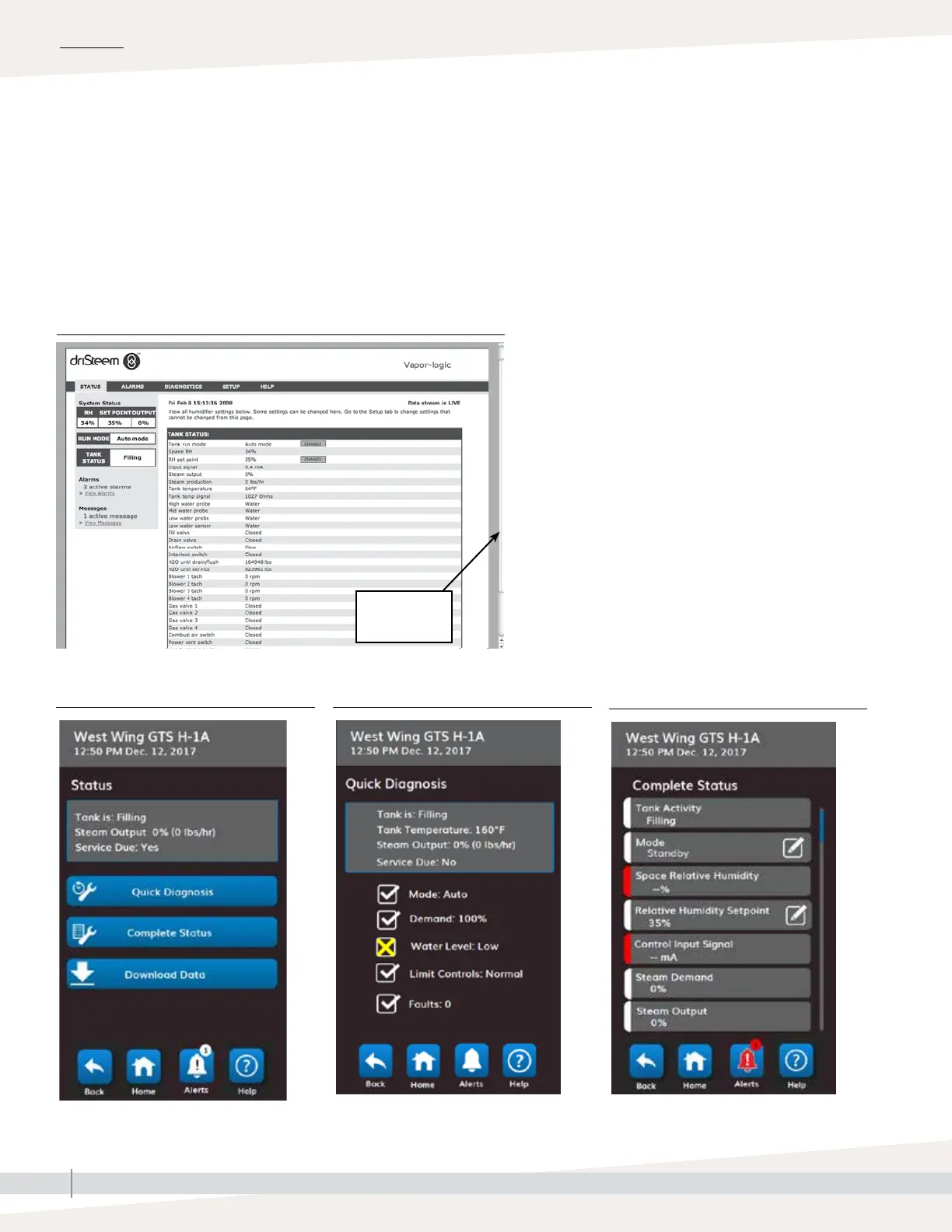
Using either the touchscreen display or the Web interface, the Status screen is where all humidifier parameters can be
viewed. On the touchscreen only Quick Diagnosis provides a way to view if all requirements for safe operation have
been met. It reports why a humidifier is not making steam. Access Quick Diagnosis from the Status menu or from the
status bar, tank icon, or output icon on the Home screen.
See the tables on the following pages for Status screen item descriptions for both the touchscreen display and Web
interface. On the touchscreen use the Help icon to get a description of status items.
OPERATION
Drag scroll bar
to view more of
the window
FIGURE 38-1: WEB INTERFACE STATUS SCREEN
FIGURE 38-2: STATUS FIGURE 38-3: QUICK DIAGNOSIS
FIGURE 38-4: COMPLETE STATUS



 To Next Page