Page 46 • DRI-STEEM XT Series Electrode Steam Humidifier Installation, Operation, and Maintenance Manual
Should the current rating exceed 125% of nominal current, the
drain valve opens automatically. As the water level drops, the
current rating drops back to the nominal value.
Should the current rating exceed 140% of the nominal current
after several drainage operations, the humidifier will shut down
automatically and display an E2 message (see Page 56).
To prevent duct saturation, installing a high limit humidistat and
airflow proving switch is recommended.
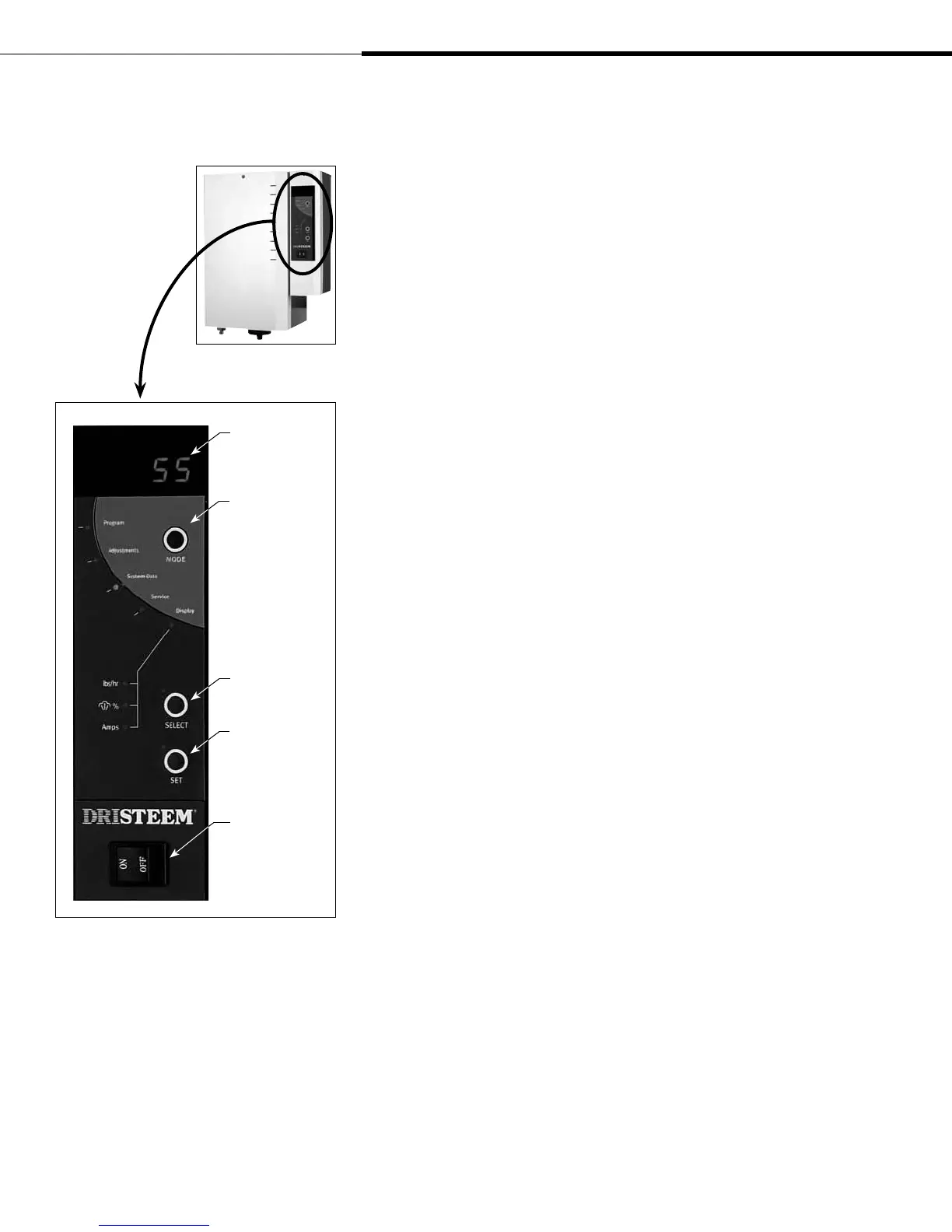
Display panel operation
Press the MODE button on the display panel to access five
operating modes: Display, Service, System Data, Adjustments,
and Program. Press MODE until the LED of the chosen mode
illuminates. Press SELECT to enter the mode submenu.
Press the SELECT button to view information and parameters of
the chosen menu. In some cases, parameter labels and parameter
values alternate on the display. For example, when the unit type for
model number XT-30 is displayed, typ alternates with 30.
If a parameter is selected, press the SET button to enter or change
the parameter value. Press MODE to leave the accessed mode and
select the next mode.
Operation (continued)
Control panel
Press the SELECT
button to choose
system functions
Press the SET
button to set
system functions
MODE button
provides access
to over 20
programmable
functions in these
categories:
• Display
• Service
• System Data
• Adjustments
• Program
On/Off toggle
switch
Alphanumeric LED
display
XT_IOM_Jan_2008.pdf 48 11/19/2009 10:13:40 AM


 To Next Page