Page 48 • DRI-STEEM XT Series Electrode Steam Humidifier Installation, Operation, and Maintenance Manual
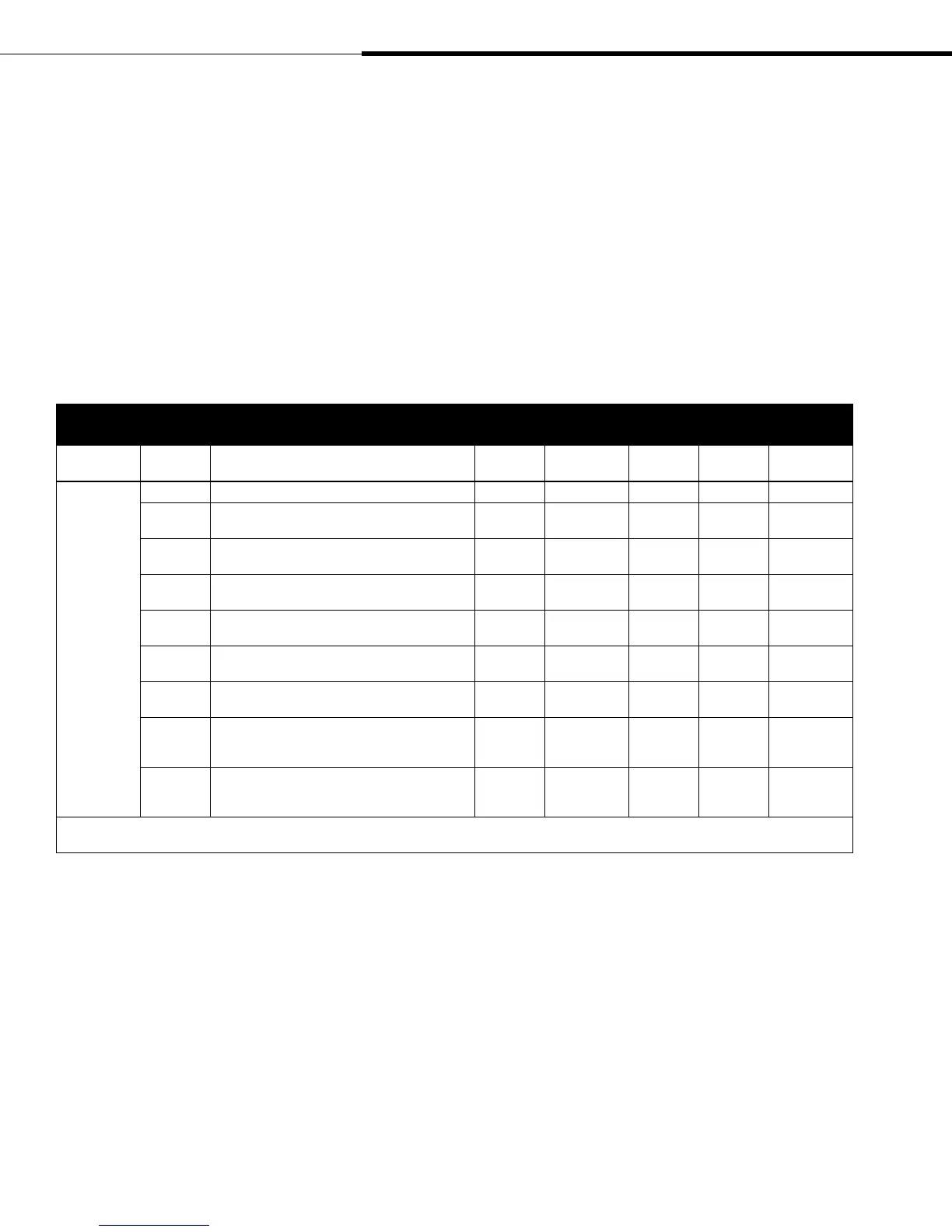
Table 48-1:
Service operating mode
Mode
Program
variable
Definition
Default
display
Alternate
display
Range Increment Variable type
Service <Default> Default display: Four dashed lines - - - - Indicator
SE High water Sensor status: off (oF) or on
SE.oF or
SE.on
Indicator
HU Humidistat status: off (oF) or on
HU.oF or
HU.on
Indicator
P
Power. Use SET button to switch unit on/off
manually.
P .oF or
P .on
Cycles
component
FL*
Fill valve. Use SET button to switch fill valve on/off
manually.
FL.oF FL.on
Cycles
component
dr*
Drain valve. Use SET button to switch drain valve
on/off manually.
dr.oF dr.on
Cycles
component
Co*
Contactor. Use SET button to switch contactor on/off
manually.
Co.oF Co.on
Cycles
component
r1*
Remote indication relay 1. Use SET button to switch
remote indication relay 1 (terminals 9, 10, 11) on/off
manually.
r1.oF r1.on
Cycles
component
r2*
Remote indication relay 2. Use SET button to switch
remote indication relay 2 (terminals 26, 27, 28) on/off
manually.
r2.oF r2.on
Cycles
component
Note:
* Unit will stop steam production for the FL, dr, Co, r1, and r2 program variables.
Service operating mode
In the Service operating mode, components can be tested by
manually switching them on or off using the SET button. To do this,
press the MODE button until the LED next to Service illuminates.
The LED next to the SELECT button is now flashing. This indicates
that it is selectable. Press the SELECT button to view the Service
submenu. Press the SELECT button repeatedly to scroll through
the submenu. To modify parameter status, press the SET button if
the LED is flashing. The table below shows the Service submenu
parameters that may be switched on or off.
Operating modes
XT_IOM_Jan_2008.pdf 50 11/19/2009 10:13:40 AM


 To Next Page