Drobo 8D User Guide 57
1.3.6 Getting Support
To get support, first be sure to register your product at Register Product, if you have not already
done so.
You can then go to Support for details on how to contact support.
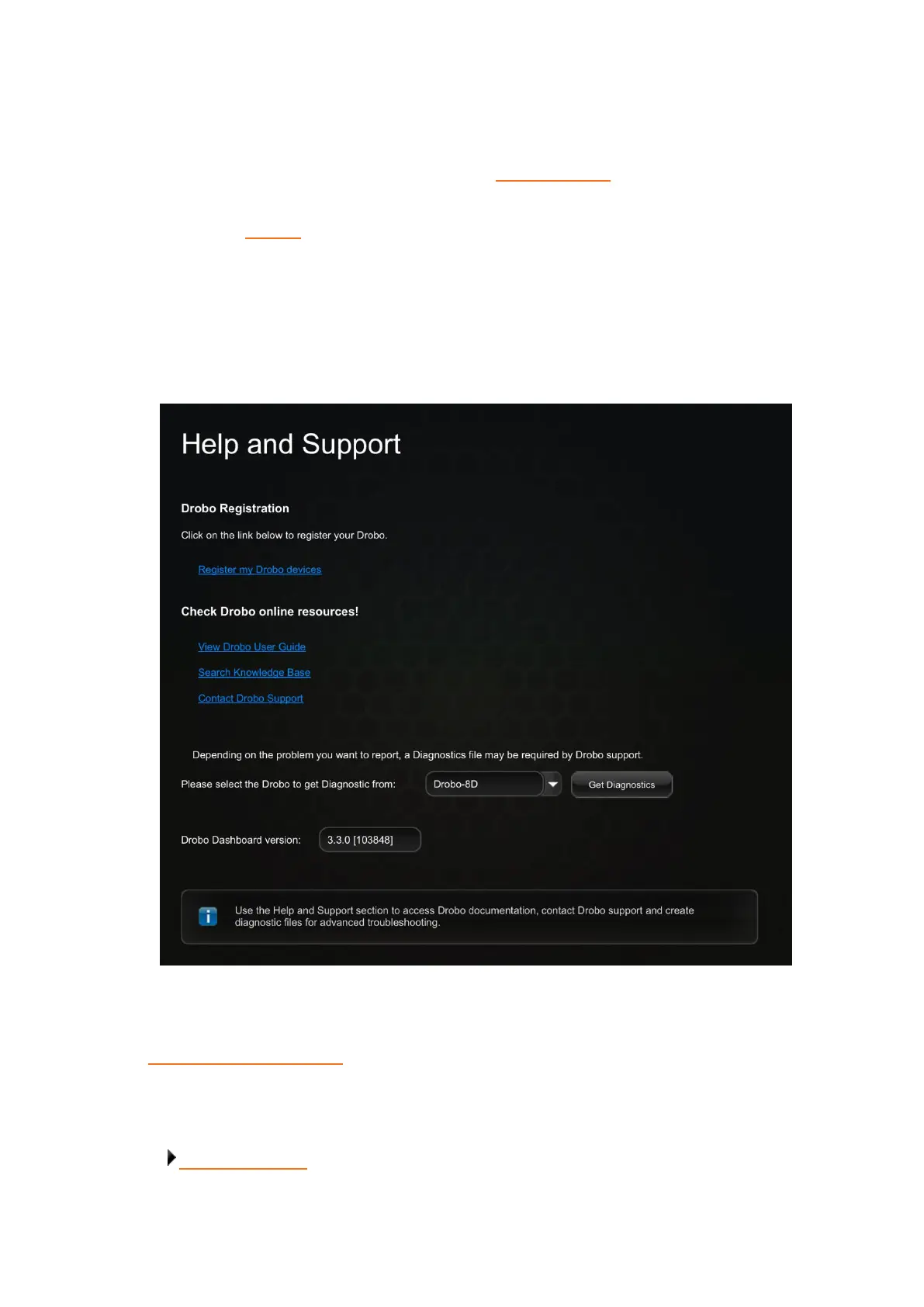
You can also find support in Drobo Dashboard.
In Drobo Dashboard on the All Drobos page, select the Drobo device for which you need to get
support, and then click the Help and Support option on the Navigation menu.
The Help and Support page opens and allows you to register the Drobo, access the online user guide
and knowledge base, contact the Drobo support team and create a diagnostics file.
You can also obtain additional hardware and phone support by purchasing DroboCare. The
DroboCare™ support program extends your peace of mind beyond the standard warranty term and
phone support that is included with the Drobo product purchase. To learn more about DroboCare
visit: www.drobo.com/drobocare.
Related topic:
Where To Go Next



 To Next Page