Drobo 8D User Guide 120
1.7.10 Understanding the Indicator Lights
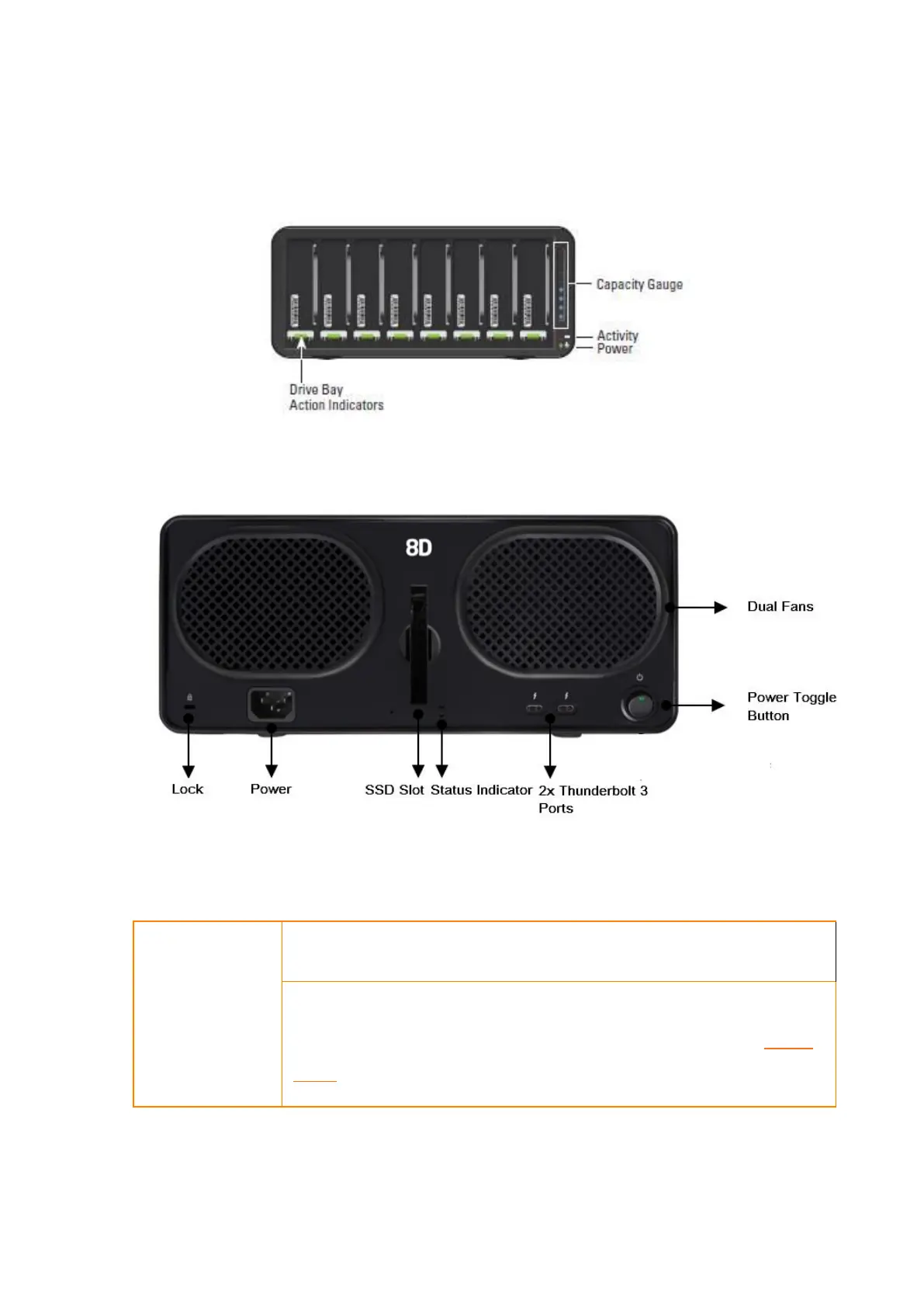
The Drobo 8D is equipped with various indicator lights which provide valuable information. Refer to
the image below.
Figure 1: Front view of Drobo 8D
Figure 2: Rear view of Drobo 8D
Green: No action is required. All drives are healthy.
Solid Yellow: Add a drive or replace the current drive with a larger
drive soon. The Drobo device is running out of disk space. See Adding
Drives.



 To Next Page