Drobo 8D User Guide 84
1.4.6 Blinking Lights to Test Connectivity
A simple test to verify that the Drobo 8D is connected, directly or indirectly, to your host Apple
Mac™, is to use Drobo Dashboard to blink the lights on the Drobo device.
To make the lights blink:
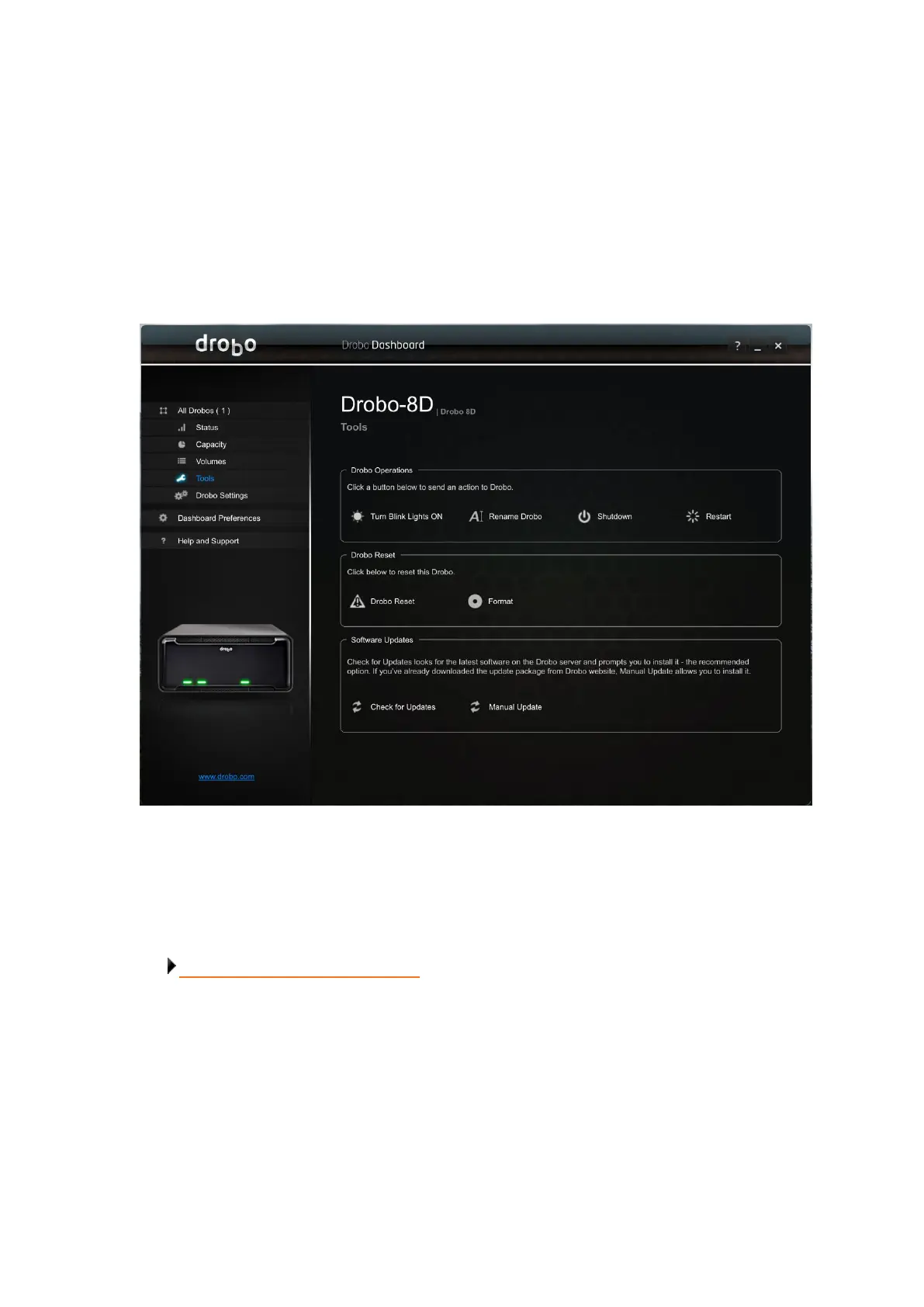
1. From the All Drobos page, select the Drobo device whose connectivity you would like to check.
2. Click the Tools option on the Navigation menu. The Tools page for that Drobo device opens.
3. In the Drobo Operations area, click the Turn Blink Lights ON option.
4. The drive lights on the Drobo device blink red and green alternatively for 15 seconds.
Related topic:
Understanding the Indicator Lights



 To Next Page