3.5 TYPICAL CONNECTION TO DSE CONTROLLERS
This section shows how to connect DSE controllers to the gateway device.
For details on how to connect the gateway to the server, see section entitled Typical connections to
gateway server.
3.5.1 ADDING THE CONTROLLER TO THE DSE GATEWAY
®
To ensure newly added controllers are recognised by the DSEGateway
®
, the following steps must be
followed. Failure to do so may result in communications failure indicated by a Red LED status in
relation to the required comm’s port.
The DSEGateway
®
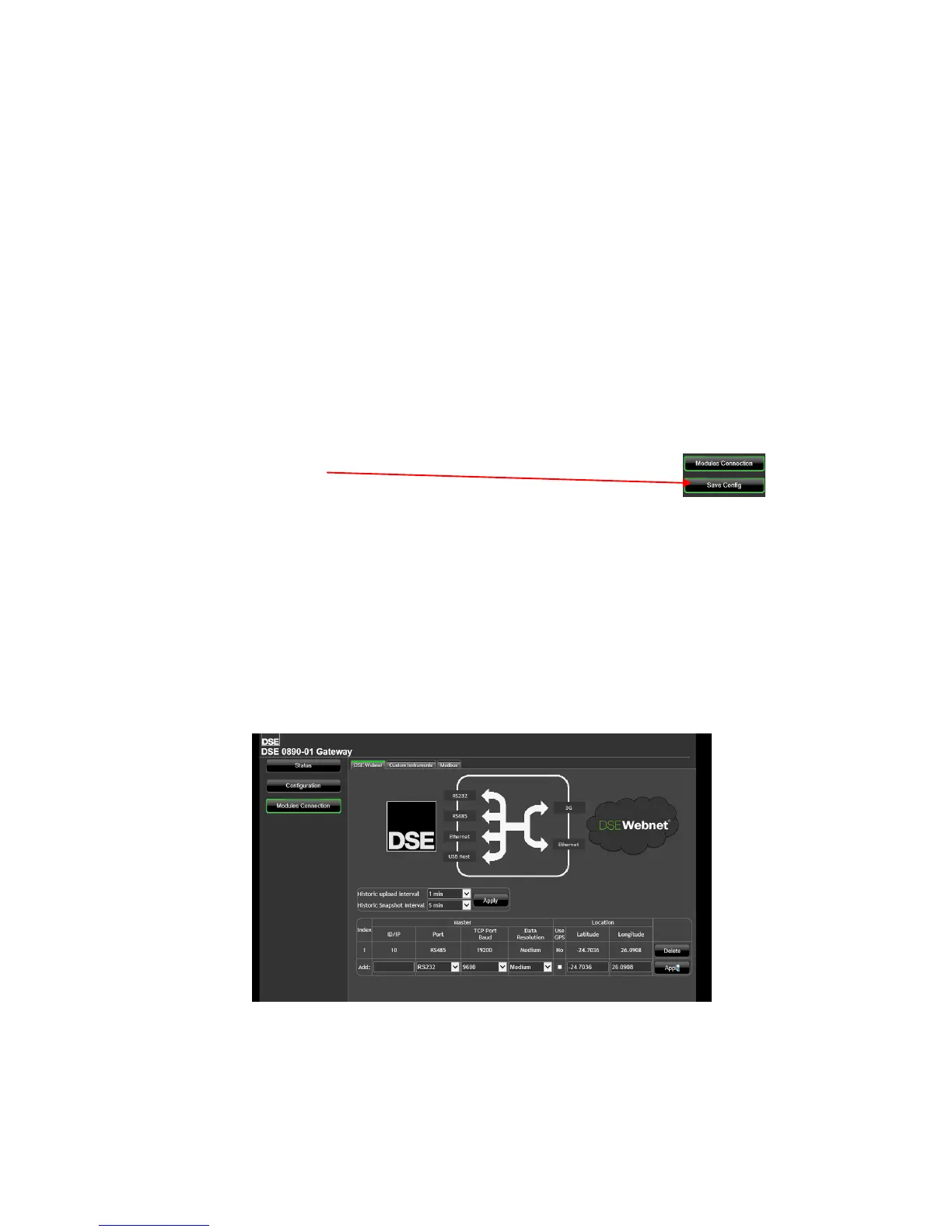
is factory set to accept connection via the USB port. If this is not the comm’s type
to be used, the entry must be deleted in the Module Connections page of the DSEGateway
®
. It must
then be re-configured to suit the Genset comm’s type requirement (RS232/485 or ethernet). The
process below explains how this can be achieved.
• Connect to the DSE89X configuration page as described in the set-up section of this manual.
• Select Modules Connection and configure each port to match the controller being connected.
• Once the configuration port settings have been entered, click ‘Apply’ and
click ‘Save config’.
• Remove the DC supply from the DSEGateway
®
.
• Connect the new controller to the chosen communications port.
• Apply the DC supply to the controller being added (and any other controllers in the system).
• Re-apply the power supply to the DSEGateway
®
.
• For a short time (up to 5mins), the link light will remain red. The link LED then illuminates
green when connection to the DSEWebNet
®
server is established. During a first time install, if
no module is connected to the DSE89X then the link LED will remain continously red.
• If the controller is connected and configured correctly for the DSEGateway
®
then the template
file is downloaded from the DSE server. Once downloaded the associated configuration
comminucations ports begin to flash green.
• Any unused communication ports must be deleted from the module. This prevents the
DSE89X from continuously searching for unconnected modules.
Please Note; For more details on accessing the DSEGateway
®
using the DSEWebNet® system,
refer to DSE publication 057-168 DSEWebNet
®
Software Manual available from the DSE website
at www.deepseaplc.com.



 To Next Page