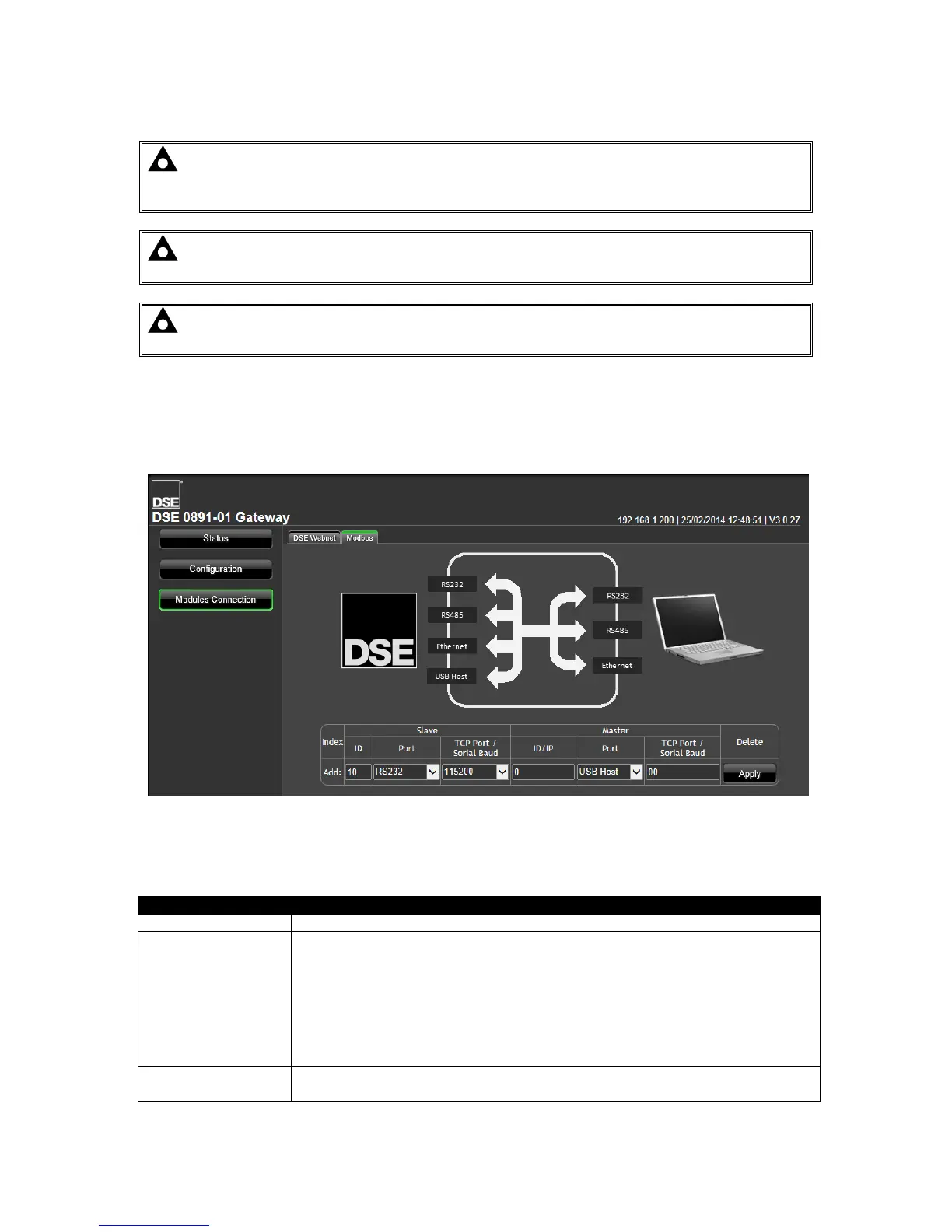
5.5.3 MODBUS
NOTE: This section is only used when setting up the DSEGateway
®
to operate as a
communications protocol convertor. This section must be left with no entries if using the
DSEGateway
®
with the DSEWebNet® system.
NOTE: A maximum of 5 connections can be made in the Modbus page. That is a maximum
of 5 controllers are supported for protocol conversion by each DSEGateway
®
.
NOTE: Ports used in the Modbus section are dedicated to protocol conversion and cannot
be used to connect a module to the DSEWebNet® system.
This page is used to configure the DSEGateway
®
as a Modbus Gateway to allow conversion across
the various ports.
It can be used for example to set USB as a modbus master to connect to any DSE controller fitted
with a USB port and supporting the DSE Configuration Suite SCADA function.
5.5.3.1 SLAVE
These are the settings of the DSEGateway® port this is connected to the monitoring device.
This is the modbus slave port that is connected to the Modbus Master ( for
example PC, Building Managmement System or PLC).
RS232: Connection to the master via RS232. Check specifications of the
master as to whether NULL MODEM (crossover) cable is required,
RS485: Connection to the master via RS4852 and suitable RS485 cable.
Ethernet: Connection to an Ethernet network accessible by the modbus
master.
When Port is set to Ethernet – TCP port to use for Modbus (usually 502)
When Port is set to RS232/RS485 – Baud rate of the selected port.



 To Next Page