5.4.9 FIRMWARE UPGRADE
When available, firmware upgrade files are available from Deep Sea Electronics PLC website
www.deepseaplc.com.
To do this, Firmware update files are required as follows:
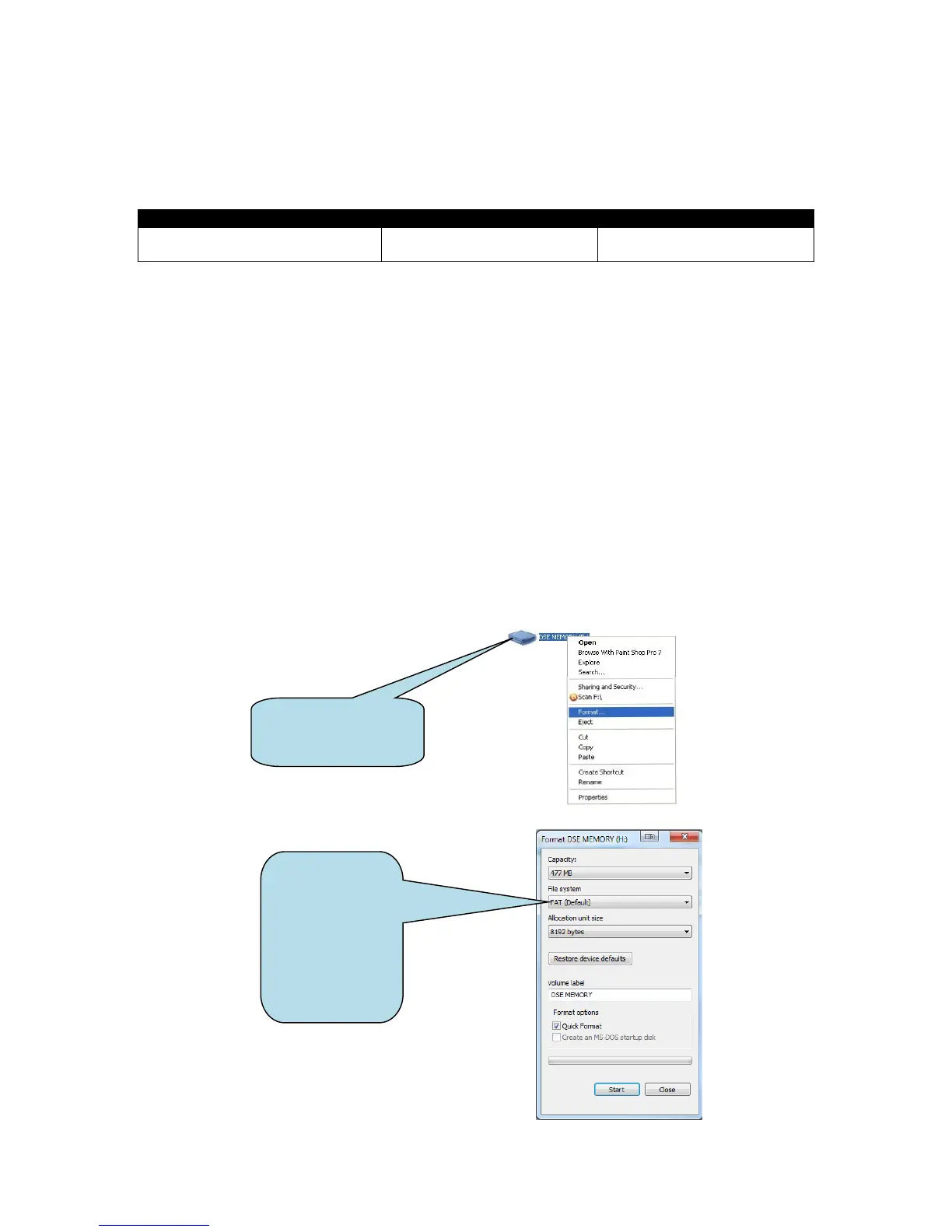
A USB flash memory stick formatted to FAT is also required. See Section entitled How to Format a
USB Flash Memory Stick to FAT, elsewhere in this document.
To update the Firmware:
• Place the Firmware update files onto the USB memory stick.
• Remove the DC power supply from the DSEGateway
®
.
• Insert the memory stick into the DSEGateway
®
.
• Reapply the DSE power supply to the DSEGateway
®
.
• Wait for the four status LEDs to stop cycling, then briefly remain green. The link LED status
will remain RED whilst communications to DSEWebnet
®
are restabilished.
• Remove the USB memory stick.
• The DSEGateway
®
Firmware has been updated.
5.4.10 HOW TO FORMAT A USB FLASH MEMORY STICK TO FAT
• Insert memory stick into PC USB port.
• Browse to Computer in Windows Explorer.
• Identifty the memory stick, Right Click the device and select Format.
• Select FAT and click Start.



 To Next Page