EasyManua.ls Logo

DSE DSE890 - I;O; Time

DSE DSE890
53 pages
Print Icon
To Next Page IconTo Next Page
To Previous Page IconTo Previous Page
Loading...
Setup
Page 37 of 53
057-165 ISSUE: 9.0
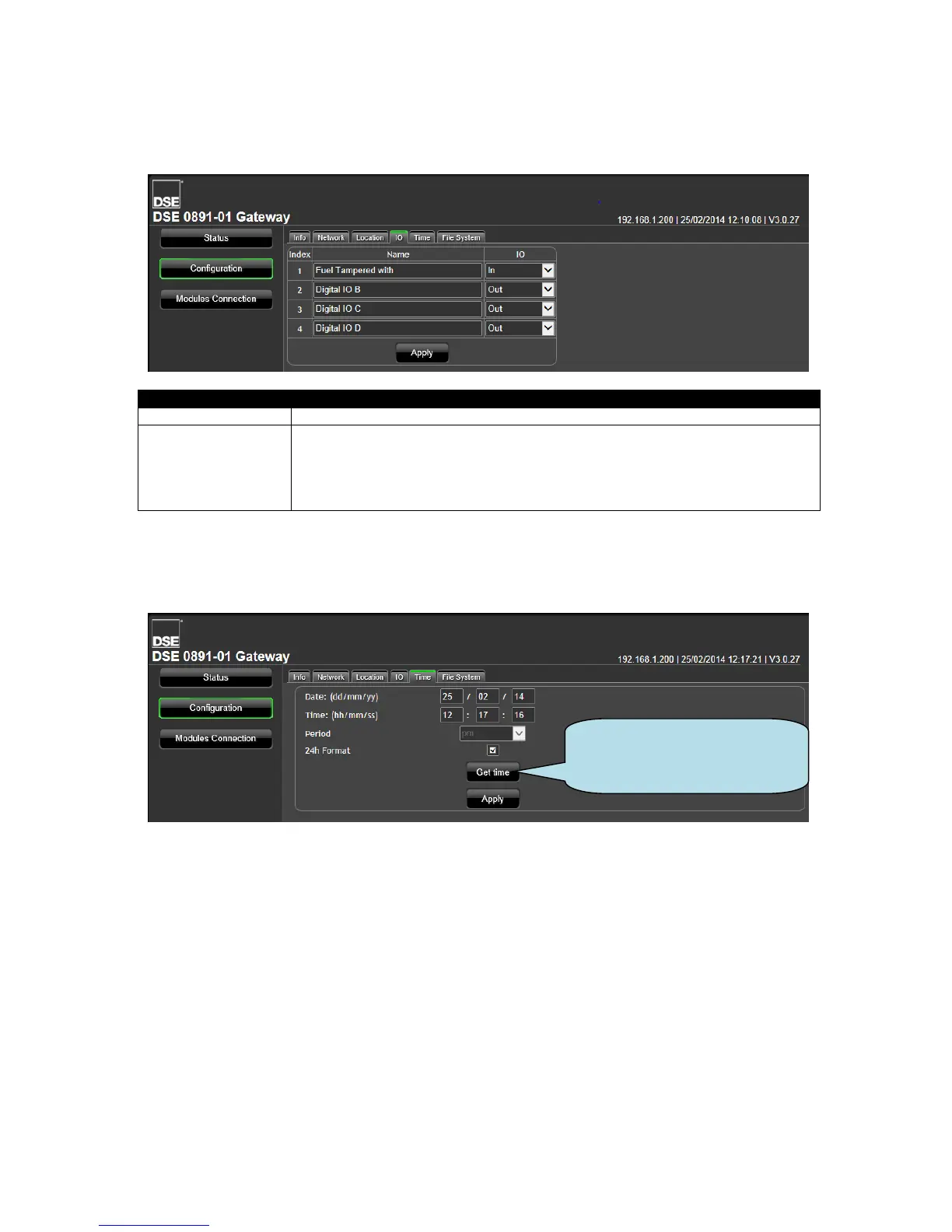
5.4.5 I/O
Allows configuration of the DSEGateway
®
I/O (Inputs/Outputs)
Parameter
Description
Name
Enter the name that to identify the I/O channel on the DSEWebNet
®
system.
I/O
Select the type of the I/O
In: The selected channel is an Input. Connect it’s respective terminal to battery
positive to activate it. The DSEWebNet
®
system shows the state of this input.
Out: The selected channel is an Output. The DSEWebNet
®
system is used to
activate/deactivate the Output.

5.4.6 TIME
Allows configuration of the DSEGateway
®
real time clock.
Click to set the DSEGateway
clock to the same time as your
PC clock.

Table of Contents

Related product manuals