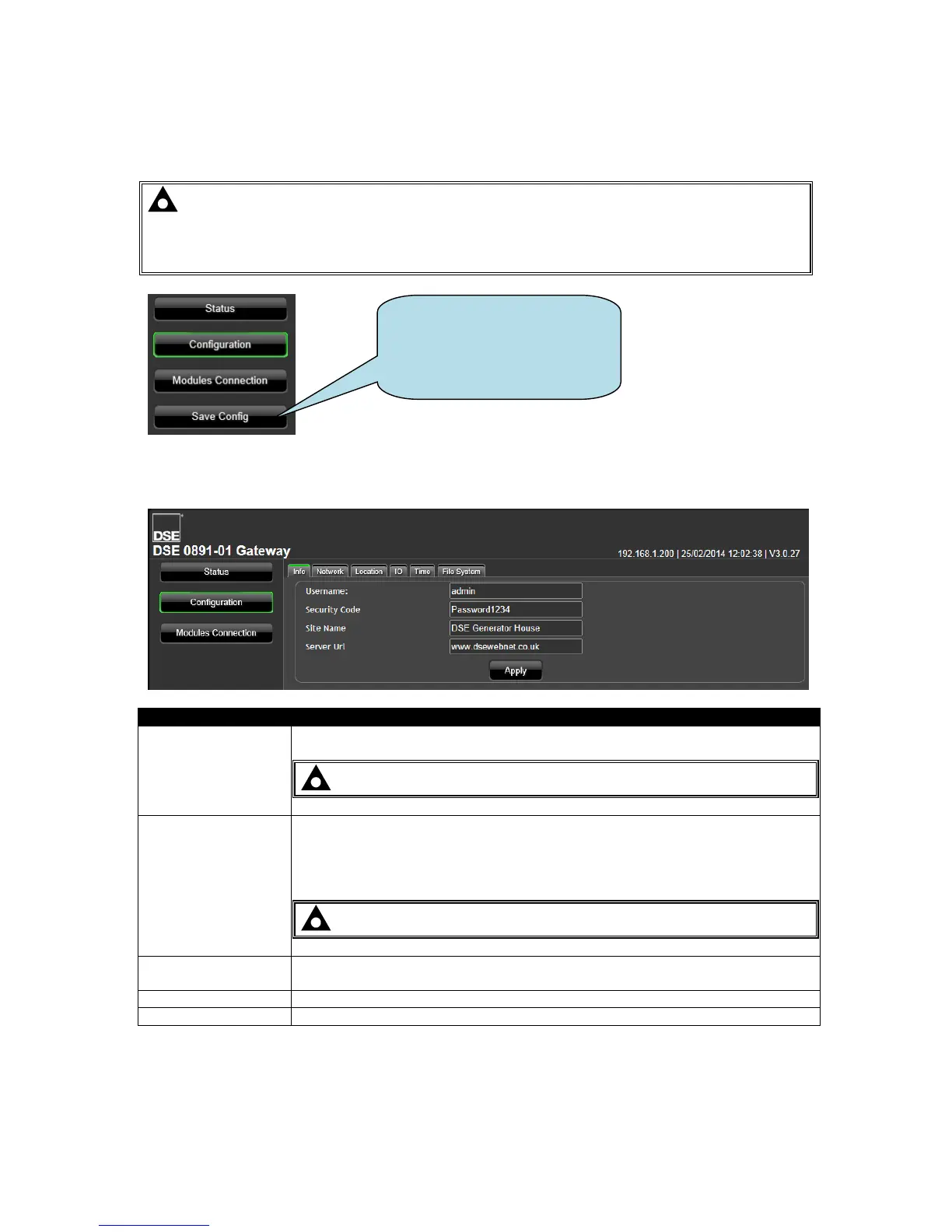
5.4 CONFIGURATION
DSEGateway
®
configuration is separated into separate pages.
NOTE: Upon changing a parameter on any of the pages, the Apply button must be
pressed before exiting the current page. This stores the new settings and allows
settings on other pages to be changed. A new button, Save Config becomes available
after Apply is clicked.
5.4.1 INFO
Factory setting: Admin
NOTE: Username is CASE SENSITIVE.
Factory setting: Password1234
Security Code is required to gain access to these management pages and also
to add connected devices to the DSEGateway
®
.
NOTE: Security Code is CASE SENSITIVE.
A name to easily identify the site. This name is shown when viewing the map of
sites on the DSEWebNet
®
server.
Address of the DSEWebNet
®
server.
Store the changes to the DSEGateway
®
.
Upon completion of
configuration, click Save Config
to restart the DSEGateway
®
using the newly changed
settings.



 To Next Page