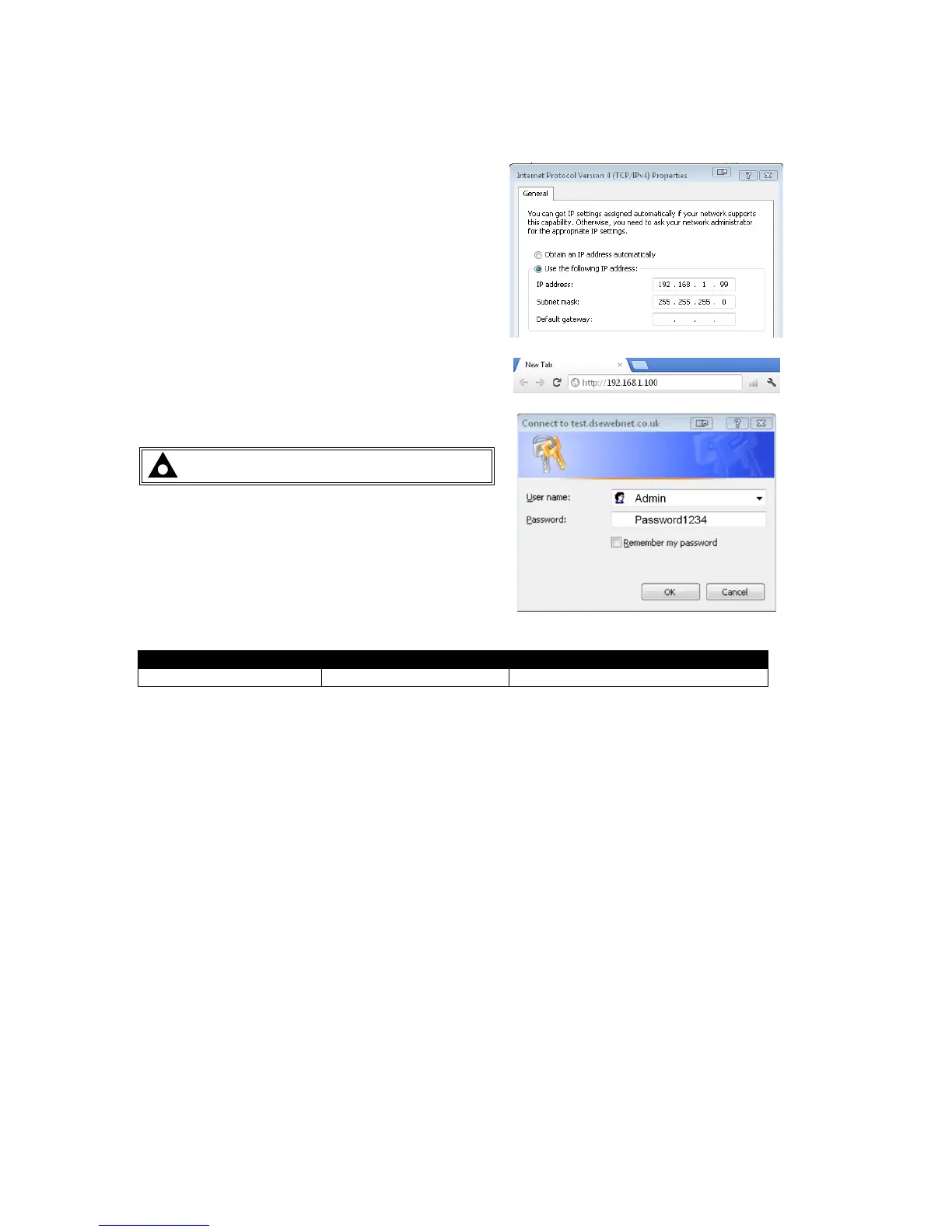
5.2 CONNECTING TO THE GATEWAY MANAGEMENT PAGES
Consult the company IT department before making
changes to PC network settings.
Connect the DSEGateway
®
ethernet port directly to
the PC Ethernet port.
It is possible to sse either a ‘straight through’ or
‘crossover’ network cable.
Set the PC IP address as shown.
Using Google Chrome, Microsoft Internet Explorer or
Mozilla Firefox, enter the IP address of the gateway.
Enter the username and password of the Gateway :
NOTE: Password is CASE SENSITIVE.
For further details refer to the following DSE
publications available from our website :
www.deepseaplc.com
057-168 DSEWebNet
®
Software Manual



 To Next Page