EasyManua.ls Logo

DSE DSE890 - CONTROLS AND INDICATIONS; RESET PUSHBUTTON; LED INDICATIONS

DSE DSE890
53 pages
Print Icon
To Next Page IconTo Next Page
To Previous Page IconTo Previous Page
Loading...
Controls and Indications
Page 24 of 53
057-165 ISSUE: 9.0
4 CONTROLS AND INDICATIONS
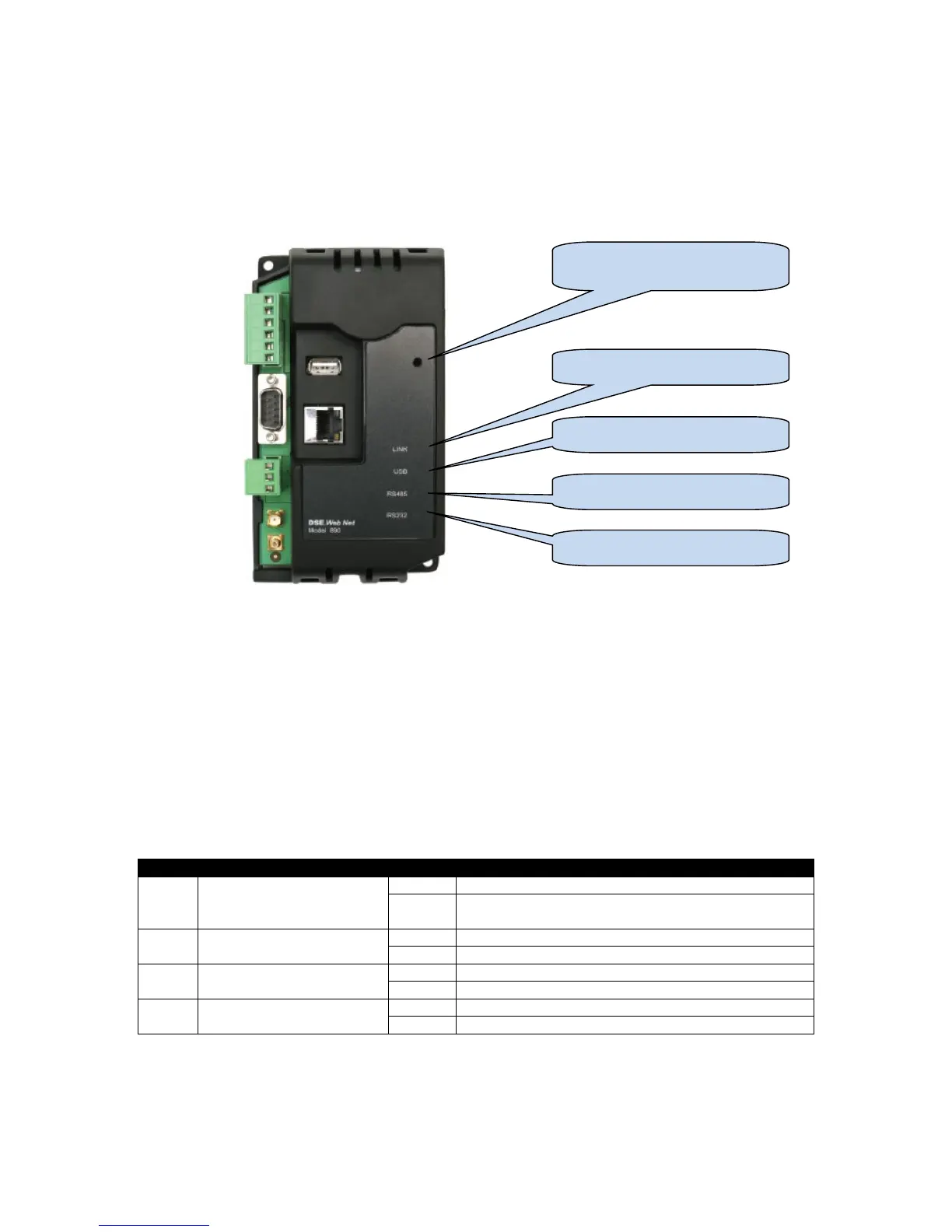
4.1 RESET PUSHBUTTON
The reset push button, accessible by removing the front cover or via the small hole and by using an
insulated narrow point, is provided to set the device back to factory settings.
Press and hold the button to activate the reset sequence :
1. Press and HOLD the reset pushbutton.
2. All LEDs light YELLOW for a short time.
3. All LEDs extinguish for a short time.
4. LEDs illuminate one at a time LED4, LED3, LED2, LED1.
5. All LEDs illuminate YELLOW.
6. Reset has completed and the reset push button can be released.
Once reset, the Gateway must be reconfigured
It’s factory set IP address is 192.168.1.100. Username: Admin, Password Password1234
4.2 LED INDICATIONS

LED
Function
Colour
Action
1
Server Status
Red
No connection to DSEWebNet® Server
Green
Connected to DSEWebNet® Server and all
configured ports are OK
2
USB Host Status
Red
No Unit Detected
Green
Data transfer OK
3
RS485 Status
Red
No Unit Detected
Green
Data transfer OK
4
RS232 Status
Red
No Unit Detected
Green
Data transfer OK
Reset Push Button Access
Hole
LED1 LINK (Server) Status
LED2 USB Host Status
LED3 RS485 Status
LED4 RS232 Status

Table of Contents

Related product manuals