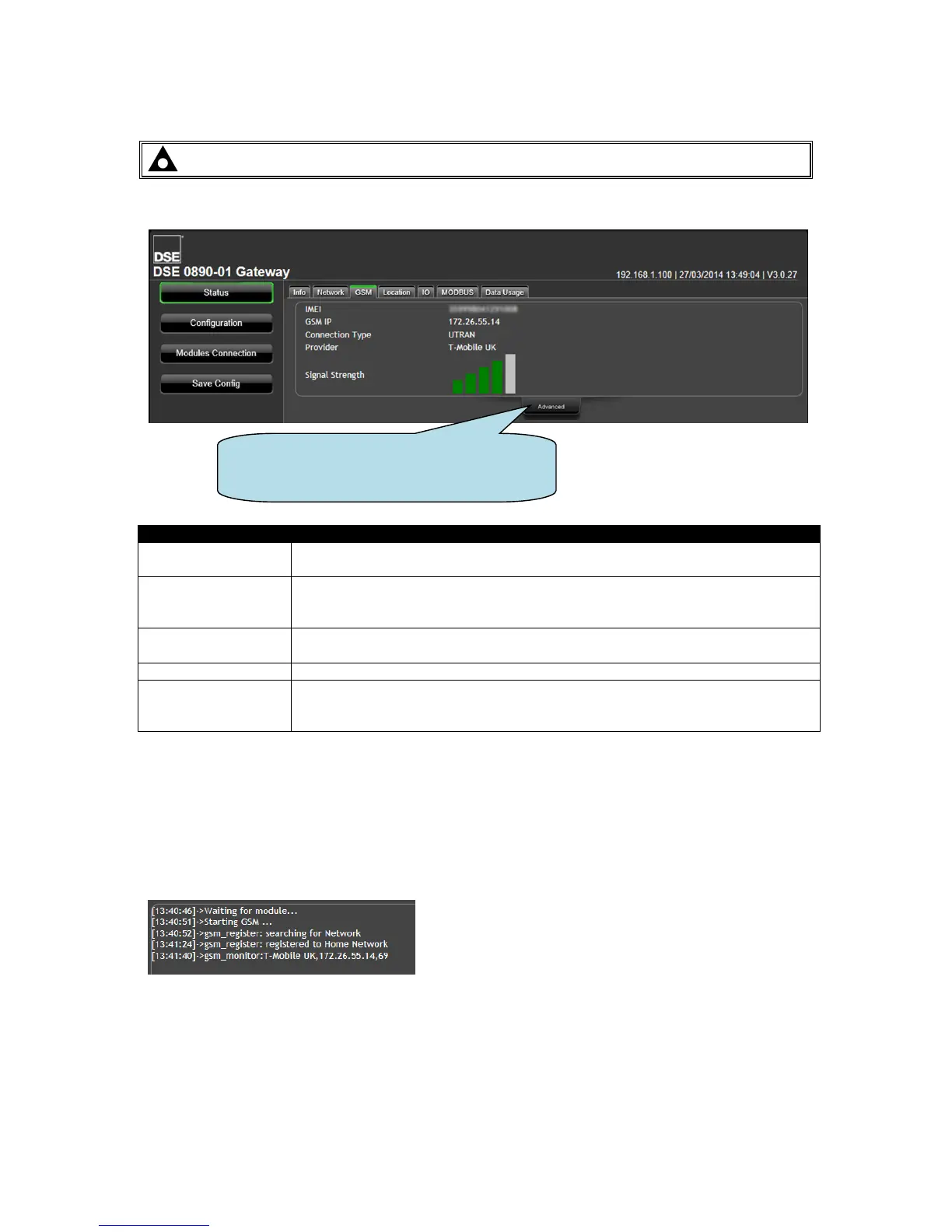
5.3.3 GSM (DSE890 GATEWAY ONLY)
NOTE: GSM status is not available with DSE891 Ethernet Gateway.
Provides diagnostic information for the GSM connection.
IMEI number of the GSM communications device integrated within the DSE890
Gateway.
IP address obtained from the GSM network provider. Unless a specifically
purchased fixed IP address has been obtained from the SIM card provider, this
number is dynamically provided by the GSM network operator.
Type of connection made to the GSM network. This changes from area to area
depending upon local network provision.
The name of the GSM network currently connected.
A representation of the GSM signal strength. This does not represent the
quality of the GPRS (cellular internet) connection.
No green bars indicates poor reception. Move the antenna to a better location.
5.3.3.1 ADVANCED
The advanced section shows diagnostic information that may assist DSE Technical Support in the
case of GSM connection issues.
Example showing a successful connection to a GSM Network, resulting in an IP address being
assigned to allow connection.
Click Advanced to open and close a
diagnostic window to help troubleshoot GSM
connection issues (DSE890 only)



 To Next Page