■■■■■■■■■■■■■■■■■■■■■■■■■■■■■■■■■■■■■■■■■■■■■■■■■■■■■■■■■■■■■■■■■■■■■■■
▼
Implementing and Handling Applications
DS1104 Hardware Installation and Configuration March 2004
53
▲
■■■■■■■■■■I
▲■■■■■■■■■■■■■■■
How to Handle Applications for the
Global Memory
With ControlDesk’s Platform Manager, it is very easy to load real-time
applications to the global memory and reload and stop the real-time
processor.
To download a real-time application to the global memory and
start the RTP
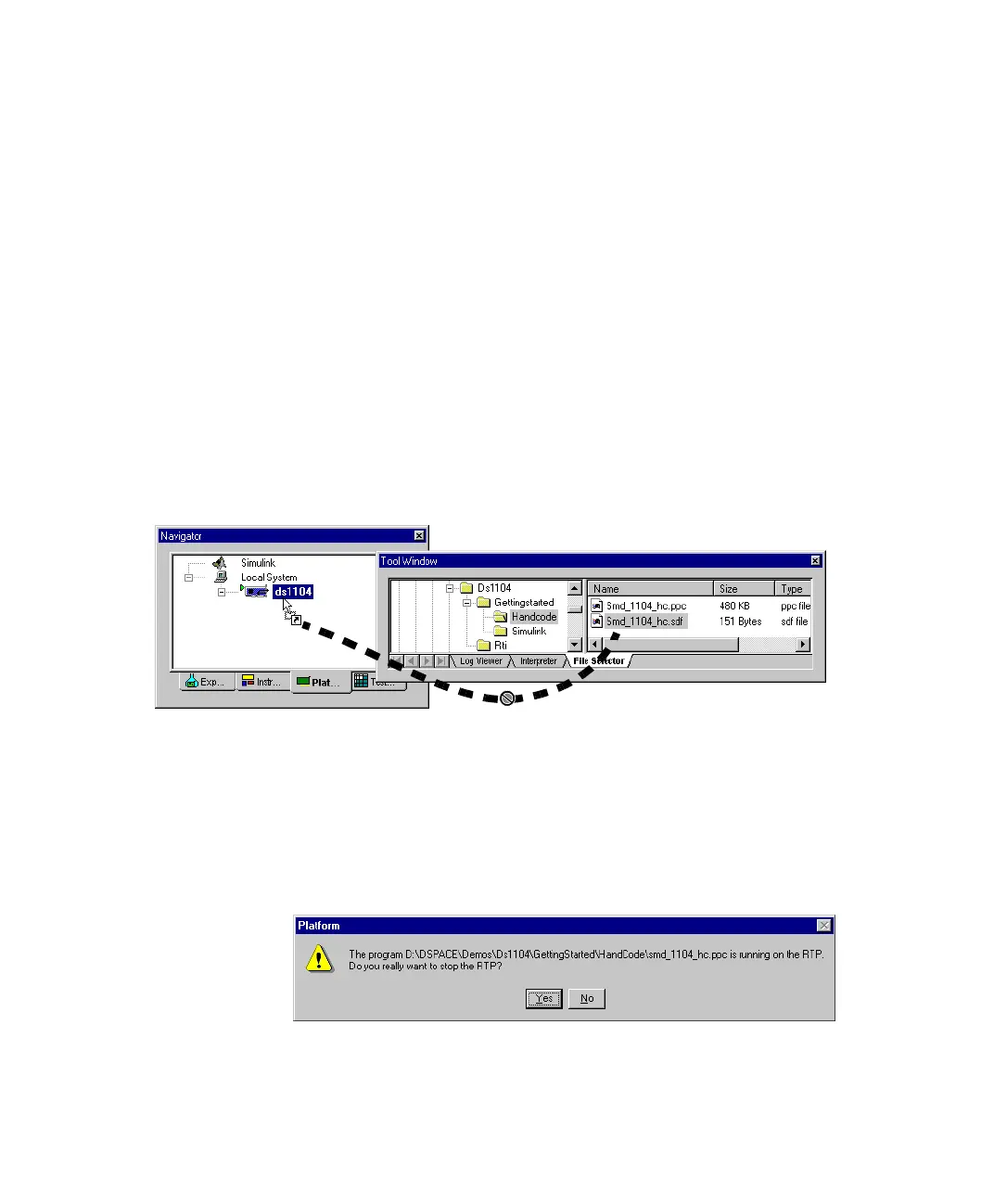
➤ In the File Selector, select the system description file (SDF) or the
object file (PPC) for the real-time processor and drag & drop it onto
the board icon in the Platform Navigator.
The object file is loaded to and started on the real-time processor.
Or you can choose Platform – Application – Load Application
from the menu bar.
N
If you drag & drop an application onto the processor board when your
system is still running, a dialog similar to the following opens.



 To Next Page