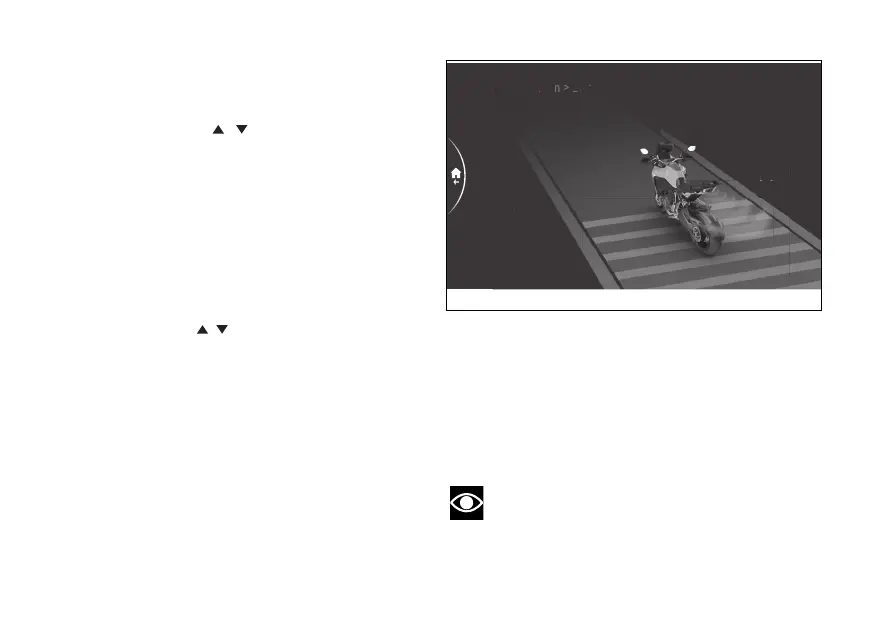
Blind Spot Detection - Dimmer
This function allows you to adjust the brightness of
the LEDs on the rear-view mirrors.
- Use the joystick
to select menu"
from the Interactive Menu and press ENTER.
- Select the "Blind Spot Detection" option and
press ENTER.
- Select the Dimmer item and press ENTER.
Low, Medium and High levels are displayed on the
side. While the currently set level is shown
on the right. The motorbike and intensity of the LED
are displayed in the middle according to the selected
level.
Using the joystick
it is possible to scroll and
select the desired level.
When a new level is selected, the LEDs on the rear-
view mirrors will light up briefly to show the new
brightness level to the rider.
Press ENTER to confirm and return to the previous
menu.
The brightness of the LEDs is automatically adjusted
for both signal levels (information warning level 1
and hazard warning level 2, see sub-section Blind
Spot Detection page 133), according to the "day" or
"night" condition detection. Depending on the
ambient lighting conditions, it may not be possible
to notice a marked change in brightness
It is recommended to adjust the brightness so that
the level 1 information warning does not distract or
disturb the view while riding. The brightness of the
level 2 hazard warning is linked to the brightness of
the level 1 information warning and is automatically
adjusted together with it.
Note
The BSD Blind Spot Detection is not active
during brightness adjustment.
Blind Spot Detection > Dimmer
Medium
High
Low
Medium
Fig 201
227











 To Next Page