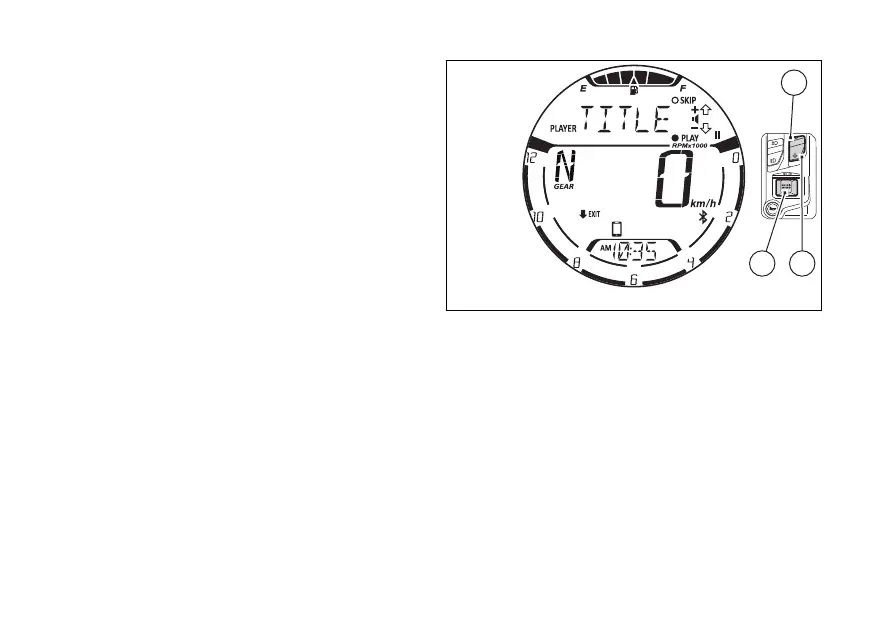
Music player controls
When the control is active, (1), (2) and
(4) are used by the instrument panel only for
the music player controls. In
●
Play / Pause: press (4) for 2 seconds.
●
“SKIP” to next track: briefly press (4).
●
Increase volume “+”: briefly press (1). The
symbol “+” disappears while the is being
pressed to indicate that the operation has been
carried out.
●
Decrease volume “-”: briefly press (2).
The symbol “-” disappears while the is
being pressed to indicate that the operation has
been carried out.
●
“EXIT” from the music player control: press
(2) for 2 seconds.
Fig 80
102















 To Next Page