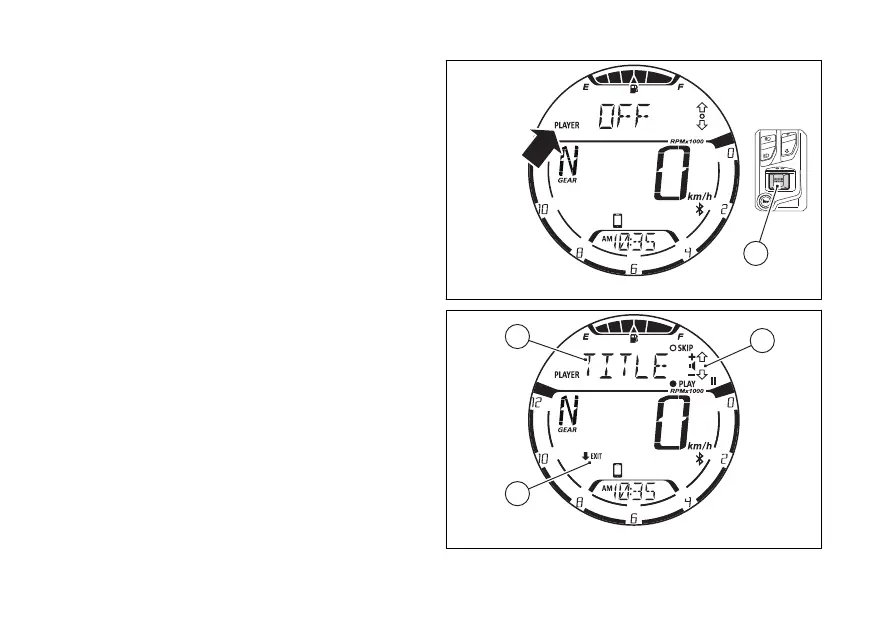
Music player control activation (from OFF to
ON).
If the music player control is set to “OFF”, press
(4) to activate it.
With the music player control active, the display
shows the title of the track currently being played on
the connected (A, Fig 79), together with
the available controls (B, Fig 79) and the “EXIT”
indication preceded by the black arrow facing
downwards (C, Fig 79).
The full name of the track is displayed once, scrolling
the characters from right to then only the first 6
characters are displayed. If the title of the track is not
available, “NOT AVAILABLE” will be displayed.
Fig 78
Fig 79
101















 To Next Page