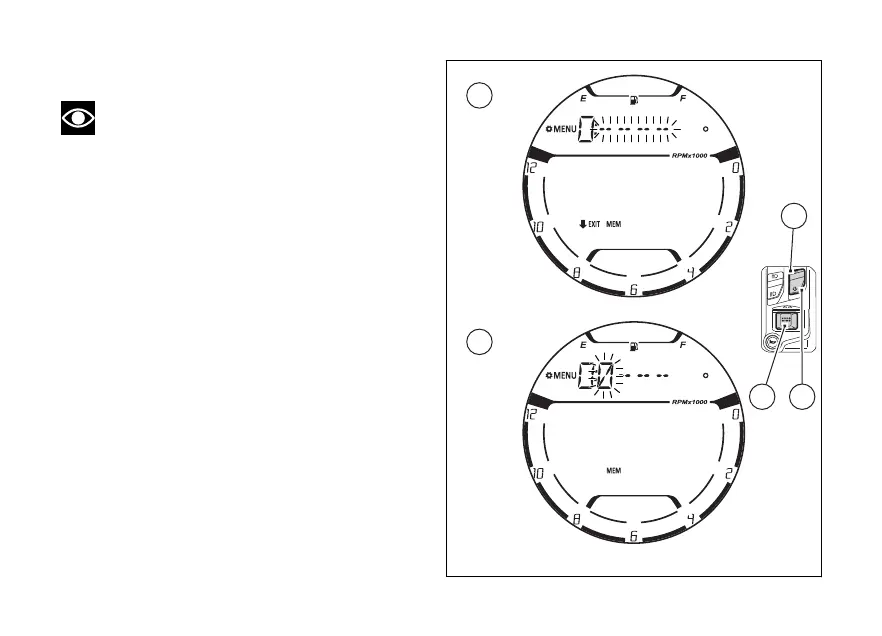
Entering the old PIN CODE:
Note
If upon accessing this function, the "N : " (New)
and four flashing dashes "- - - -" are shown, it means
that the PIN CODE has never been activated and it is
necessary to do it.
When accessing this function, the display will show
"O:" (OLD) followed by four flashing dashes "- - - -”
(A).
To go back to the previous screen without entering
any PIN CODE, press (2) for 2 seconds.
While if you press (4) with the 4 flashing
dashes “- - - -”, the old PIN CODE will be entered.
1) Only the first digit on the will flashing
with indicated the number “0” (B)
2) Each time you press the (1) the displayed
number increases by one (+ 1) up to "9" and then
back from “0”
3) Each time you press the (2) the displayed
number decreases by one (- 1) up to "0" and then
back from "9"
4) Press (4) to confirm the number and
move on to the following digit which will
flashing.
Fig 98
117















 To Next Page