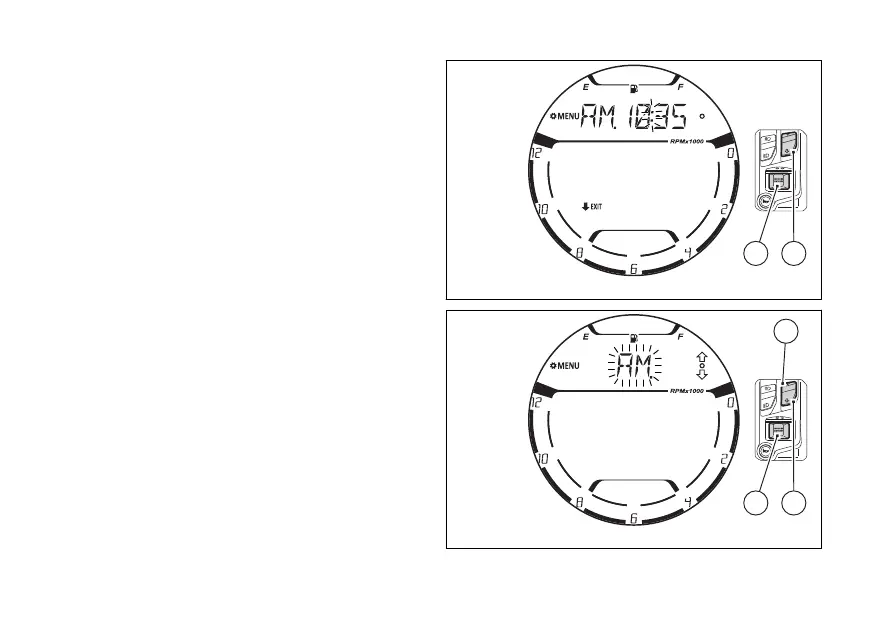
When entering this function, the instrument panel
will display the currently set time with the colon “:”
flashing (Fig 102).
To exit the function without or changing the
time, press (2) for 2 seconds.
Press (4) to set the time.
AM/PM
The first parameter that can be modified is AM / PM.
The value currently set is displayed flashing
(Fig 103). Use (1) and (2) to toggle from "AM”
to “PM" and vice versa.
Press (4) to confirm the value selected and go
to the hour
Fig 102
Fig 103
123















 To Next Page