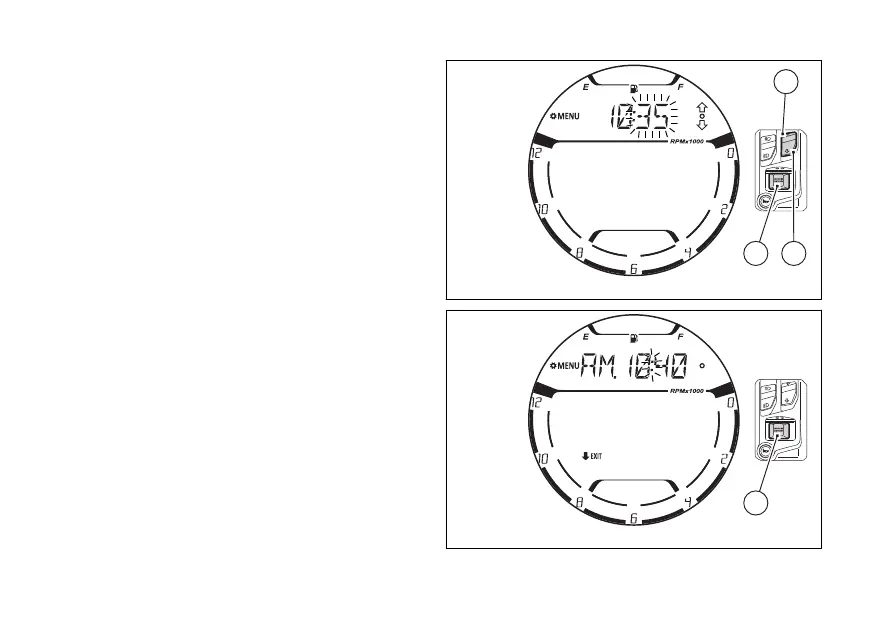
Minute
The display shows the time currently set with the
minutes flashing.
Each time you press (1), the digit will increase
by one minute. If you hold (1) down, the
number increases in steps of one minute every
second. If (1) is kept pressed for more than 5
seconds, the count increases more quickly (the two
digits will not flash while the is pressed).
Each time you press (2), the value will
decrease in steps of 1 minute. If you hold (2)
pressed, the value decreases in steps of 1 minute
every second. If (2) is kept pressed for more
than 5 seconds, the count decreases more quickly
(the two digits will not flash while the is
pressed).
Press (4) to end the flashing of the minutes
and exit the mode. Now the instrument
panel indicates the time just set (Fig 106).
To quit the function press (2) for 2 seconds.
Fig 105
Fig 106
125















 To Next Page