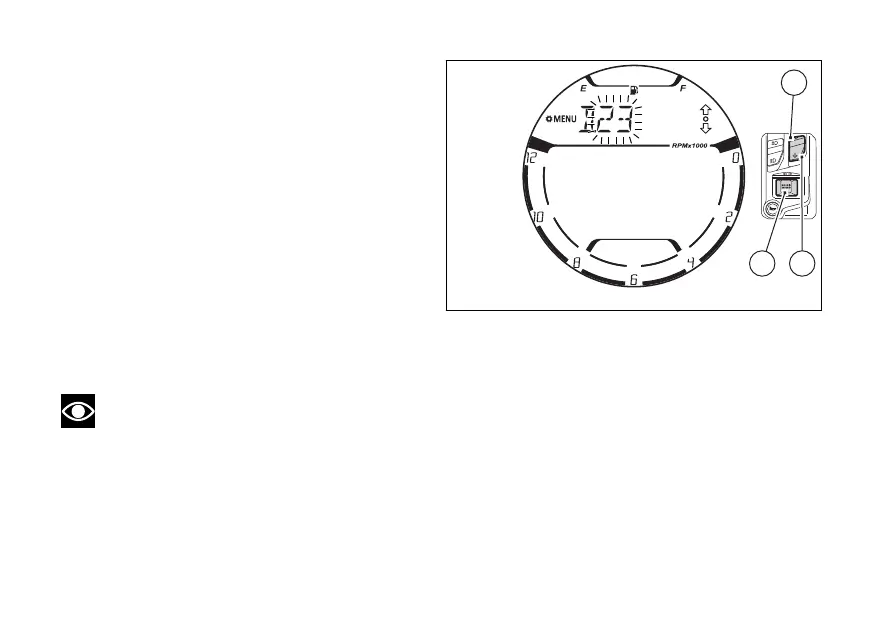
Day (D.)
On entering this function, the “D.” indication will no
longer flash, while the digits corresponding to the
month will flashing.
Each time (1) is pressed, the value will
increase in steps of 1 day. Keep (1) pressed to
increase the value in steps of 1 day per second (the
two digits will not flash while is pressed).
Each time (2) is pressed, the value will
decrease in steps of 1 day. Keep (2) pressed to
decrease the value in steps of 1 day per second (the
two digits will not flash while is pressed).
If (4) is pressed, is completed and the
“D.” indication flashes again to continue to scroll
through the other items.
Note
During the of the value of one the date
fields (“Y.”, “M.” or “D.”) it is not possible to quit the
“DATE SETTING” function by pressing (2) for
2 seconds.
Fig 112
130















 To Next Page