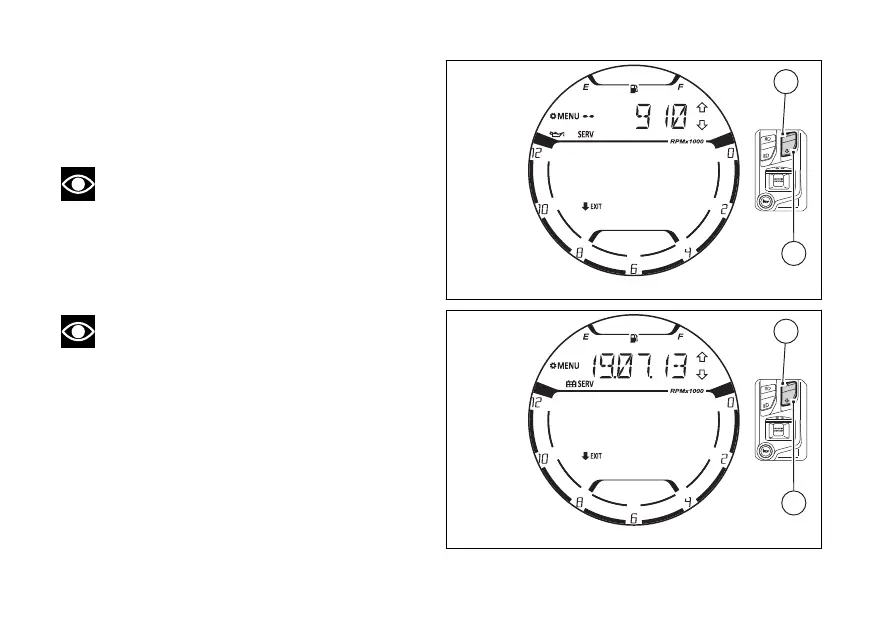
Upon pressing (1) or (2) the
instrument panel displays in sequence “Oil Service”
(Fig 116), “Annual Service” (Fig 117) and then “Desmo
Service” again (Fig 115).
To quit the function press (2) for 2 seconds.
Note
The “OIL SERVICE” screen shows the
countdown of the OIL SERVICE ZERO relevant to
the first 1000 km (600 mi). If the odometer has
exceeded 1000 Km (600 mi) but the reset has not
been carried out yet (countdown reset), “0” will be
indicated until the OIL SERVICE ZERO reset.
Note
If the ANNUAL SERVICE information is not
available, steady dashes “ - -. - -. - - ” will be
displayed.
Fig 116
Fig 117
133















 To Next Page