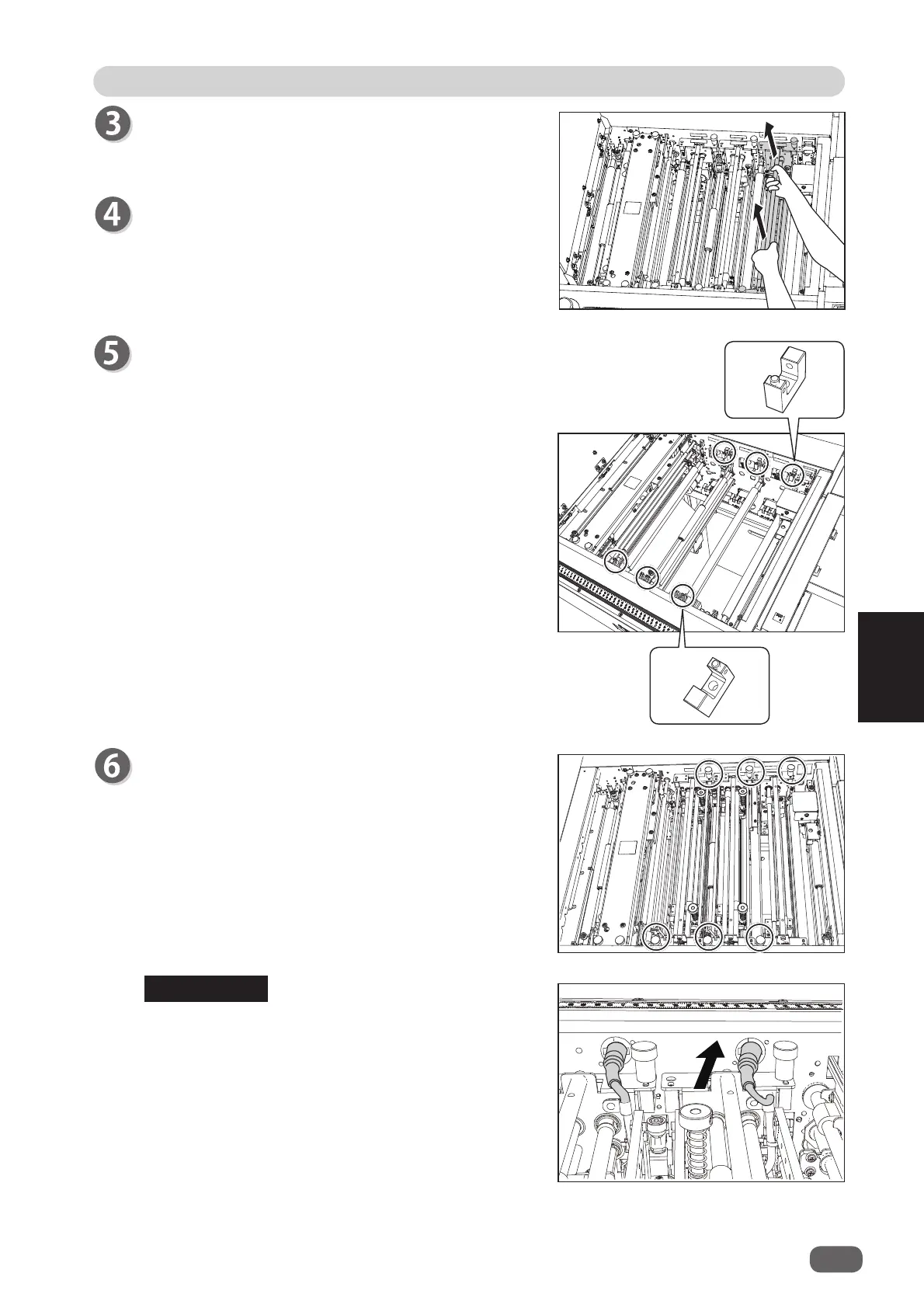
Remove the jammed document with the
pliers
and
so on.
Grasp the
handle
to take out the modules in
slot 1
,
slot 2
, and
slot 3
by lifting them up.
Install the modules removed in step 3 to their
original positions in
slot 1
,
slot 2
, and
slot 3
according to the
positioning pins
.
Tighten the
fi xing screws
(two each) on the modules
to secure them.
If the
RTM (Rotary Tool Module)
is installed in
slot
2
or
slot 3
, connect the connector of the module.
REFERENCE
2
101
If a Document Jam Has Occurred
5
Troubleshooting



 To Next Page