JOB Entry
30
3.
Cut Trim Setting
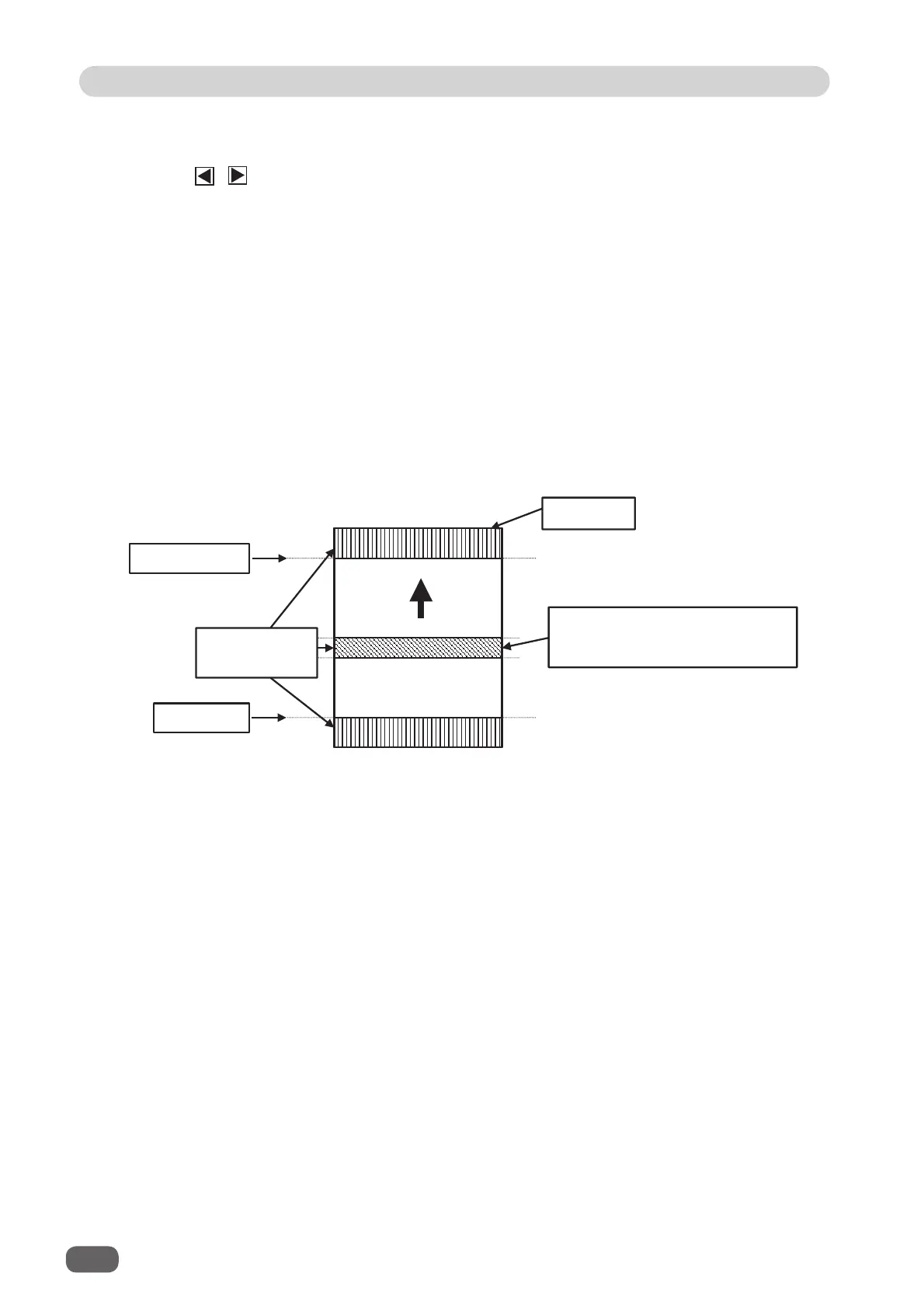
The lead margin, the trail margin, and any other gutters are chopped up and dropped into
the waste box.
Touch / icon to select
Full Bleed Mode
,
No Bleed Mode
, or
Process All
.
Full Bleed Mode
: The lead margin and the trail margin are chopped up and dropped into
the waste box. Any other gutter cuts shorter than 49.0 mm in width are
also chopped up and dropped into the waste box.
No Bleed Mode
: Gutter cuts shorter than 49.0 mm in width are chopped up and dropped
into the
waste box. Trail margin shorter than 60.0 mm is chopped up and
dropped into the waste box.
If a document is processed without either of the lead margin or the trail
margin, make sure to select
No Bleed Mode
.
Process All
: All of the cut pieces are ejected to the
exit tray
.
Gutter cuts shorter than 30.0 mm in width are chopped up and dropped into
the waste box. Trail margin shorter than 60.0 mm is chopped up and dropped
into the waste box.
Lead edge of
document
First cut
Last cut
The area between two cuts shown
are chopped up and dropped into the
waste box.
Area processed in
Cut Trim Setting



 To Next Page