JOB Entry
29
Programming a JOB on the Control Panel
2
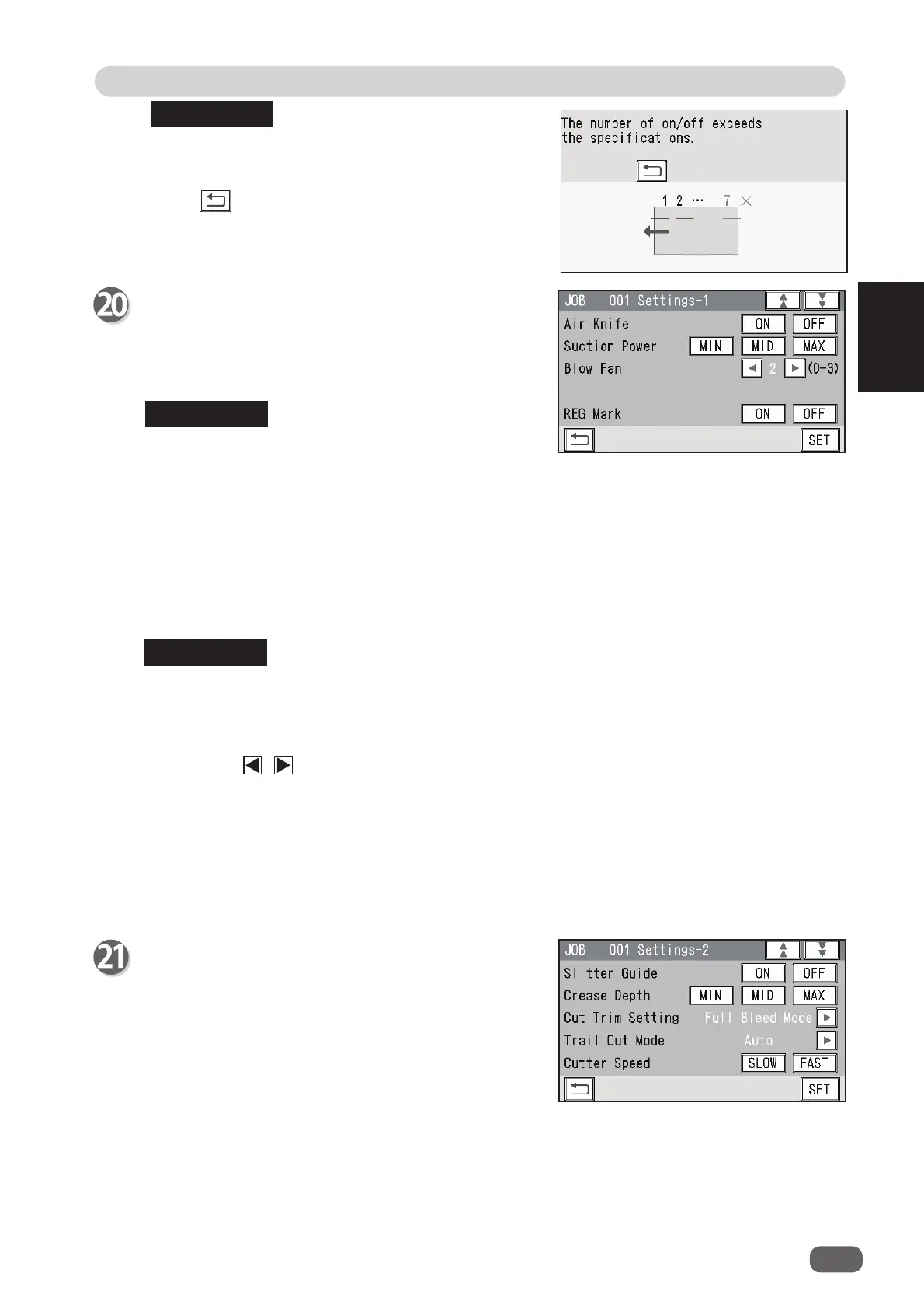
Settings-1
1. Air Knife
If a document double feed occurs frequently,
touch
ON
. If not, touch
OFF
.
When processing light weight documents, select
OFF
.
When processing documents with excessive static
electricity or processing heavy weight documents,
select
ON
.
The fi gure on the right appears if seven or more
sets of
On
position and
Off
position in the Y
direction with the
RTM
have been programmed.
Touch to check the processing positions of the
RTM (Rotary Tool Module)
.
2. Suction Power
A document skew is adjusted with a document suctioned to the
conveyance belt
.
Select and touch suction level out of
MIN
,
MID
, or
MAX
.
When using light weight documents, select
MIN
to prevent document jams.
3. Blow Fan
Air is blown out from the front of documents to loosen them. This prevents a double feed.
Touch the / icon to select air level out of
0
to
3
.
Settings-2
1.
Slitter Guide
This enables you to use the
slitters
as
document guides to stabilize the document
conveyance if you do not use them to process
a JOB.
It is recommended that you select
ON
when
processing light weight documents.
Select and touch
ON
or
OFF
.
2.
Crease Depth
Select and touch
MIN
,
MID
, or
MAX
.
Select
MAX
for heavy weight documents and
MIN
for light weight documents.
You can select a crease depth only when crease positions are set.
4.
REG Mark
When using the REG mark reading function, select and touch
ON
. When not using this
function, select and touch
OFF
.
You can select
ON
or
OFF
only when a REG Mark position is set.
When you have completed the setting in
Settings-1
, touch
SET
.
1
2
3
4
5
REFERENCE
REFERENCE
REFERENCE
1
2
3
4



 To Next Page