JOB Entry
32
4.
Trail Cut Mode
This sets whether dummy cut for the trail margin is processed or not.
Touch the / icon to select
Auto
or
OFF
.
Auto
: Performs dummy cut one time for the trail margin.
OFF
: No dummy cut is performed.
• Dummy Cut:
The DC-618 performs cutting operation without
a document to be cut at the position where
the document is fed for the distance of the trail
margin plus extra length.
This is eff ective for dropping a document, such
as when the trail margin is jammed between the
roller and the lower tool in the cutter section.
• Trail margin:
Means a margin of the trail edge of a document
produced when the last cut is processed.
5.
Cutter Speed
Select and touch cutter speed out of
SLOW
or
FAST
.
Select
SLOW
when processing documents that cannot be processed at
FAST
speed.
When you have completed the setting in
Settings-2
, touch
SET
.
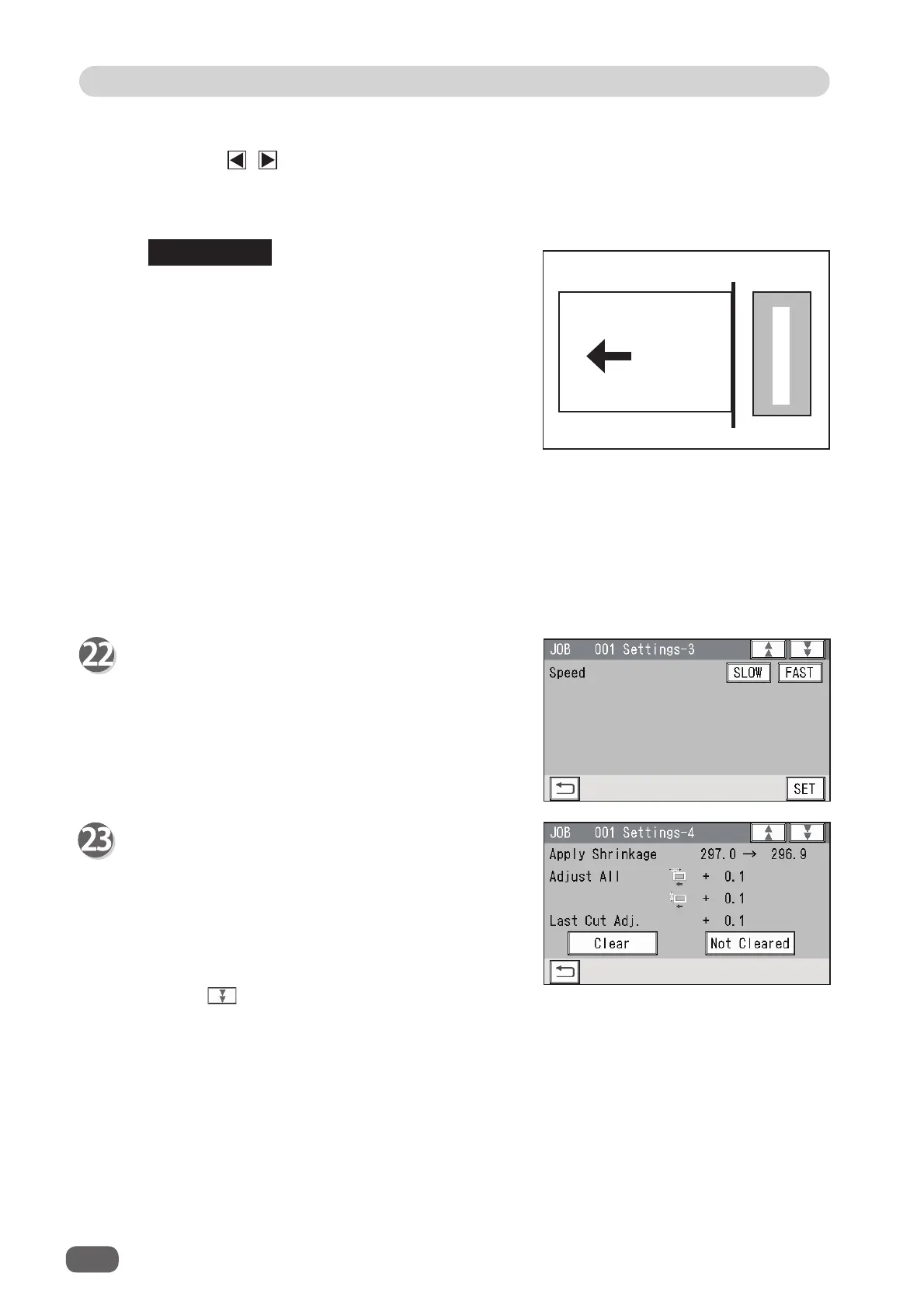
Settings-3
1. Speed
Select processing speed our of
SLOW
or
FAST
.
Selecting
SLOW
improves fi nishing accuracy.
When you have completed the setting in
Settings-3
, touch
SET
.
Settings-4
The details of
Apply Shrinkage
,
Adjust All
, and/
or
Last Cut Adj.
are displayed only when either
of them is programmed in the JOB with
Adjust
.
Check the details of
1 Apply Shrinkage
,
2
Adjust All
, and
3 Last Cut Adj.
Touch
Clear
to clear the settings.
Touch
Not Cleared
not to clear the settings.
Touch the icon.
REFERENCE
Trail margin
Document
feed direction
Trail cut
1
1
2
3



 To Next Page