JOB Entry
35
Programming a JOB on the Control Panel
2
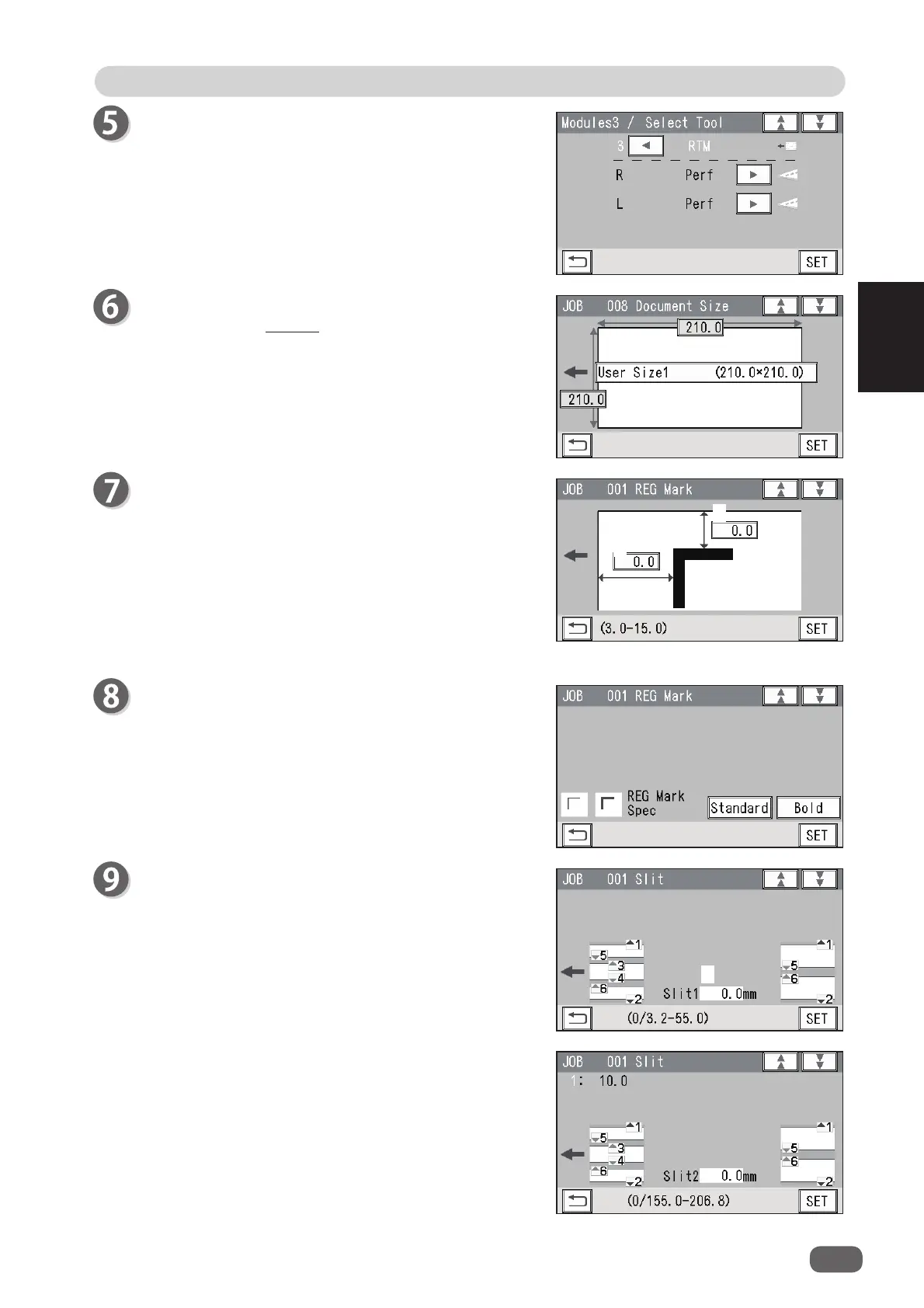
Module (Slot3) / Select Tool
If the
RTM (Rotary Tool Module)
is also installed in
slot 3
, select rotary tools for both
R
and
L
in
slot 3
as
well in similar way to steps 3 and 4.
Document Size
Follow step 6 in Wizard. (→P.19)
REG Mark
1. Enter the distance (
1
) between the right edge of the
document and the side mark with the NUMERIC
keys. Touch
SET
.
2. Enter the distance (
2
) between the lead edge of the
document and the
lead mark
with the NUMERIC
keys. Touch
SET
.
Select and touch
REG Mark Spec
out of
Standard
or
Bold
.
Touch
SET
.
Slit
1. Set processing positions of the
margin slitter
module
installed in
slot 1
.
Enter the distance between the right edge of the
document and slit1 for
Slit1
with the NUMERIC
keys. Touch
SET
.
2. Enter the distance between the right edge of the
document and slit2 for
Slit2
with the NUMERIC
keys. Touch
SET
.
1
2
1



 To Next Page