JOB Entry
42
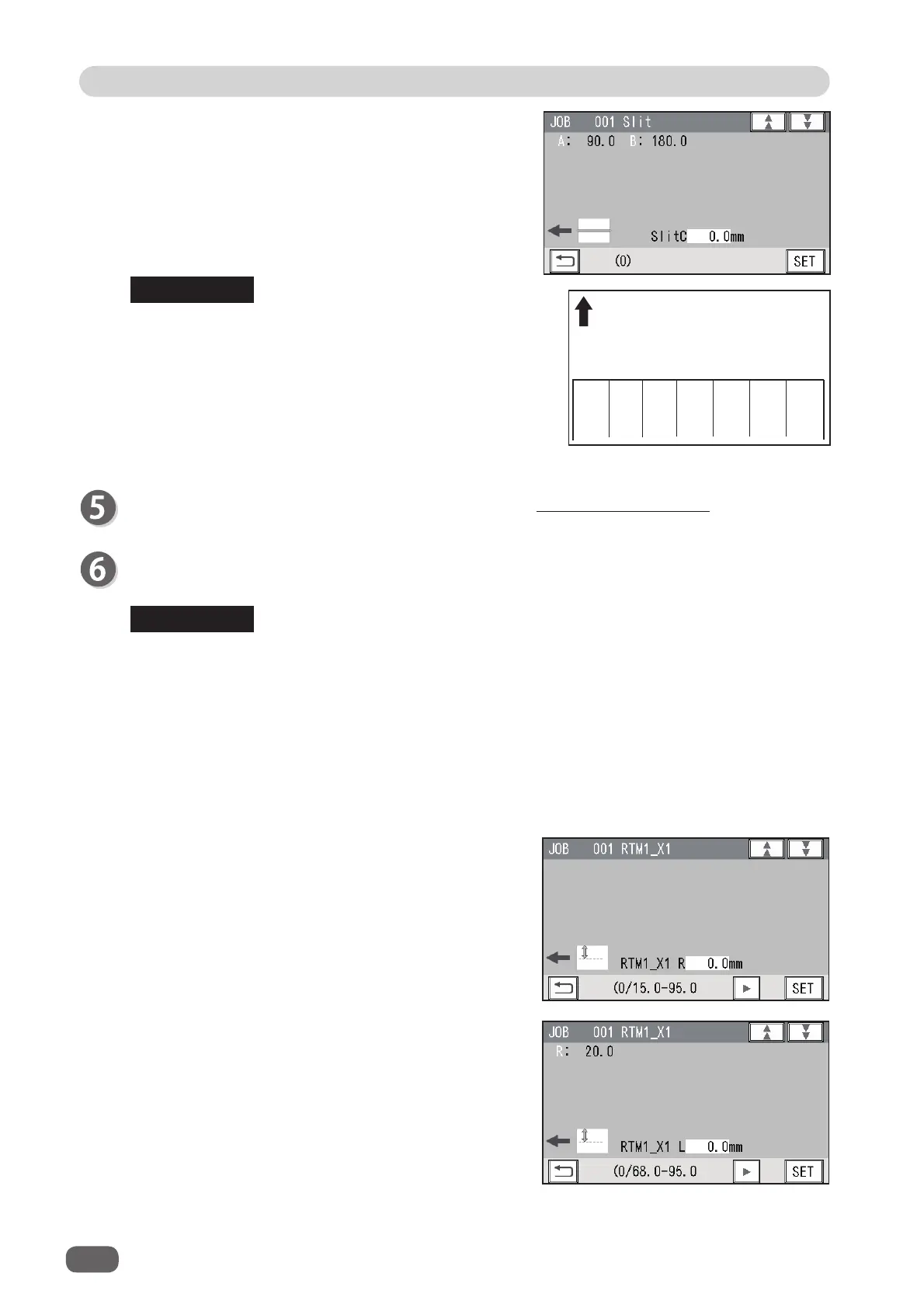
To program cuts and creases, follow steps 10 to 11 in Direct - Advance Mode. (P.36)
• Entry limit
Margin slit width: 3.2 to 55.0 mm
Minimum fi nished product: 48.0 mm
Gutter slit: 5.0 to 15.0 mm
• Simple mode
: Slits are set in alphabetical order from
SlitA
to
SlitF
.
• Advanced mode
: Slits are set in numerical order as
shown in the fi gure on the right.
If two
RTMs (Rotary Tool Module)
are installed, set
margin positions (
SlitA
,
SlitB
) on both sides of the
document.
RTM1_X1
X1
(Pattern 1 in the X direction)
2. Enter the distance between the right edge of the
document and the rotary tool on the left side (
L
) of
the
RTM (Rotary Tool Module)
with the NUMERIC
keys. Touch
SET
.
12 34 56
ABCEDF
Document feed direction
1. Enter the distance between the right edge of the
document and the rotary tool on the right side (
R
) of
the
RTM (Rotary Tool Module)
with the NUMERIC
keys. Touch
SET
.
• Limitation on entry (X direction)
Enter a value so that there is 5.0 mm or more of distance between the right edge of the
fi nished product and a slit.
Enter a value so that there is 48.0 mm or more distance between the tools (
R
and
L
) of the
RTM (Rotary Tool Module)
.
• If
RTM (Rotary Tool Module)s
are set for both
Slot2
and
Slot3
,
RTM1
is set for
Slot2
and
RTM2
is set for
Slot3
.
If only
RTM1
is set,
RTM1
is set for a slot for which no other module is used.
If the
CPM (Cross Tool Module) (option)
is set,
RTM1
is set for
Slot3
.
REFERENCE
REFERENCE



 To Next Page